The Product Manager's Guide to Writing Release Notes When No One Else Will


There is a specific kind of dread that hits around 4:00 PM on the day before a release. The code is merged, the tests are green, and the marketing team is asking for the changelog. You look around for the technical writer who usually handles this, only to remember that your company hasn't had one since the reorganization last quarter. Or maybe you never had one at all.
You open a blank document and stare at the Jira tickets. "Fixed null pointer exception in the data validation service." "Refactored the authentication middleware." "Added support for bulk CSV uploads."
You know you need to translate this into something users will actually read. You are not a technical writer, and you have forty-five minutes.
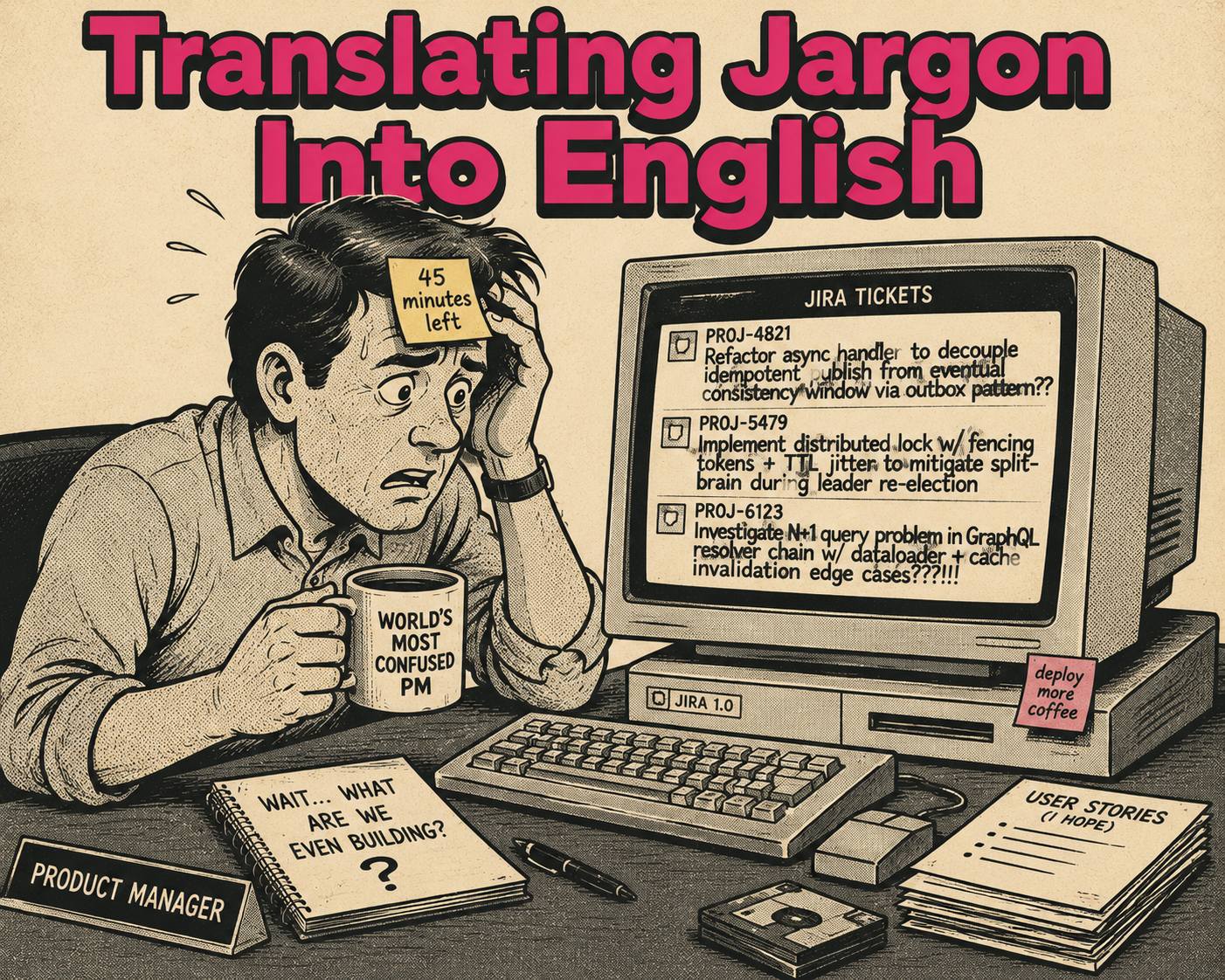
This is the reality for most product managers today. They inherit release notes by default, usually because engineering is too busy building the product and support is too busy answering questions about the last release. The standard advice, "just write what changed," is not guidance. It is the absence of guidance.
Release notes are a customer communication channel. When you treat them like a dump of commit messages, you are wasting one of the few moments when your users are actively paying attention to what you have to say.
What Makes Release Notes Actually Good
There is a fundamental difference between an internal changelog and external release notes. A changelog documents technical reality for people who need to know exactly what code changed. Release notes document value for people who need to know why their workflow just got better.
Good release notes answer three questions: What changed? Why does it matter to me? What do I need to do next?
If your release notes read like a list of API endpoints, you are failing the second question. If they say "performance improvements" without explaining that the dashboard now loads in two seconds instead of ten, you are failing the first.
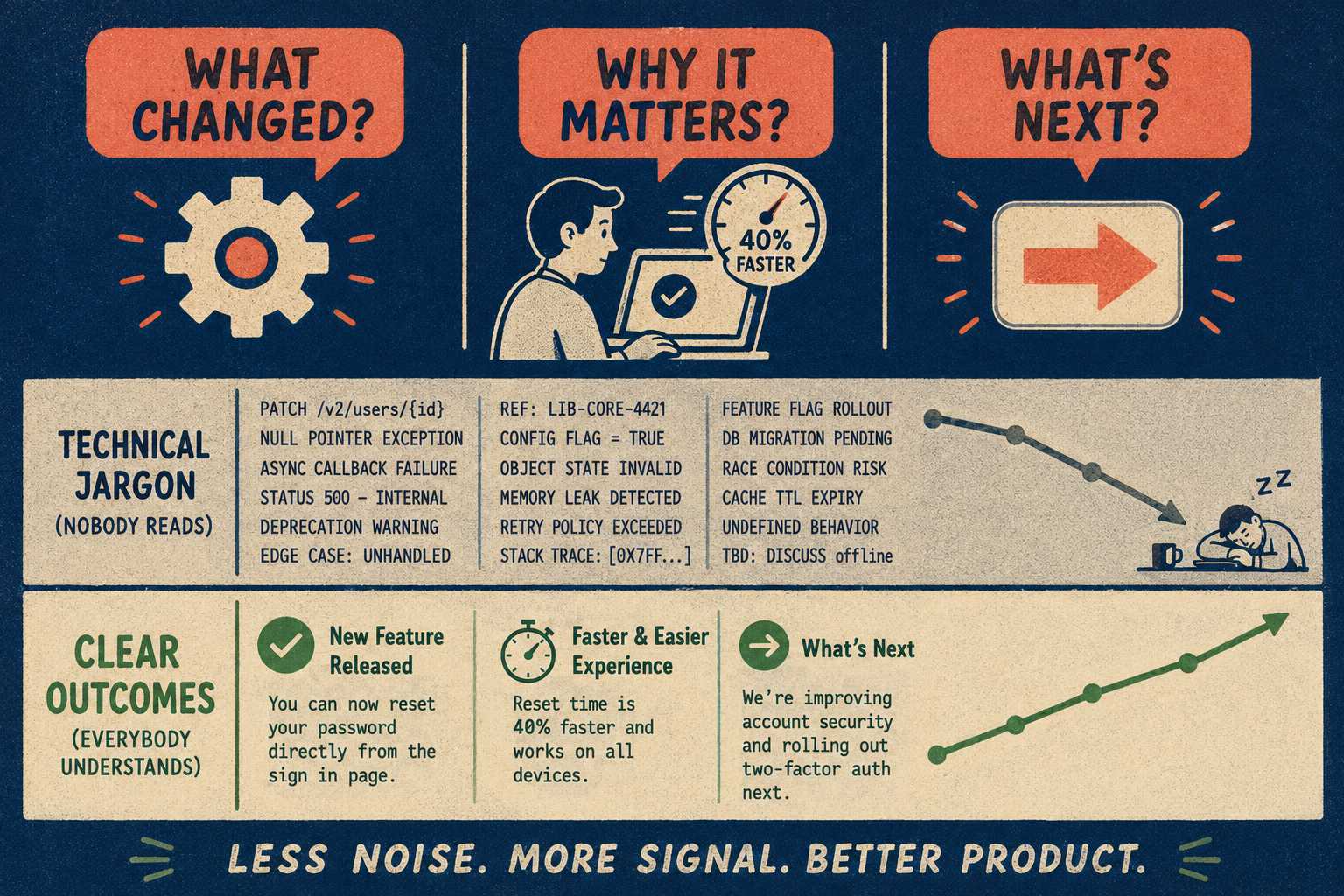
The most effective release notes are written in user outcomes, not feature descriptions. They do not say, "Implemented caching layer for database queries." They say, "Your reports now load 40% faster, especially when you are pulling data from the last twelve months." That is not a stylistic preference. It is the entire job.
They also respect the reader's time. Research conducted with over 370 respondents found that 83.6% of users actually read release notes or app updates, but they scan quickly, looking for the things that affect their specific use cases. If you bury the headline under forty minor bug fixes, they will stop reading before they get to the part that matters.
Peer-reviewed research on release note production across 32,425 release notes in 1,000 GitHub projects confirms the pattern: the most commonly documented information is bug fixes and new features, but the most common failure is that notes are written for the people who built the software, not the people who use it. Producers and users have systematically different expectations, and most release notes serve the producers.
The Structure You Should Steal
You do not need to invent a new format for every release. Consistency helps users know what to expect and where to look for the information they care about.
A reusable structure for release notes should include a version number and date, a one-sentence headline summarizing the biggest impact of the release, a section for new features framed in terms of what users can now do, a section for improvements that specifies the actual impact on existing workflows, a grouped bug fix section focused on the issues that were causing active pain, and links to help documentation or migration guides where relevant.
The hierarchy matters as much as the content. A study of practitioners' perspectives on release notes found that project managers are more interested in new features than minor bug fixes, while developers want architectural context. If you are writing for end users, lead with the features that change what they can do. Save the dependency updates for the bottom.
The most common structural failure is the opposite: forty line items with no clear organization, no sense of priority, and no signal about which items actually matter. A release note that dumps everything equally is a release note that communicates nothing.
The Part Everyone Gets Wrong
The most common mistake PMs make when writing release notes is writing from the perspective of the person who built the feature rather than the person who will use it.
This produces notes that are either too technical or too vague.
"Updated the OAuth 2.0 implementation to support PKCE" is technically accurate and completely useless to most users. The user-facing version is: "You can now sign in more securely from mobile devices without needing a separate authenticator app." Same change. Completely different utility.
"General bug fixes and performance improvements" is the other failure mode. It is not a release note. It is a placeholder that signals you ran out of time or patience. The Nielsen Norman Group's research on outcomes versus outputs makes the underlying principle clear: users do not care what you built. They care what they can now do. "Fixed an issue where the Save button would occasionally freeze on slow connections" is a release note. "Bug fixes" is not.
Another failure mode is burying the headline. If you spent three months building a highly requested integration, do not put it at the bottom under "Other Updates." Lead with the value.
Weak release notes also tend to lack a clear call to action. If a new feature requires users to update their settings, say so explicitly and link directly to the settings page. The product thinking framework for documentation puts it well: the goal is not coverage of what was built. The goal is that users can successfully do the thing the release was designed to help them do.
How to Actually Do This Without Losing Your Mind
Most PMs are not writing release notes in a vacuum. They are synthesizing input from Jira tickets, Slack threads, and fragmented build notes. The trick is to build a lightweight process that extracts the useful information without requiring you to become a full-time investigative journalist.
Start drafting early. Do not wait until the day before the release. As features are finalized in the sprint, jot down a quick, user-facing summary of what they do. A sentence per ticket is enough. The goal is to capture the translation while the context is fresh, not to reconstruct it under deadline pressure.
When extracting information from Jira or Linear, do not copy the ticket titles verbatim. Ticket titles are written for engineers ("Update user_id column to UUID"). You need to translate that into user value ("Prepared the database to support larger team sizes in the future"). Research on release note artifacts confirms that issues, pull requests, and commits are the primary raw materials, but the documented information in release notes is "scattered and poorly organized" precisely because teams skip the translation step.
Get eyes from support and customer success before you publish. They know what users actually care about and what language they use to describe their problems. They will catch the technical framing you missed because you have been staring at the feature for too long.
This process should not take four hours per release. If it does, something upstream is broken.
When to Stop Writing Them Yourself
If you are a PM writing release notes for every two-week sprint and it is taking significant time, that is a structural problem, not a writing problem.
There is a point where manual translation between engineering output and user communication stops scaling. When you have multiple teams shipping across different repositories, trying to manually wrangle commit messages into coherent release notes becomes a full-time job. Engineering teams that have built automated release note pipelines consistently report the same pain point: the translation from technical commit to user benefit requires domain knowledge and communication skills that are not evenly distributed, and the context-switching cost hits at the worst possible moment, right when you are trying to ship.
This is the condition under which it makes sense to bring in tooling that generates structured release notes from the engineering workflow. The PM's job becomes review and judgment, not extraction and formatting.
Doc Holiday fits naturally into this model. It produces the structured draft directly from commit history and tickets, handling the extraction work systematically. The PM still applies product judgment: deciding what gets emphasized, ensuring the framing matches the user's mental model, catching anything that needs a different tone for a particular audience. The validation and final review still require someone who understands the user and the roadmap. The system makes that review process fast enough to actually happen before the release goes out.
The next time you are staring at a blank document the day before a release, the question to ask is not "how do I write better release notes?" It is "what do my users need to know, and what do they need to do next?" Everything else follows from that. When answering that question at scale starts taking more time than it should, the right move is to automate the extraction and apply your judgment to the output.