How to Integrate Cursor With Documentation Automation


Three features shipped in a week. The commit history is dense, the PRs are detailed, the code is clean. Then someone opens the changelog and it reads: "misc fixes and improvements."
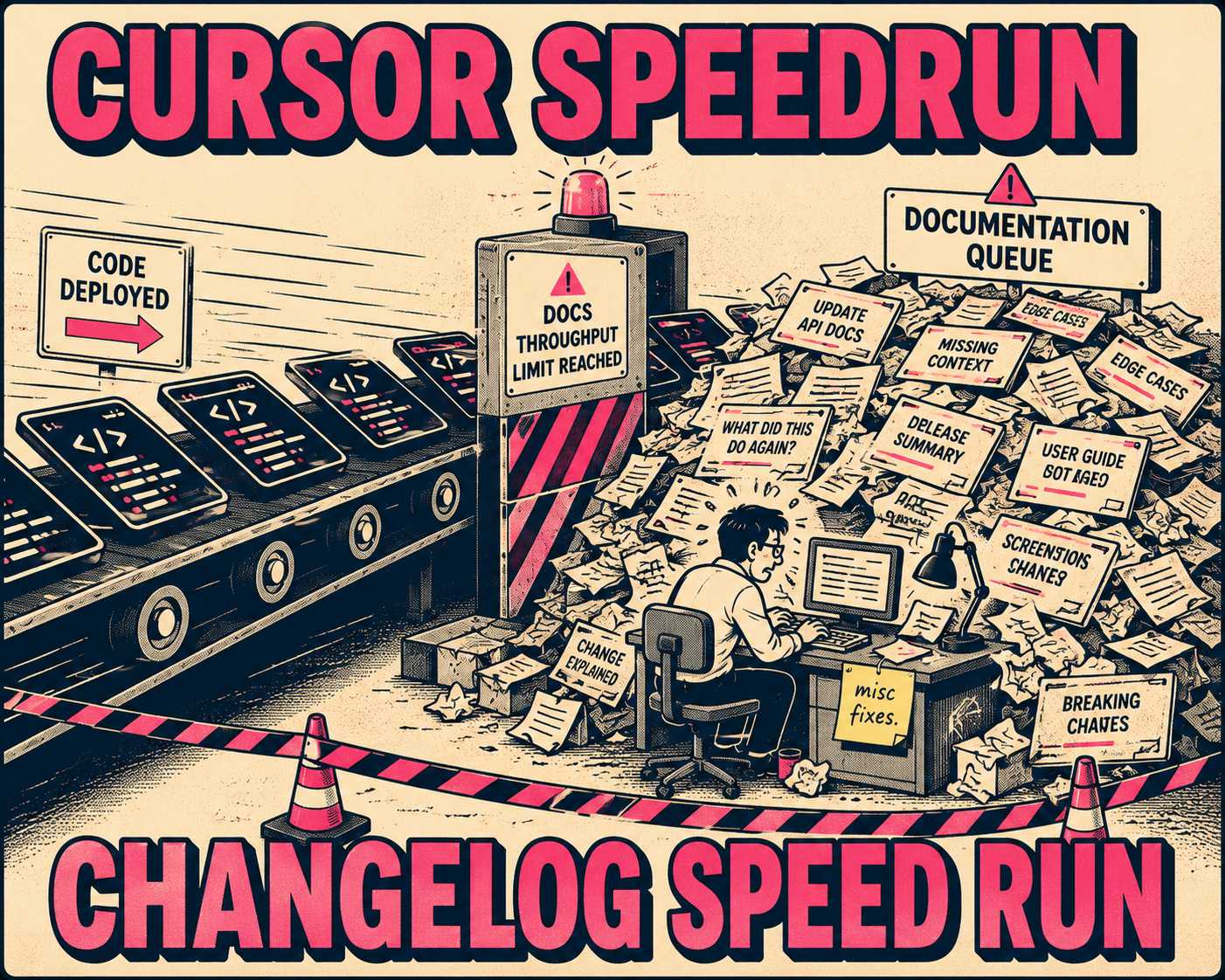
That gap is one of the more predictable side effects of AI-assisted development. When Cursor accelerates the code authoring layer, the downstream systems (review, testing, documentation) become the new constraint. Making one machine in a production line faster does not help customers receive their product sooner if the packaging and shipping stages cannot keep up. The bottleneck just moves.
The question is not whether to automate documentation. Teams shipping at this pace have already answered that. The question is how to connect the tools developers are already using to write code with the systems that explain what that code does, and how to do it without creating new manual work in the process.
Where the Signal Gets Lost
Cursor is an AI-first code editor that generates, modifies, and refactors code based on natural language prompts and codebase context. It operates at the authoring layer: the moment when a developer is writing or changing code. It is fast, and it is getting faster. A controlled study of 1,974 developers at Microsoft and Accenture found that GitHub Copilot users completed 12–22% more pull requests per week at Microsoft and 7–9% more at Accenture. Cursor's capabilities have advanced considerably since that study.
But Cursor does not inherently capture the why of a change in a format useful for end users. It speeds up the act of writing code. It does not automatically produce release notes, API references, or changelogs. Those outputs require a different kind of signal: structured information about what changed, who it affects, and whether anything breaks.
Documentation automation operates at the commit, pull request, and release layer. A documentation engine ingests structured signals from Git history and CI/CD pipelines (the automated systems that build, test, and deploy code) to generate release notes, changelogs, and API references. The Conventional Commits specification provides a lightweight convention for structuring commit messages, using prefixes like feat:, fix:, and BREAKING CHANGE:, that makes it straightforward to build automated tooling on top of the commit history.
The hand-off point between the code authoring layer and the documentation layer is the version control system. If the commit messages and PR descriptions are structured and meaningful, the documentation engine has high-quality input. If they are vague, the engine has to guess. And when it guesses wrong, a human has to fix it, which is exactly the manual work the integration was supposed to eliminate.
Cursor makes it faster to write code. It does not automatically make it easier to describe that code in terms useful for documentation. That is a solvable problem, but it requires deliberate configuration.
What the Handoff Actually Looks Like
The practical integration has three components, and the order matters.
The first is commit message quality. Commit message quality has a measurable impact on software defect proneness, and quality tends to decrease over time even as developers believe they are writing better messages. Cursor can reverse this trend. Developers can use its AI to generate commit messages that describe what changed and why, based on the actual diff, rather than defaulting to "fix bug" or "update handler." A commit message written by the AI from the diff is almost always more informative than one written by a developer who is already thinking about the next task.
The second component is PR template structure. A well-designed PR template asks for user-facing impact, breaking changes, and deprecation notices. Microsoft's engineering playbook includes explicit sections for breaking change flags and migration paths. Cursor can help developers fill out these templates quickly based on the code changes in the PR. The structured data that results is exactly what a documentation automation tool needs to categorize changes and route them to the right output: release notes for user-facing changes, internal changelogs for refactors, API reference updates for interface changes.
The third component is branch naming conventions and labels. Using consistent branch naming (e.g., feature/, fix/, breaking/, internal/) gives the documentation engine a parsing layer that filters internal refactors from customer-facing release notes automatically. This is a small configuration decision that pays disproportionate dividends downstream, because it means the documentation engine does not have to infer the nature of a change from the commit message alone.
Together, these three components create a structured signal that flows from Cursor through version control into the documentation layer. Conventional Changelog tooling, for instance, transforms a project's commit history into a detailed, readable changelog by parsing Conventional Commits and Semantic Versioning conventions, and integrates directly into GitHub Actions and CI/CD pipelines.
The result is that Cursor's output (faster commits, more granular changes) becomes higher-quality input for the documentation engine, provided the team has configured the hand-off correctly.
The Part That Determines Whether Any of This Works
The integration architecture above is necessary but not sufficient. The part that determines whether it actually produces reliable documentation is the validation layer.
AI-generated documentation is fast and consistent. It is also capable of getting things wrong in ways that are hard to spot without domain knowledge. When developers use AI tools, they frequently overestimate the accuracy of the output. In a randomized controlled trial, developers believed AI had sped them up by 20% even after experiencing a measurable slowdown, suggesting that the perception of AI output quality can diverge significantly from the reality. The same dynamic applies to documentation: the output can look correct while containing subtle inaccuracies about API behavior, deprecation timelines, or breaking change scope.
The best setup is a technical writer or experienced engineer running the documentation automation tool, reviewing its output in a structured dashboard, and approving or editing before it goes live. Skilled oversight is a quality multiplier: AI generates a solid first draft from the commit and PR signals; the human applies domain knowledge, catches edge cases, and ensures the language is accurate and coherent.
Developers spend only about 16% of their time actually writing application code, with the majority going to operational and background tasks including CI/CD, testing, and requirements documentation. A validation workflow that takes a technical writer two to four hours a week is not a bottleneck. It is the difference between documentation that is technically generated and documentation that is actually useful.
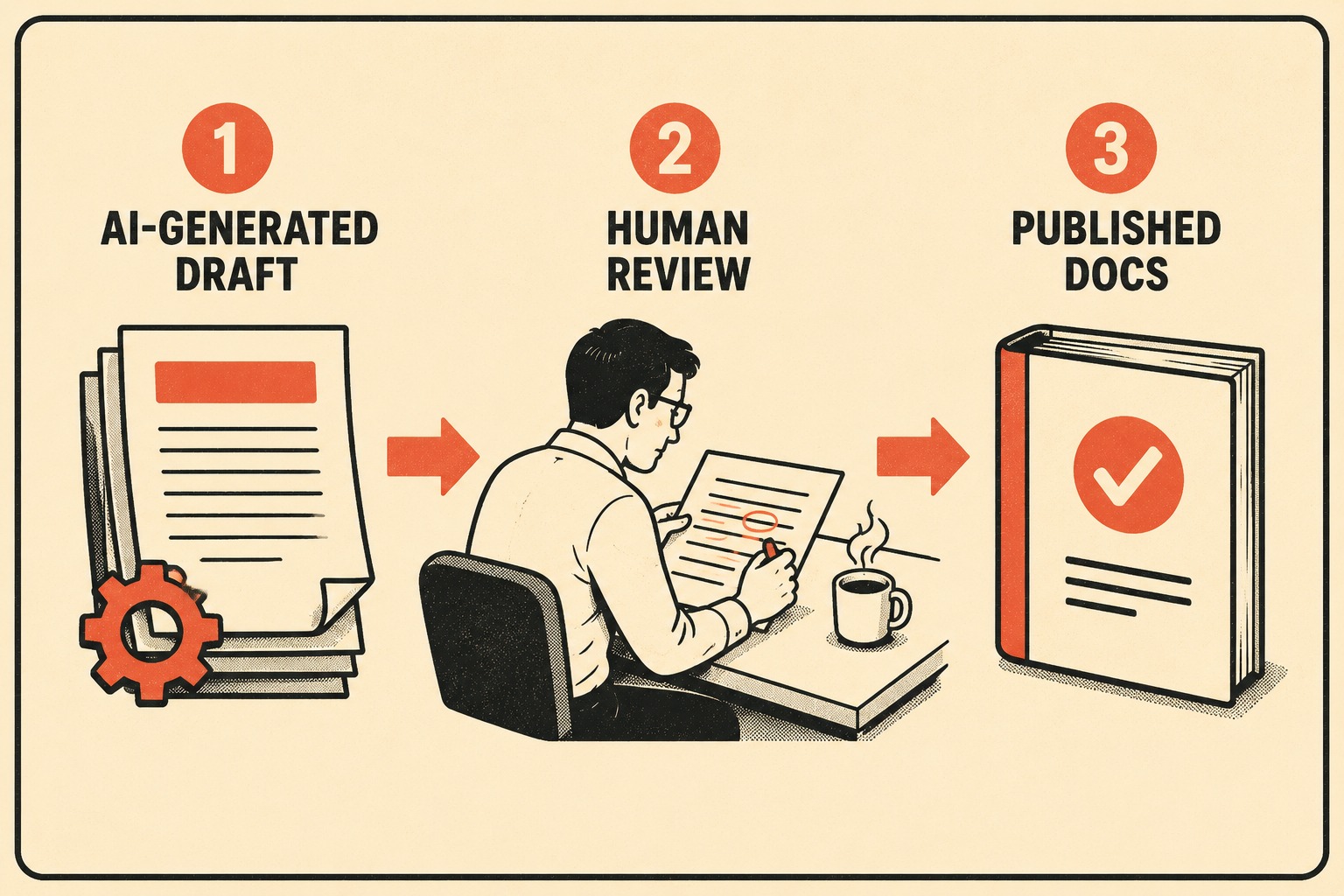
Cursor accelerates code changes, the documentation tool accelerates draft generation, and the human ensures accuracy. All three layers working together are faster and more reliable than any two alone. Teams that skip the validation layer end up with documentation that drifts from reality. Documentation drift, once it sets in, tends to compound: developers stop trusting the docs, stop updating them, and the gap between what shipped and what is documented widens with every release.
The team size shapes how this validation layer is staffed, not whether it exists.
For a small team (5–15 engineers), one senior engineer or technical writer owns the documentation pipeline. They spend a few hours a week validating the automated output and use Cursor to quickly update example code and integration guides alongside the generated release notes.
In a mid-size team (15–50 engineers), a dedicated technical writer manages the automation tool, works with engineering leads to refine PR templates and commit standards, and uses Cursor to maintain SDK documentation and sample apps while the automation handles changelogs.
For large teams (50+ engineers), a documentation platform team runs the automation infrastructure, embeds validation into the release process, and uses Cursor to keep internal and external docs in sync across multiple products.
The feedback loop that develops over time is worth noting. The documentation automation tool learns which commit patterns produce good release notes. Engineering teams learn which PR descriptions result in accurate user-facing docs. Cursor makes it fast to write those descriptions well. The system improves as the integration matures, because the inputs get better as the team learns what the documentation engine needs.
Teams that get real value from both Cursor and documentation automation treat the hand-off between the code authoring layer and the documentation layer as deliberately as they treat the hand-off between code review and deployment. It is a workflow decision, not a technology one.
Doc Holiday sits at that hand-off point, generating release notes, API references, and changelogs directly from the engineering workflows the team has already established. A technical writer running Doc Holiday has the structure to validate, edit, and publish at the speed the engineering team is actually moving.