How to Write a Beta Release Announcement That Sets Expectations Correctly


It usually happens around day three. The product team ships a beta feature they've been building for months. They put out a quick announcement highlighting the new capabilities. They feel good about it. Then the tickets start rolling in.
A user is furious because a feature explicitly marked "experimental" in the Jira epic doesn't have an export function. A sales rep just promised a major prospect that the beta will solve their compliance problem by Friday. Support is drowning in bug reports for edge cases the engineering team already knew about but never wrote down anywhere.
When beta announcements focus entirely on hype and feature lists while skipping the boundaries, they create an expectation mismatch. Users don't know what's in scope, what's changing, or what happens if something breaks. The result is support chaos, user frustration, and a beta that generates noise instead of useful signal. Research on vague communication consistently finds that ambiguous requirements cause cascading problems: confusion, duplicated effort, and a user experience that falls short of what was implied.

The Launch That Wasn't a Launch
Most beta announcements fail because they're written like general availability marketing copy. They highlight the benefits and hide the limitations.
A beta is a test. Its purpose is to validate UX, stress-test infrastructure, or gather feedback on a specific workflow. Google's release phase definitions make this explicit: beta products are "complete from a feature perspective" but carry no SLA, no full support obligations, and are "suitable for limited production use cases" only. If the announcement doesn't state that purpose clearly, users will assume the feature is finished.
A good beta announcement must communicate the boundaries upfront. It needs to define what the beta is actually for. It must specify what is supported and, crucially, what is not. It has to state the timeline, explain how feedback will be collected, and set clear expectations about instability or breaking changes. Centercode's beta testing research documents this directly: when beta participants understand the scope of what's being tested, support teams receive more actionable feedback and fewer tickets for known issues.
If you don't tell users how to evaluate the beta, they'll evaluate it against perfection.
Framing Limitations as Selection Criteria
Product teams often hesitate to list limitations because they worry it will scare users away. The goal of a beta isn't to attract everyone, though. The goal is to attract the right users.
You don't want a user who requires five-nines of reliability testing a feature that might drop data.
Instead of hiding the rough edges, frame the limitations as selection criteria. "This beta is for teams comfortable with occasional downtime." "Designed for users who need advanced reporting and can tolerate manual data entry for now." When users opt in under those conditions, they become partners in the development process rather than angry customers. Beta testing research is consistent on this point: misaligned testers produce feedback that doesn't reflect the actual user base, and that feedback sends development in the wrong direction.
Make it clear that beta access is a trade-off. You're giving them early access to solve a problem; they're agreeing to tolerate the friction that comes with it.
There's also a practical checklist worth running before you ship the announcement. Does it state the beta's purpose? Does it list known issues? Does it explain the timeline and exit criteria? Does it tell users how to opt out? Does it explain what happens to their data if the feature is deprecated? Release notes best practices suggest grouping this information logically so users can find what they need without reading the whole document. If any of these items are missing, the announcement isn't ready.
Forcing the Internal Conversation
A beta announcement isn't just external communication. It's a forcing function for internal clarity.
When you write down exactly what the beta does and doesn't do, you expose the gaps in your own organization's understanding. Sales, support, and customer success need to know what they can and cannot say. ProductBoard's research on stakeholder alignment identifies this as the top challenge for product leaders: setting expectations with cross-functional stakeholders requires more than a one-time briefing. Each group has different priorities, and the announcement document is the artifact that forces agreement.
If the product manager thinks the beta is a quiet technical test, but marketing is preparing a massive email blast, the draft announcement will surface that misalignment before it becomes a disaster.
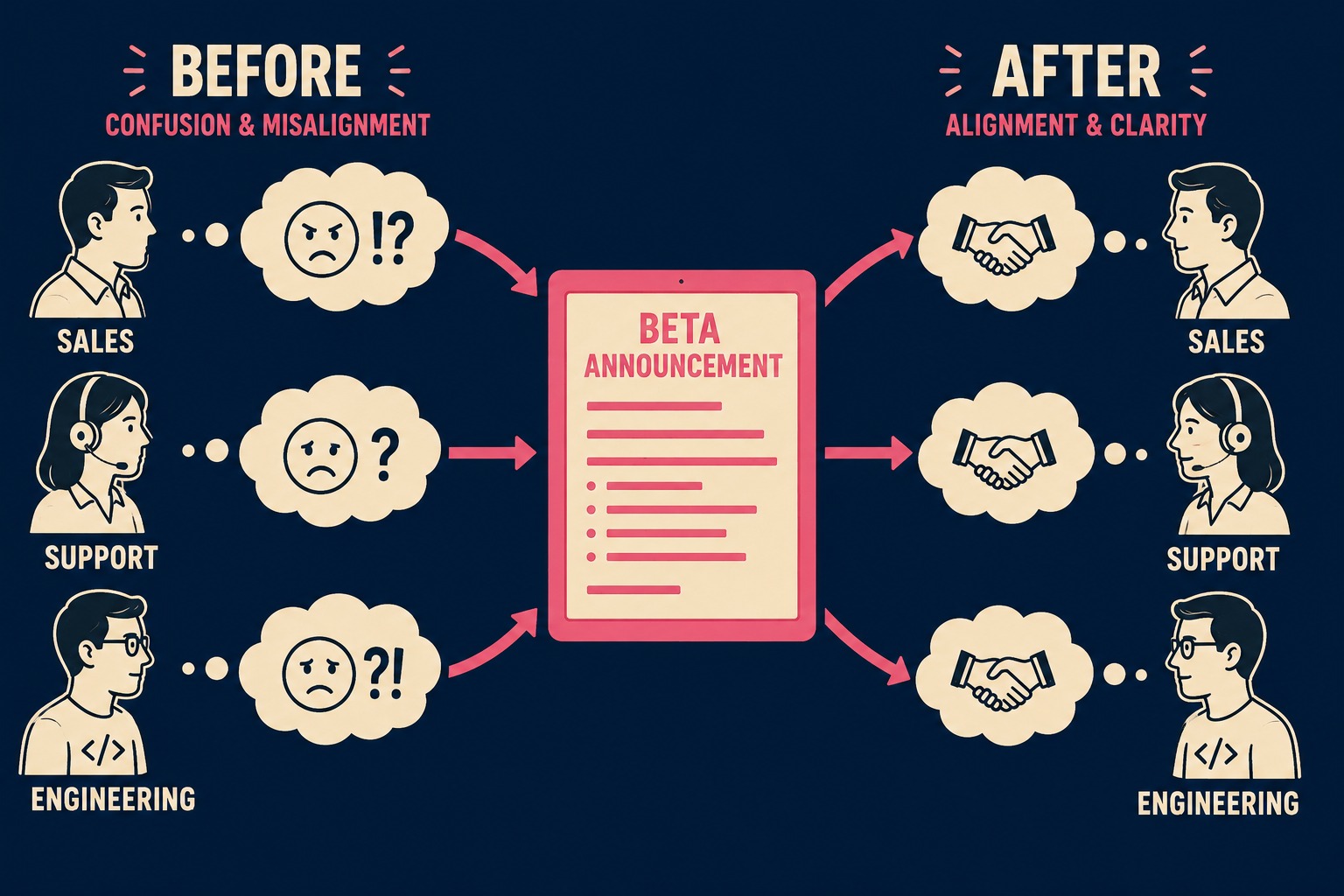
The document also forces the team to agree on exit criteria. How do you know when to move from beta to GA? Google Workspace's documentation defines the average beta phase as roughly six months, but the more useful definition is functional: GA is when the product is ready for production use and covered by an SLA. If you can't articulate those criteria in the announcement, you're not ready to ship the beta.
The Mechanics of the Announcement
Writing the actual announcement requires abandoning the marketing playbook. Open with what this beta is for and who should use it.
State the scope clearly. List the known issues. If there's a bug that causes the app to crash when uploading large PDFs, say so. Don't make users discover it and then submit a support ticket for something you already knew was broken.
Explain the timeline. What happens at the end of the beta? Will their data be saved? Will the feature cost money when it reaches GA?
Provide clear instructions on how to access the beta, how to report issues, and how to opt out if it's too disruptive. LaunchDarkly's research on feedback loops makes the case that closing the loop with users matters as much as opening it: when users know their feedback was heard and acted on, they stay engaged through the next cycle. Treat the announcement as the start of that conversation, not a one-and-done broadcast.
The Quality of the Signal
The Project Management Institute found that ineffective communication is the primary contributor to project failure one third of the time, and puts 56% of project budget at risk. A vague beta announcement is a self-inflicted version of that problem. It guarantees that the feedback you receive will be useless, because users will be reacting to the wrong things.
A beta announcement is an operational contract. It establishes the terms of engagement between the people building the software and the people using it.
When that contract is clear, the beta generates high-quality signal. When it's vague, it generates noise.
Getting this right consistently across a growing engineering organization is hard. It requires discipline to document the boundaries, known issues, and scope limitations for every release, and to do it before the announcement goes out rather than after the tickets arrive. DORA's 2023 research found that high-quality documentation "drastically increases the effectiveness of technical capabilities on organizational performance." The announcement is documentation. It deserves the same rigor as the code.
Doc Holiday addresses the operational side of this problem directly. By generating structured release notes from engineering workflows, it captures the scope boundaries of a release accurately, so product teams have a validated foundation to build their announcements from rather than assembling the constraints by hand every time.