How to Consistently Document CLI Features in Release Notes


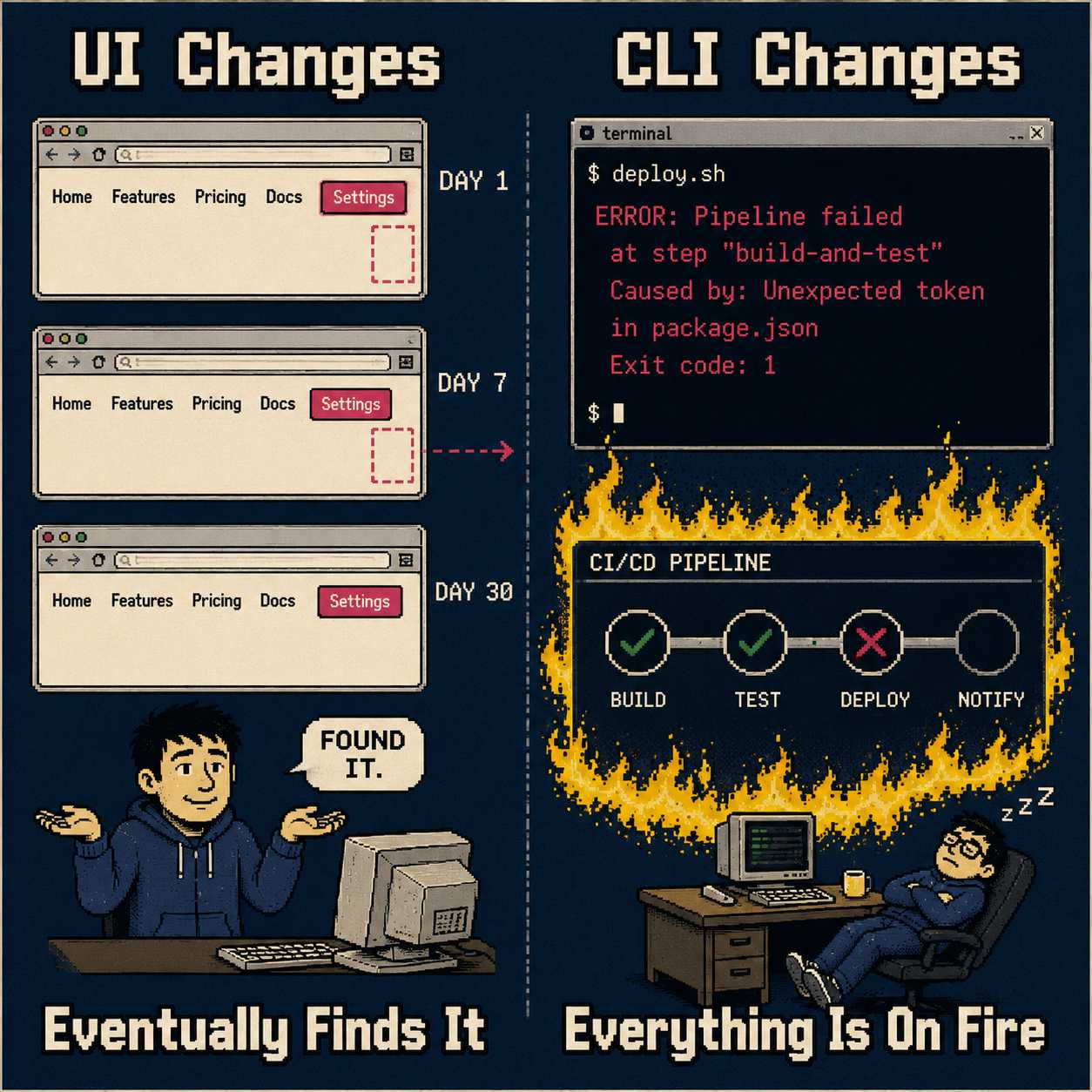
If you build a web application, and you move a button from the left side of the screen to the right side of the screen, users will complain. They will tweet about it. They will open support tickets. But they will, eventually, find the button.
If you build a command-line interface, and you change a flag from --sync to --force-sync, the user's script will simply fail. The CI/CD pipeline will halt. The deployment will crash. There is no visual affordance to guide them to the new reality. There is only the terminal, and the terminal is unforgiving.
This is why CLI release notes are uniquely difficult to get right. Commands have strict syntax. Flags carry hidden dependencies. Examples must execute flawlessly across different shells. And yet, the documentation budget for these changes is almost always zero.
When teams skip or rush the documentation step, the result is predictable. Feature adoption stalls. Support tickets spike. Users cannot figure out what changed or how to use it. Documentation debt accumulates, acting as a drag on developer velocity. Teams with high-quality documentation are 2.4 times more likely to experience better software delivery.
We all know release notes are important. The question is how to actually write them, consistently, at scale, without burning the team.
What Actually Needs to Be Written Down
A release note for a CLI feature must capture specific, actionable information. The goal is clarity over exhaustive completeness. Users scan release notes quickly. They are looking for the thing that broke their script.
First, the note must explicitly name the command or flag. It must detail its required versus optional arguments. It is not enough to say a flag was added; the syntax must be shown.
If the new feature interacts with existing commands, those shifts must be front and center. If it changes default behaviors, that must be stated plainly.
Furthermore, providing a real, executable example is non-negotiable. An example that fails to run because of a missing dependency undermines trust immediately.
The structure of the entry itself should lead with what the feature does in user-centric terms. Then the syntax. Then the practical example. Instead of writing "Added --force-sync flag to db-migrate," write: "You can now bypass the pre-check phase during database migrations using the --force-sync flag, which speeds up emergency rollbacks."
Connect the technical change to the operational benefit.
The Part Everyone Gets Wrong
The most common failure mode in producing release notes is treating them as a separate publication phase. It is the thing bolted onto the end of a sprint. By the time the release manager is compiling the notes, the context surrounding the original code change has degraded.
The solution is to embed the capture step directly into the engineering workflow.
Information for release notes should originate from the artifacts developers are already creating. Pull request descriptions. Commit messages. Feature flag configurations. When documentation is integrated into the developer toolchain, it becomes a natural extension of the coding process rather than an administrative burden.
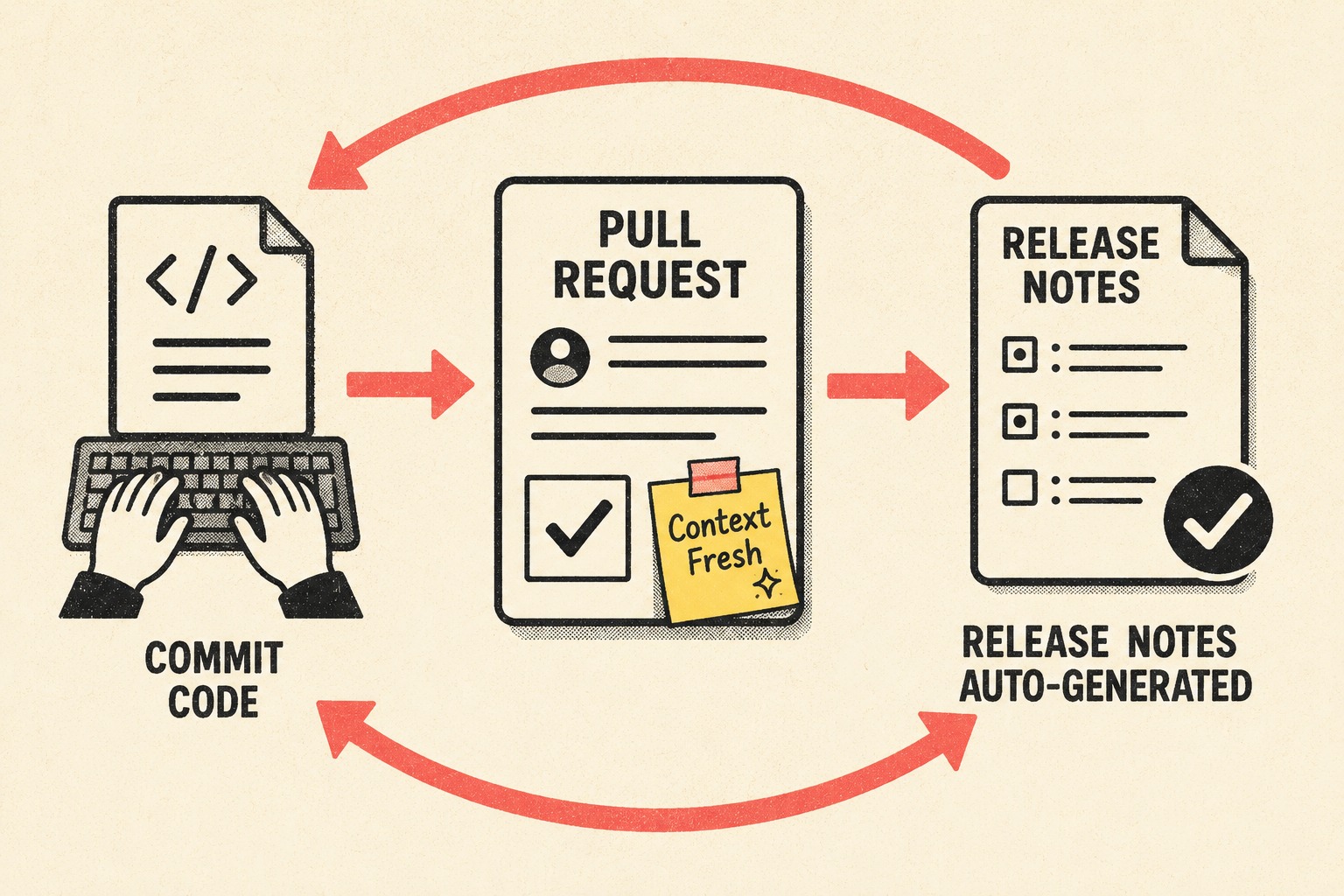
For example, adopting structured commit formats allows teams to automatically extract feature additions directly from the version control history. Treating pull request descriptions as formal documentation ensures that the rationale is captured while the context is still fresh — a practice backed by a large-scale empirical study of 80,000 pull requests showing that well-structured descriptions measurably improve review outcomes and merge rates.
When documentation is treated as code, stored in version control, and subjected to peer review, the accuracy and consistency of the output improve dramatically. The heavy lifting of documentation happens during development, not during the frantic hours before a release.
How to Handle the Graveyard
Handling deprecation is where teams most frequently create confusion.
A release note must clearly signal when a flag is experimental. It must signal when it replaces an older approach. It must signal when a feature is slated for removal.
Semantic Versioning provides a useful framework: major versions signal breaking changes, minor versions introduce backward-compatible features, and patch versions handle bug fixes.
However, simply bumping a version number is insufficient. When deprecating a CLI flag, the release note must explicitly state the timeline for removal. It must provide a direct migration path. "The --legacy-auth flag is deprecated and will be removed in v3.0.0. Migrate your scripts to use the new --oauth-token flag."
This clarity prevents dependency hell. Deprecation is not just a technical state; it is a communication responsibility.
The Operational Reality
Maintaining consistency across dozens of CLI updates requires repetitive editorial work. Commands must be formatted uniformly. Examples must be validated. Descriptions must accurately reflect the shipped behavior.
This work is necessary. It is also a poor use of senior engineering time. Engineers should focus on solving complex architectural problems, not debating the formatting of a markdown table.
When teams try to scale this manual process without a system, documentation debt accrues, leading to slower onboarding and increased support burdens. The goal is not to force engineers to write more prose. The goal is to capture the essential metadata they are already producing and transform it into structured documentation.
This is the exact operational gap that Doc Holiday addresses. By generating structured output directly from the engineering metadata that teams are already creating — like commits and PR descriptions — Doc Holiday gives lean teams the ability to validate and manage CLI documentation at scale. It provides a system where a single technical writer can oversee the quality of the output, rather than requiring engineers to hand-write prose for every minor flag adjustment.
It takes the unmanaged chaos of release cycles and turns it into a predictable, scalable documentation engine.