How to Write Product Update Emails That Don't Get Ignored


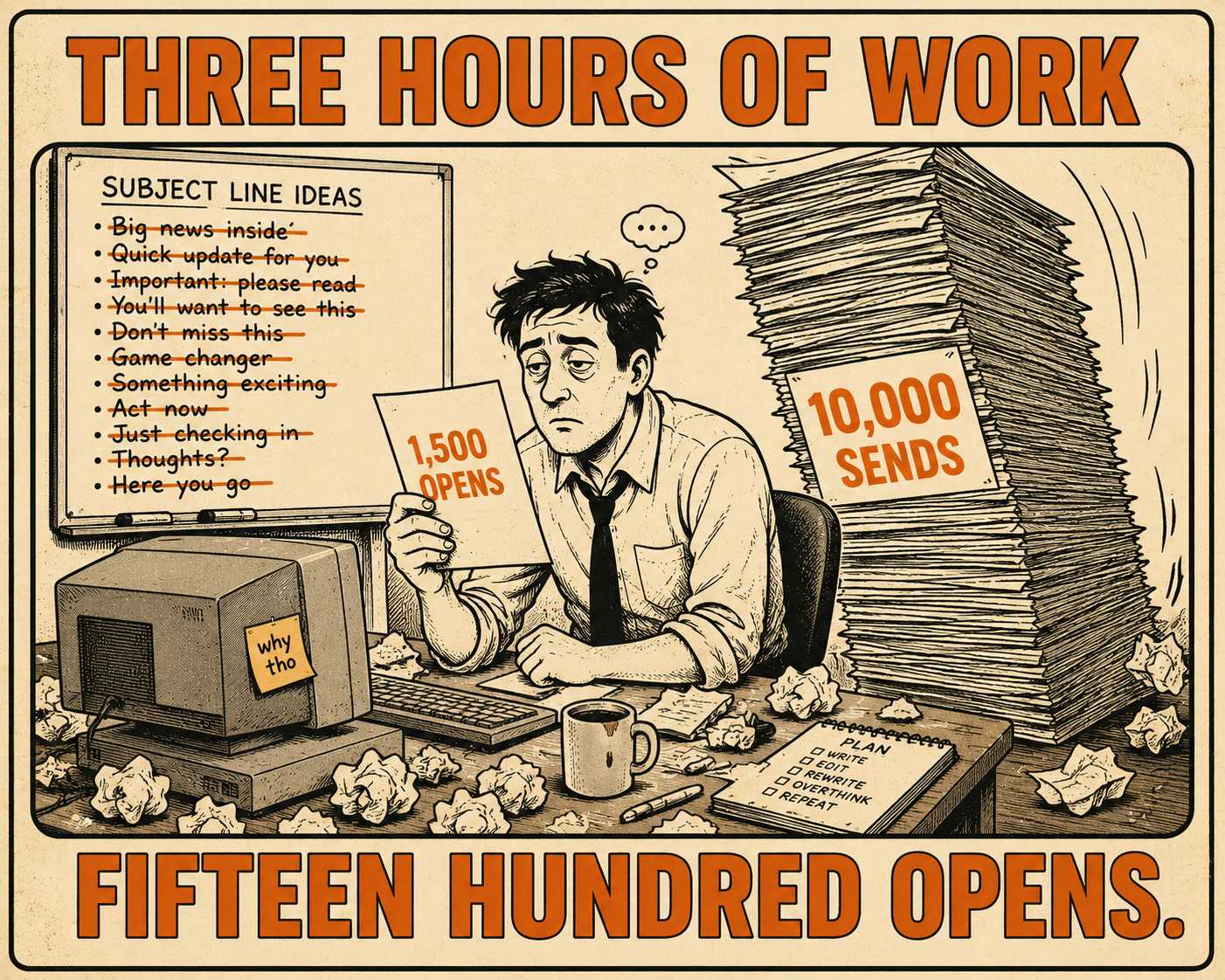
If you look at the analytics dashboard for your last product update email, you will probably see a number that makes you want to close the tab. You spent three hours drafting it. You negotiated with engineering about how to describe the API change. You argued with marketing about the subject line. And then you sent it to ten thousand people, and maybe fifteen hundred of them opened it.
Of those fifteen hundred, about thirty actually clicked a link. Average click-through rates for product emails hover around 2 to 3 percent.
This is the reality of product communication. We are sending messages that we think are critical, and our users are treating them like spam. We assume the problem is that our users are too busy, or that they don't care about the product.
Maybe that's true. But it is also true that we are training them to ignore us.
We write emails that are too long. We send them to the wrong people. We bury the one thing they actually need to know underneath three paragraphs of context they didn't ask for. We treat the inbox like a changelog, when the inbox is actually a triage system.
If we want people to read what we write, we have to change how we write it.
The Wrong People Are Reading the Wrong Things
The fastest way to guarantee your next email gets ignored is to send your last email to someone who didn't need it.
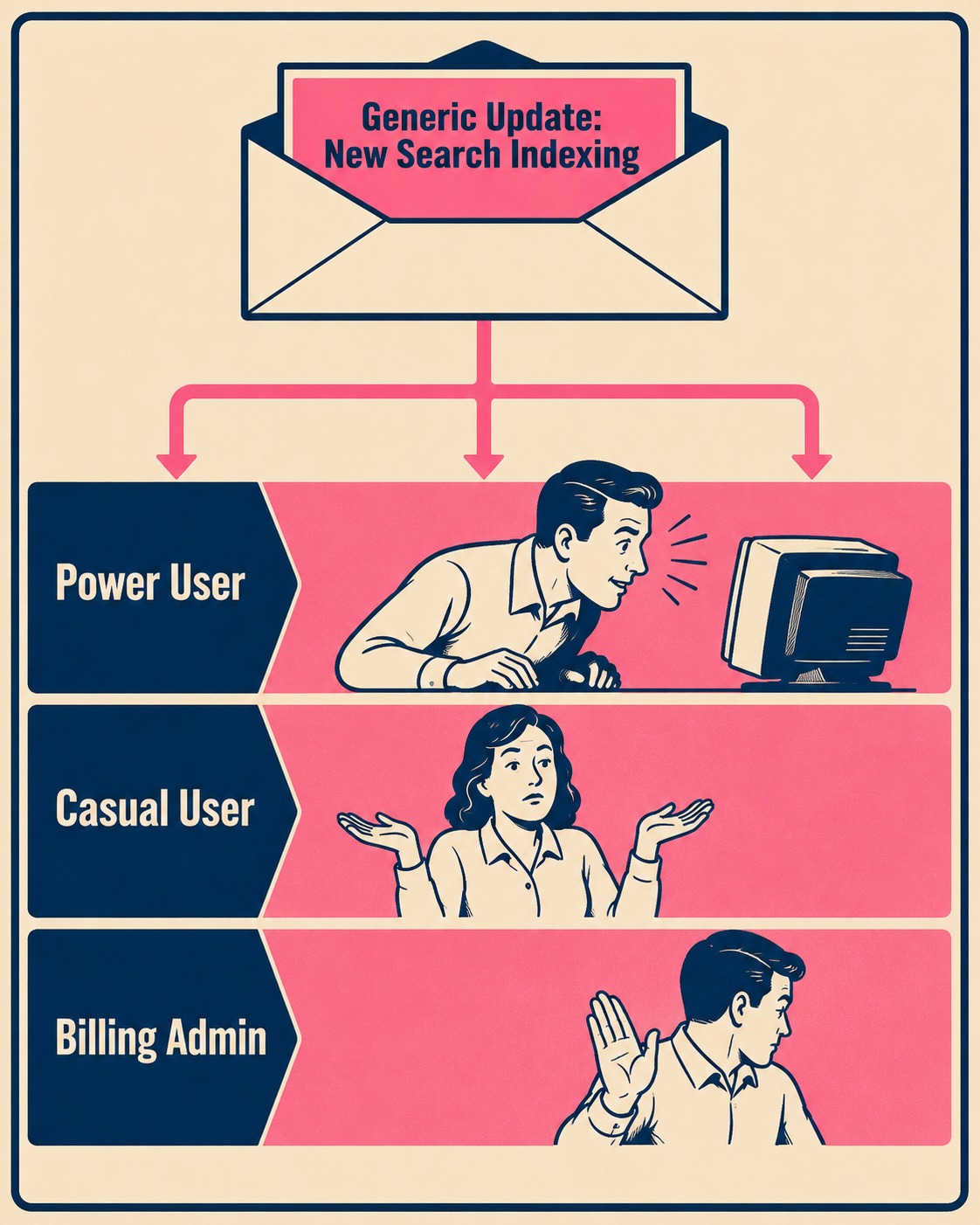
When we blast the same product update to power users, casual users, and billing admins, we are making a fundamental error. We are assuming that "the product" is a single entity that everyone experiences the same way. It isn't. The billing admin does not care that you refactored the search indexing. The casual user does not care about the new enterprise SSO integration.
When you send people information they cannot use, you teach them that your emails are not for them.
Segmented campaigns produce roughly 30 percent more opens and 50 percent more clicks than untargeted blasts. This is not just a marketing tactic. It is a product communication requirement. A single release should often generate three different emails. The admin gets the email about permissions. The power user gets the email about the new workflow. The casual user gets nothing, because the change doesn't affect them.
The First Sentence Is the Only Sentence
The average time a person spends reading an email is about twelve seconds.
They do not read. They scan. And they scan in an F-pattern, looking at the top left and moving down. If the most important information is on the right side of the third paragraph, it does not exist.
This means we have to stop burying the lede.
Do not start with context. Do not start with background. Do not start by thanking them for being a valued customer. The first sentence must tell them exactly what changed and whether they need to do anything about it. This is the inverted pyramid structure, and it is the only way to write for people who are actively trying to stop reading.
Try this template: "We changed [X]. If you use [Y], you need to [action] by [date]. If you don't use [Y], ignore this email."
Giving people explicit permission to ignore an email feels unnatural. We want them to read it. But telling them they can stop reading builds trust. It proves that we value their time more than our open rates. Next time, they will open the email, because they know we won't trap them in a wall of text.
Tell Me What to Do
A product update that describes a feature without providing a next step is just trivia.
Every update falls into one of three categories, and the email should make it obvious which one it is.
Some updates require action. You must update your integration by Friday. Your payment method is expiring. These are essentially transactional emails, and they need to be labeled clearly in the subject line. Transactional emails routinely see open rates far higher than standard product updates, precisely because recipients understand the stakes. Labeling your critical updates with "Action Required" borrows that same signal.
Other updates enable a new capability. You can now do X, and here is how you do it. The action here is to try the feature. Do not say "click here." Say "update your API key" or "build your first report." The link text should describe the destination, not the act of clicking.
And some updates are just FYI. We fixed a bug you reported. We changed the color of the navigation bar. There is no action required, and you should say so immediately.
If the user cannot figure out which of these three categories the email belongs to within three seconds, they will archive it.
The Batching Problem
There is a tension in product communication between speed and noise.
If you send an email every time you ship a minor improvement, you will trigger email fatigue, and your unsubscribe rates will climb. Research on workplace email load shows that high volumes of communication-related emails are a distinct stressor, independent of the content's actual importance. You become the boy who cried wolf, but with software updates.
If you hold everything for a monthly newsletter, you delay critical fixes and bury important features in a list of twenty other things.
The solution is a two-tier system. Critical updates (security patches, breaking API changes, major workflow overhauls) go out immediately. Everything else gets batched into a regular digest.
How do you decide? If a user's workflow will break tomorrow if they don't know about the change today, it is tier one. If it just makes their life slightly better, it is tier two.
| Update Type | Tier | Send Timing |
|---|---|---|
| Breaking API change | Critical | Immediately, "Action Required" subject |
| Security patch affecting user data | Critical | Immediately, "Action Required" subject |
| New feature or workflow | Standard | Weekly digest |
| Bug fix or performance improvement | Standard | Weekly digest |
| Minor UI change | Standard | Weekly digest or skip |
The key discipline is resisting the urge to promote everything to tier one. When everything is urgent, nothing is.
Writing for the Person Who Won't Read It
Most of your recipients will skim. They will read the subject line, glance at the first sentence, and decide in about three seconds whether to keep going. This is not a failure of your audience. It is a feature of how people process information under load.
Research from Nielsen Norman Group shows that readers concentrate their attention at the top left of a page and move down, spending progressively less time on each subsequent line. This means the most important information must be in the first sentence of the email, the first sentence of each paragraph, and the link text itself.
Bold the action. Put the link next to the thing it describes, not at the end of the paragraph. Never write "click here" when you can write "update your API key." Write each paragraph so that the first sentence contains the whole point, and the rest of the paragraph just supports it. If someone reads only the first sentence of every paragraph, they should still understand what changed and what to do.
The Changelog Is Not an Email
A changelog is a technical record. It is comprehensive. It lists every bug fix, every minor refactor, every dependency update.
An email is a communication tool. It is selective.
They serve entirely different purposes. You cannot just copy the changelog into an email and call it a product update. The changelog is for the person who is actively looking for a specific fix. The email is for the person who didn't know they needed to care.
You have to translate the technical record into operational impact. The changelog says "Resolved race condition in reporting module." The email says "Your weekly reports will now generate in seconds instead of minutes."
Who Should Actually Write These
The default answer is the product manager, because the PM knows exactly what shipped and why. The problem is that the PM is also the person most likely to explain the architecture instead of the benefit.
Support teams and customer success managers spend all day talking to users. They know what users actually care about, and they know the exact phrasing users use to describe their problems. They know which tickets spiked after the last release. They know which feature nobody discovered because the announcement was too technical to understand.
The best process is collaborative. The PM drafts the raw material, ensuring technical accuracy. The support team edits it for clarity, customer impact, and tone. This is not a handoff. It is a review. It takes twenty minutes and it makes the email materially better.
The Blank Page Problem
This is a lot of work. Writing good, segmented, scannable product updates takes time.
Many teams write these emails manually, starting from a blank page every time. This is why they are inconsistent. This is why they are often bad. When you are rushing to get an update out the door, it is easier to just dump the release notes into a template and hit send.
Modern documentation systems generate structured release notes automatically from engineering workflows. This gives you a clean base to work from. You still need a human to decide what to emphasize, how to frame it, and who to send it to. But starting from structured output instead of a blank page makes it easier to send frequent, high-quality updates without burning out the person writing them.
Doc Holiday generates that structured base directly from your code commits. It then provides a workflow for validating, segmenting, and tailoring that output to different audiences before it ever hits an inbox. It doesn't replace the human judgment required to communicate well. It just removes the friction that usually prevents it.