How to Write a Product Changelog for a Self-Serve SaaS Product


If you run a self-serve SaaS product, your customers do not want to talk to you. They do not want to schedule a demo. They do not want to hop on a quick onboarding call. They signed up for your software specifically because they wanted to solve their problem without interacting with another human being.
When you ship a new feature, you cannot rely on a customer success manager to explain it to them over Zoom. You cannot rely on an account executive to bring it up during a quarterly business review.
In a self-serve motion, your changelog is the product announcement. It is the primary, and often only, channel between the people building the software and the people using it. If the changelog is bad, adoption stalls. Support tickets pile up. Users discover features six months late by accidentally clicking the wrong button.
Writing a good changelog for a self-serve product requires doing three jobs that traditional enterprise release notes ignore. It has to drive feature discovery. It has to reduce inbound support volume. It has to teach users how to use the product without human intervention.
Most companies treat the changelog as an afterthought. Engineering writes a bullet point summarizing the code change, and marketing pastes it into a widget. The result is a list of technical updates that make sense to the person who wrote the pull request, but mean nothing to the person paying for the software.
The Part Everyone Gets Wrong
The default changelog entry is a two-sentence bullet point written by an engineer who just spent three weeks deep in the codebase. It describes what changed, not what the change enables.
"Added webhook retry logic."
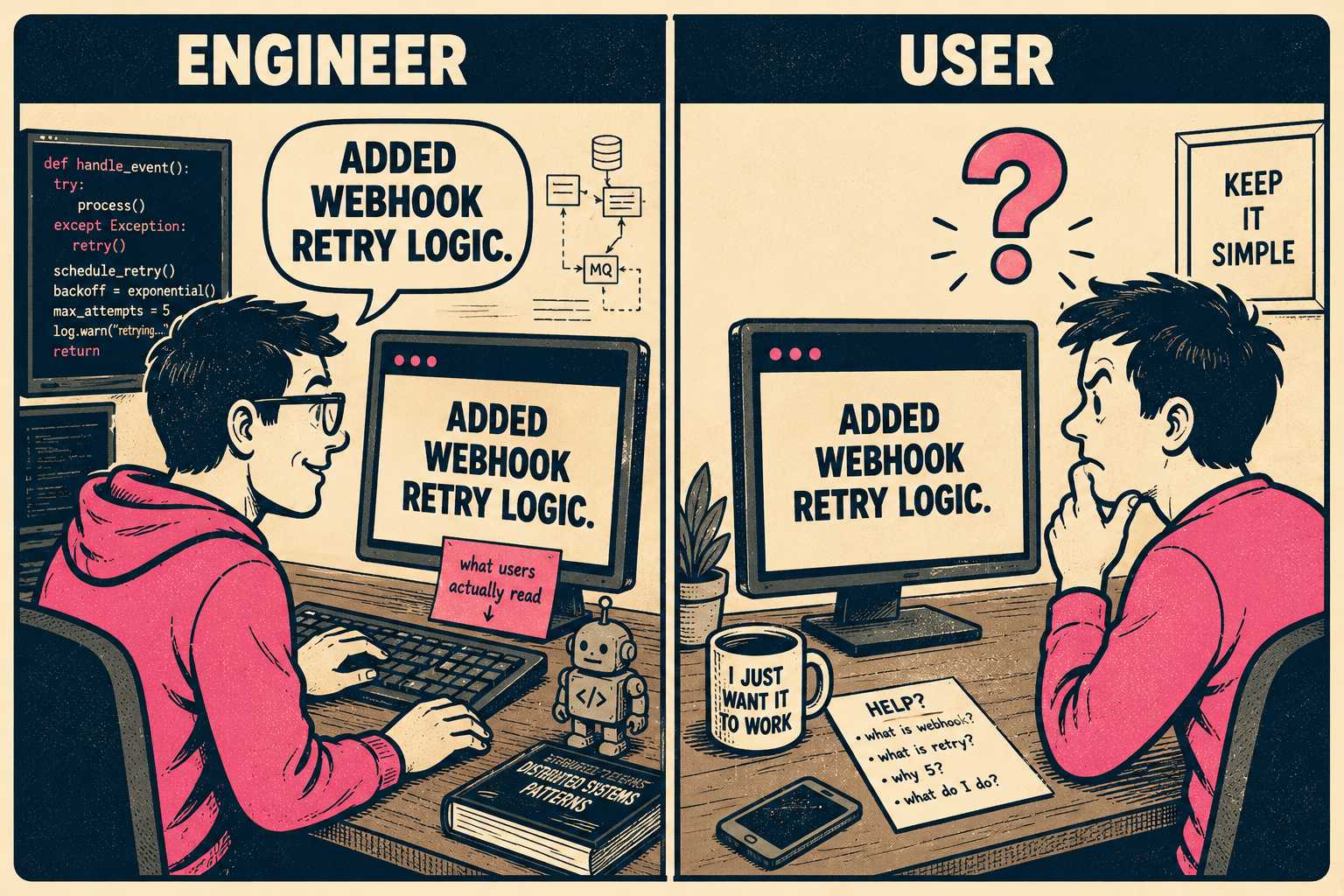
To an engineer, that is a perfectly accurate description of the work. To a user, it is an opaque technical statement. It only makes sense if you already know that webhooks were failing, and you understand what a retry logic implementation implies for your workflow.
"Webhooks now automatically retry on failure, meaning no more missed events when your endpoint is temporarily down."
This second version tells the user what problem just got solved. It translates the code change into a user benefit.
The other common mistake is the length problem. Self-serve changelogs should be short, but they should not be vague. The ideal entry is two to four sentences. It should state what changed, why it matters, and what the user should do next, if anything. If the feature is complex, the changelog entry should link out to documentation. You should never make the user guess whether an update affects them.
How to Structure It For Scanning
Self-serve users are not reading your changelog like a novel. They are scanning it. They want to know if the bug they reported is fixed, or if the feature they requested is live.
Start each entry with a clear label. New Feature. Improvement. Bug Fix.
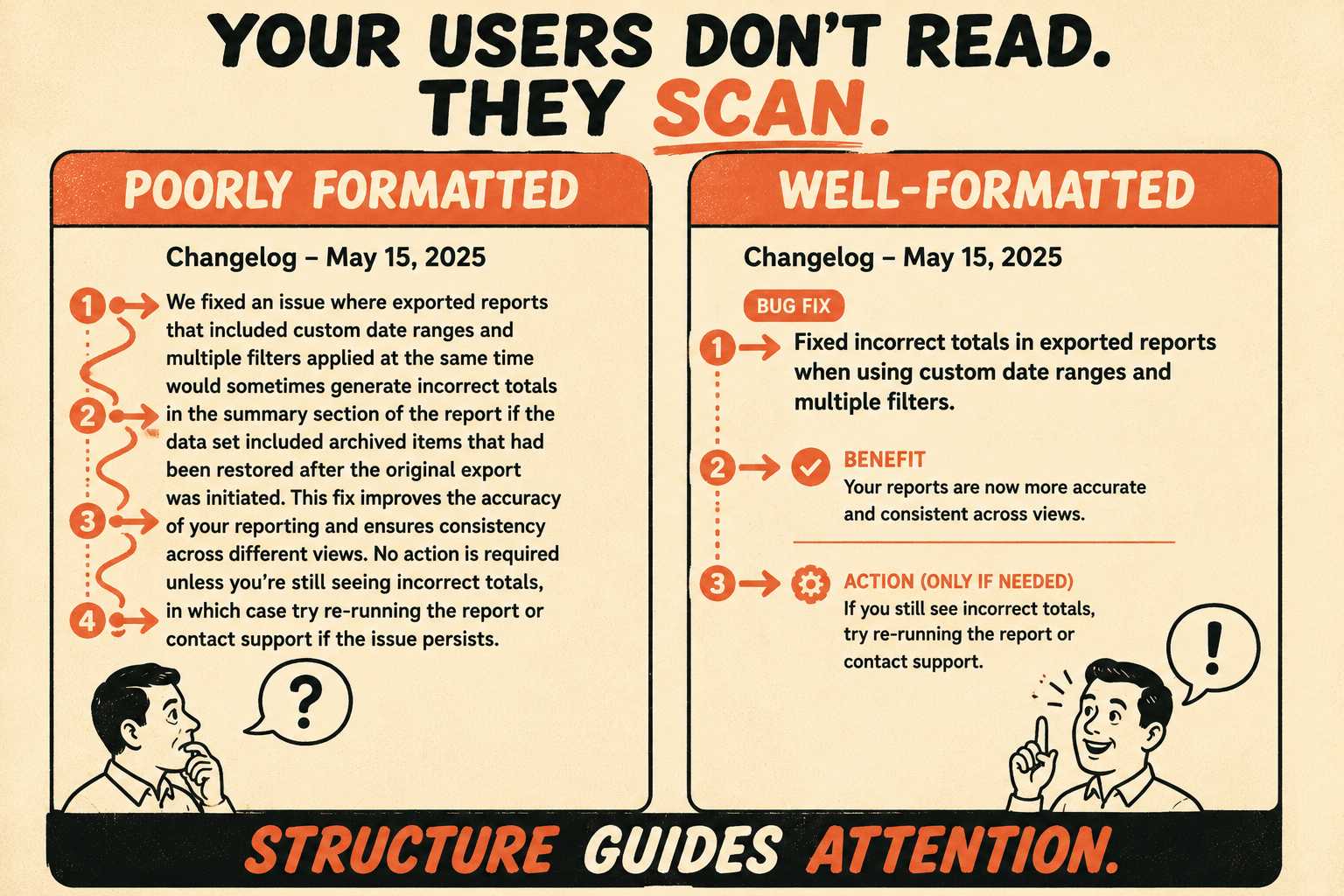
Use the first sentence to describe the change in user terms. Use the second sentence to explain the benefit or the problem solved. Add a third sentence only if there is a required action or an important limitation.
This format is optimized for rapid comprehension. It respects the user's time.
Then there is the question of cadence. Self-serve products often ship daily. That does not mean you should publish a daily changelog. If you publish an update every time an engineer merges a minor UI tweak, you train your users to ignore the changelog entirely. Batch updates into a weekly or biweekly rhythm, unless something is urgent. A breaking change, a major feature launch, or a critical bug fix warrants an immediate update. Everything else can wait for the weekly digest.
The Changelog as a Discovery Tool
Many self-serve users never explore the full product. They sign up to solve an immediate problem, they figure out the minimum viable workflow to solve that problem, and they stop looking around.
The changelog is your best chance to surface features they do not know exist.
Frame updates around jobs-to-be-done, not technical categories. "You can now export reports as CSV" is a stronger opening than "New export functionality." The first frames the update around the user's goal. The second frames it around the product's architecture.
Visibility is also a strategy. The changelog should be easy to find. It should have a dedicated page, and it should be linked in the app header. It should be easy to subscribe to via RSS, email digest, or in-app notification. If users have to go looking for the changelog, they won't.
Not every update matters to every user. Some self-serve products solve this with tagging. They tag updates with "API," "Billing," or "Integrations," allowing users to filter the feed. Others solve it by writing entries that make relevance obvious in the first sentence. Both approaches work. The mistake is assuming everyone cares about everything.
When Things Break
There are updates that require more care than a standard feature announcement.
Deprecations and breaking changes need more detail and more lead time. You have to explain what is changing, why it is changing, what users need to do, and when the deadline is. You have to link to migration guides. Self-serve users will tolerate bugs. They will not tolerate surprise breakage.
Beta and experimental features should be labeled clearly. Some companies separate stable updates from beta releases entirely. Others include betas in the main changelog but mark them as "Early Access" or "Labs." The wrong move is to be ambiguous about stability. If a feature might break, tell the user before they rely on it for production workloads.
Security and compliance updates often matter deeply to a subset of users, like enterprise trials or regulated industries, and bore everyone else. Include them, but keep them factual and brief. "Now SOC 2 Type II certified" is sufficient. You do not need to bury it, and you do not need to over-explain it.
The Operational Reality
Most self-serve teams struggle with changelog consistency because no one is clearly responsible for writing it. Engineering writes commit messages. Product writes release notes. Marketing writes blog posts. No one writes the changelog.
The result is a fragmented communication channel that reflects the internal organizational chart rather than the user experience.
The solution is to integrate the documentation process into the engineering workflow. When documentation is generated directly from the tools engineers already use, the gap between the code change and the user announcement closes.
This is what Doc Holiday is built to do. It is a documentation engine that generates output directly from engineering workflows, like release notes, API references, and changelogs. It takes the raw inputs from commits and pull requests and creates first drafts. A human reviews the drafts for accuracy and tone in a dashboard, flagging edge cases and feeding patterns back into the system. It gives lean teams the structure to validate, manage, and scale their documentation output without rebuilding a large headcount. It turns the changelog from an afterthought into a reliable, consistent channel for feature discovery.



