How to Keep Documentation Alive When Claude Writes the Code


You ship a feature on a Friday afternoon. The pull request was massive, but it only took three days because an AI coding assistant wrote eighty percent of the boilerplate, refactored the legacy module, and even threw in a few test cases. The team is thrilled. The velocity is incredible.
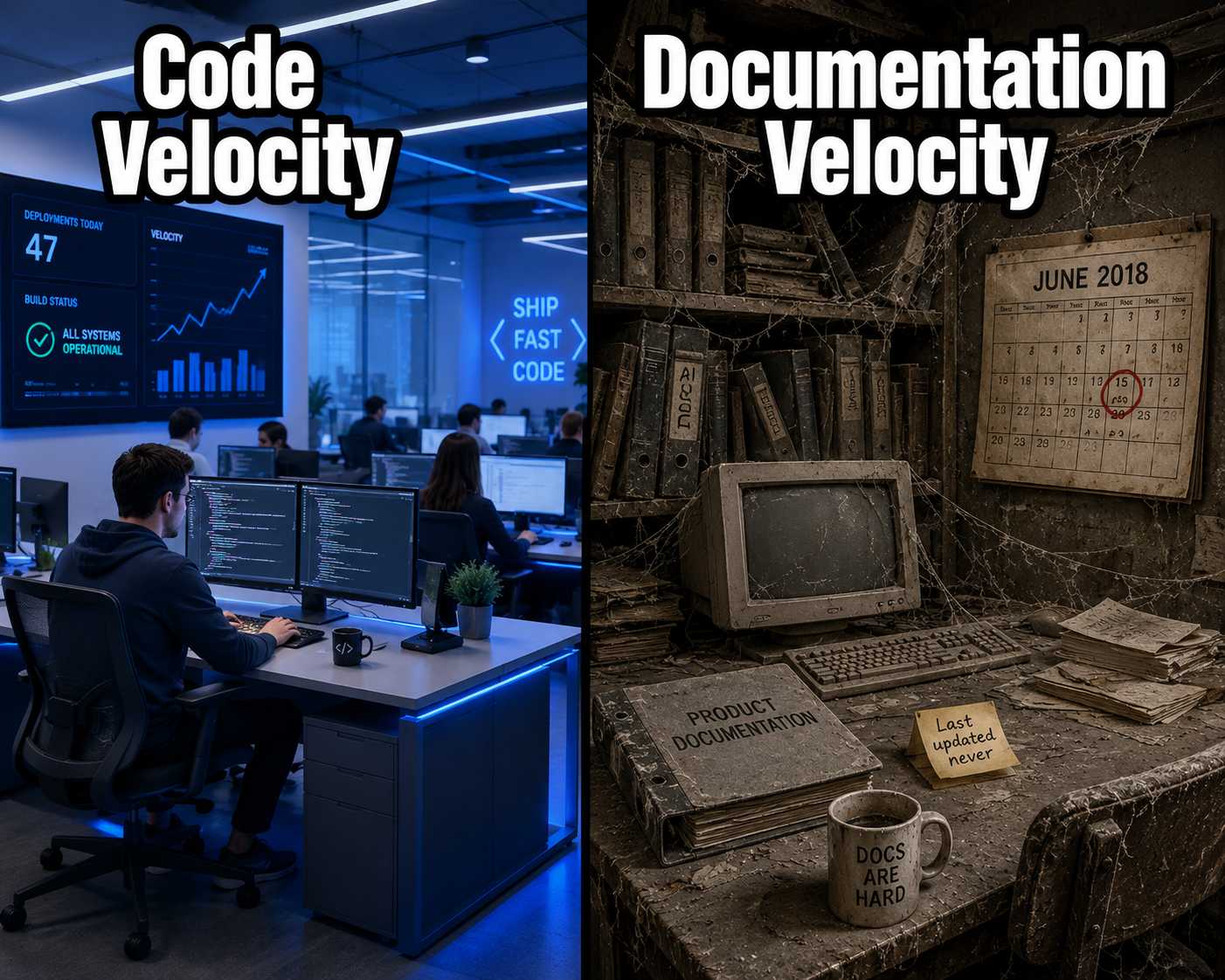
Then, a month later, a new engineer joins the team. They try to spin up the service using the README. It fails. They check the API reference. It lists parameters that no longer exist. They look for release notes. There are none. The code is modern and fast, but the documentation is a ghost town, describing a system that was replaced three weeks ago.
This is the reality of AI-assisted development. We have automated the generation of code, but we have left documentation behind. The velocity of development has outpaced the velocity of explanation.
The obvious solution seems to be asking the coding assistant to do both. If it can write the code, it can write the docs, right?
Yes, but not at the same time, and not with the same prompt. Asking a coding assistant to update the documentation while it generates the code is a recipe for documentation debt. The output is inconsistent, the style drifts, and the structure degrades.
To maintain documentation in an AI-driven workflow, you have to separate the concerns. Let the coding assistant write the code. Then, use a purpose-built documentation engine that ingests the output of the development workflow to generate structured, governed documentation.
The Temptation of the Inline Prompt
The instinct is understandable. You are already in the chat interface. You just asked the assistant to implement a new authentication flow. It seems efficient to add, "and update the README to reflect these changes."
Sometimes, this works for small, localized updates. The assistant might add a line to a docstring or update a single comment. But as the scope increases, this approach fails.
When you ask a general-purpose coding assistant to update documentation inline, you are asking it to context-switch between writing functional logic and writing human-readable explanations. These tasks require different constraints. Code is constrained by syntax and tests. Documentation is constrained by audience, tone, and structure.
The assistant will prioritize the code. The documentation update will be an afterthought. It will likely mimic the style of the prompt rather than the established style guide of the project.
At Anthropic, researchers found that AI can speed up certain development tasks by up to 80%. That productivity gain is real. But it also means the gap between code output and documentation output widens faster than most teams expect.
Why Structure Breaks Down
Over time, these ad hoc updates accumulate. One developer asks the assistant to write a bulleted list. Another asks for a paragraph. A third forgets to ask entirely.
This leads to stylistic drift. The documentation becomes a patchwork of different voices and formats. It loses the structural integrity that makes it useful.
Research on LLM-generated documentation shows that AI can produce high-quality output, but only when strict structural constraints and consistent evaluation are applied. When documentation is generated piecemeal across dozens of isolated prompts, those constraints are lost.
Furthermore, coding assistants struggle with cross-service context. They might update the documentation for the specific module they are working on, but they will miss the downstream effects. They will not update the API reference that depends on that module. They will not generate the release notes for the customer.
This creates a dangerous illusion of completeness. The developer sees a documentation update in the pull request and assumes the job is done. But the critical, customer-facing documentation remains outdated.
As one practitioner put it bluntly, "manual documentation is physically impossible to maintain when you're moving at DevOps speed." AI-assisted inline updates do not solve this problem. They just distribute it across more prompts.
The Documentation Layer
The solution is not to abandon AI for documentation. The solution is to move the AI out of the code generation prompt and into a dedicated documentation layer.
This layer sits parallel to the development workflow. It does not write code. It watches the artifacts that the development workflow produces.
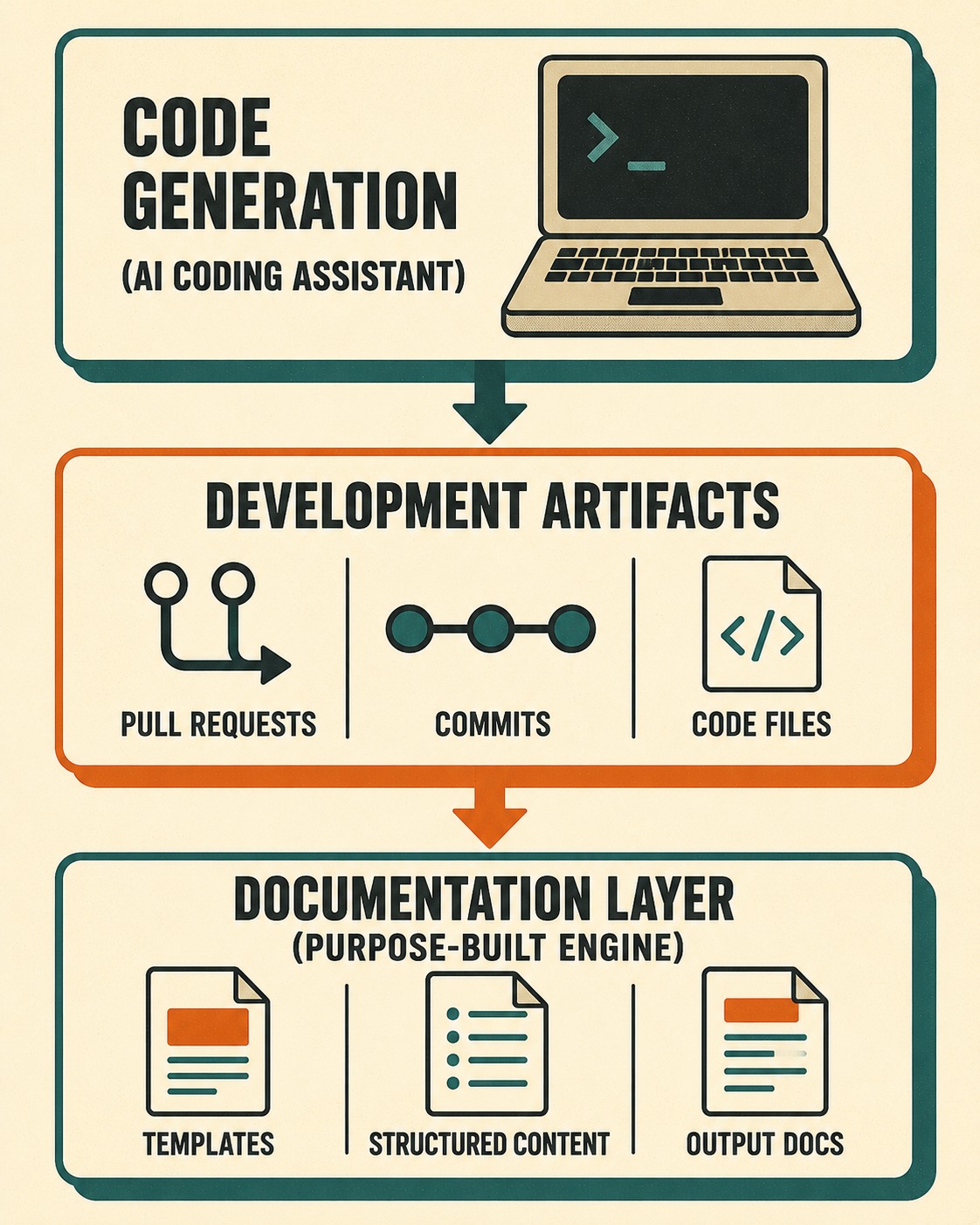
When a pull request is merged, the documentation layer analyzes the diff. It reads the commit messages. It reviews the issue tracker. It synthesizes this structured output into documentation updates.
Because this layer is purpose-built, it can enforce consistency. It applies predefined templates. It validates output against style guides. It ensures that an update to a backend module triggers an update to the corresponding API reference.
This approach aligns with the principles of Docs as Code, treating documentation with the same rigor as software development. But it automates the heavy lifting.
How the Pipeline Actually Works
In practice, this looks like a continuous integration pipeline for documentation.
The coding assistant accelerates the development cycle. The developer reviews the code, ensures it meets requirements, and merges the pull request.
At that point, the documentation engine takes over. It ingests the changes and generates a draft of the necessary documentation updates. This might include a new section in the README, an updated endpoint in the API reference, and a draft of the release notes.
Crucially, this draft is not published automatically. It is presented to a technical writer or a senior engineer for review.
This is where human governance becomes a quality multiplier. The AI handles the repetitive task of synthesizing the changes. The human handles the nuanced task of ensuring the explanation is clear, accurate, and aligned with the product narrative.
If you are using an AI coding assistant to accelerate your development, the next logical step is to implement a documentation engine that can keep pace. You need a system that pulls from your engineering artifacts to generate release notes, API docs, and changelogs. Doc Holiday provides this exact structure, giving lean teams the ability to validate, manage, and scale their documentation output without rebuilding manual processes or slowing down their development velocity.



