How Should Product Documentation Accurately Communicate What an AI Feature Can and Cannot Do?


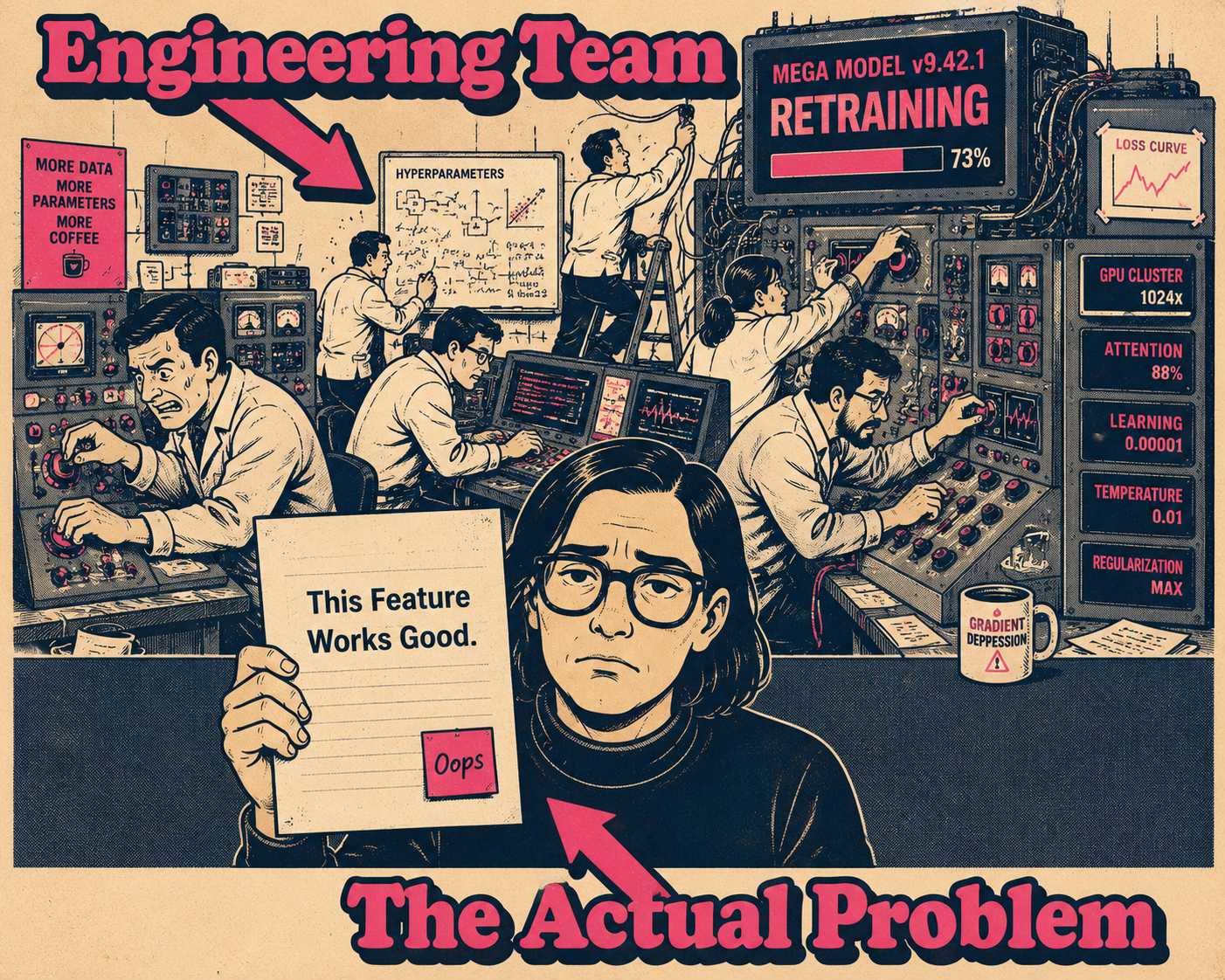
You shipped the AI feature. Internal testing looked great. The evaluations were solid. Then it hit production, and within a week, the support tickets started arriving. Users were angry because the feature "lied" to them, or "made a mistake," or suggested something that was subtly but importantly wrong.
The engineering team's first instinct is to patch the model. Add more guardrails. Tweak the prompt. Fine-tune the weights.
But the real problem usually is not the model's accuracy. The problem is the documentation.
Traditional software is deterministic. The same input produces the same output, every time. Users have been trained for decades to expect this. When software does not behave this way, they assume it is broken.
AI is probabilistic. It makes educated guesses based on patterns. Sometimes those guesses are excellent, and sometimes they are wrong in ways that are hard to predict in advance. The challenge of documenting AI features is not about excusing bad software. It is about resetting user expectations from a deterministic world to a probabilistic one, without scaring them away from the feature entirely.
The Deterministic Hangover
Users do not need to understand how a transformer works. They do not care about your training data or your parameter count.
What they need to know is that the feature they are using is making a guess.
When GitHub Copilot launched, the team did not promise perfect code. They explicitly stated that while the tool often outputs code of the same or better quality than the average developer, they cannot give any assurance that the code is bug-free. They framed the tool as an assistant, not an oracle. That framing is not a hedge. It is the entire documentation strategy.
This is the core shift in AI documentation. You have to document the boundaries of the feature's competence just as clearly as its capabilities. The gap between what users expect and what models actually deliver is often a documentation failure, not a model failure. The model card framework proposed by Google made this explicit: documentation should include intended use cases, out-of-scope scenarios, and known limitations, not just performance benchmarks.
What Goes In the Manual
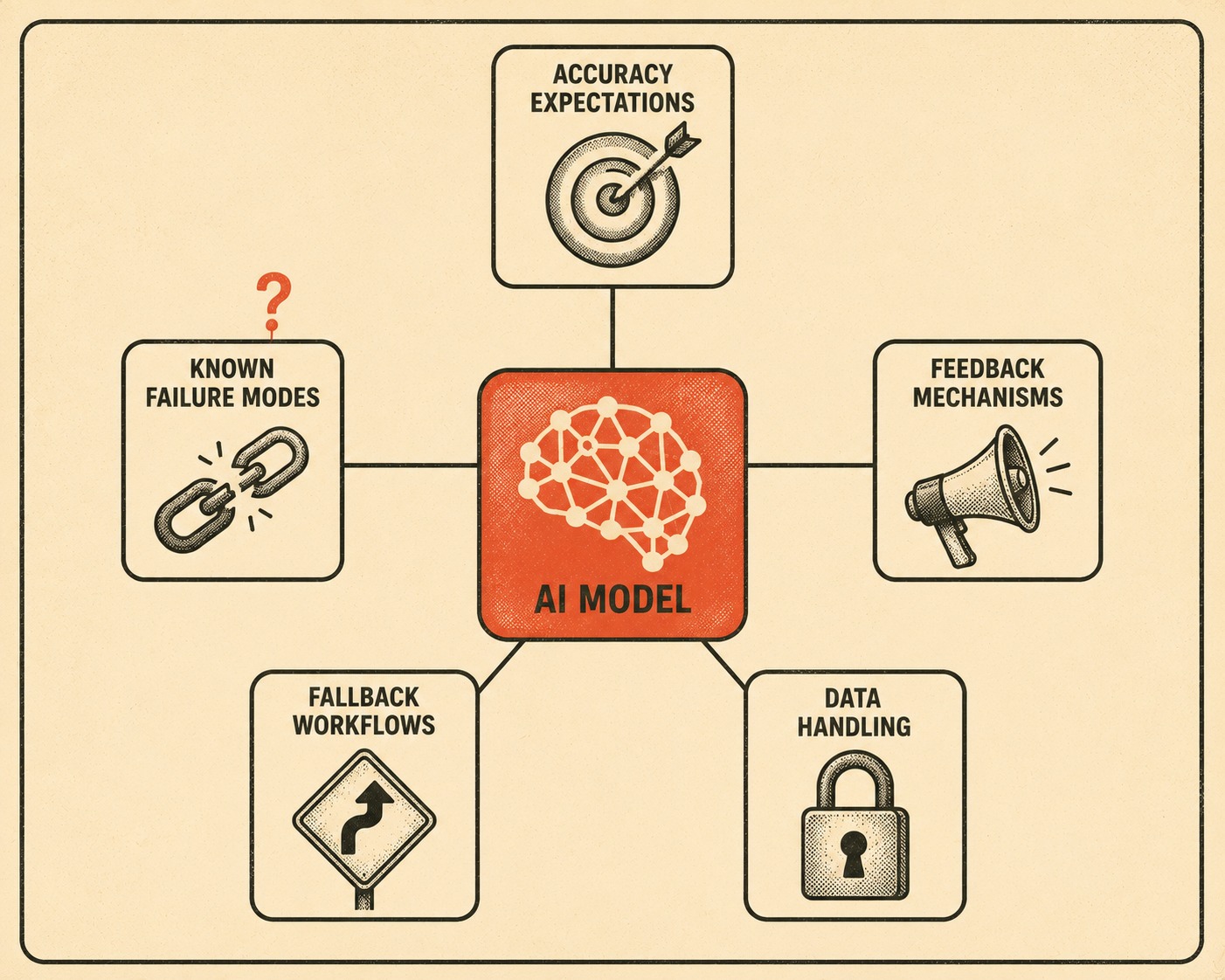
Every AI feature needs a specific set of disclosures that traditional software documentation does not require. The table below maps the five core components to the questions they answer for the user.
Setting accuracy expectations does not mean publishing a confidence score. It means being honest about the feature's scope. If your summarizing tool struggles with highly technical jargon, say that before the user pastes in a legal contract. Notion AI is clear about its capability boundaries, ensuring users understand it is there to assist with drafting and brainstorming, not to replace human judgment.
Failure modes deserve their own section. Not a footnote. Not a tooltip. A real explanation of the inputs that trip the system up and what happens when they do. Practitioners who document failure modes proactively are better positioned to catch regressions before they reach users.
Data handling is the one area where users have the most anxiety and the least information. If inputs are used to improve the model, say so clearly. Adobe Experience Platform's AI Assistant documentation, for example, explicitly states that chat session data is collected and retained, and it tells users not to include personal data unless necessary. That is the right level of specificity.
Probability for the Rest of Us
The language you use matters more than the information you include.
A disclaimer that reads, "This feature uses a machine learning model trained on a corpus of text and may exhibit non-deterministic behavior," is technically accurate. It is also useless to a normal person.
A disclaimer that reads, "This feature suggests responses based on patterns in your past emails. Review suggestions before sending," is helpful.
Grammarly handles this well with their tone detector. They do not bury the user in the mechanics of natural language processing. They explain that the tool analyzes word choice and phrasing to identify how a message might sound to a reader, and they offer it as a suggestion, not a definitive judgment. The framing is: here is what the tool saw, here is what it thinks, and here is what you should do with that information.
The goal is guidance, not just transparency. You want to coach the user on how to interact with the system safely. Disclaimers that pair capability with limitation, and that give users a concrete next step, build more trust than generic warnings. "AI may be inaccurate" is a stop sign. "Dates, numbers, and names may be wrong—double-check them before you act" is a seatbelt.
The Lawyers Enter the Chat
If your AI feature processes user data, you have disclosure obligations.
GDPR and CCPA require clear communication about data processing. If your system makes decisions that affect people, like hiring tools or credit scoring, you may have explainability requirements under Article 22 of the GDPR641530_EN.pdf, which gives data subjects the right not to be subject to solely automated decisions.
The EU AI Act introduces specific transparency obligations for systems that interact directly with people or generate synthetic content. High-risk AI systems must also include instructions for use that document accuracy metrics, known limitations, and the circumstances that may affect expected performance. The FTC has issued guidelines emphasizing transparency and accountability in automated decision-making.
You do not need to turn your user documentation into a legal brief. But you do need to ensure that your legal and compliance teams are involved in drafting the disclosures. This is the one section of your documentation that should not be written by a product manager alone.
When the Model Changes
AI models are not static. They improve over time.
When you retrain a model, swap out the underlying API, or adjust the prompt, the behavior of the feature changes. That means your documentation must change, too.
The right mental model is to version your model documentation the same way you version an API. If you fix a known failure mode, update the docs to reflect that. If a new limitation emerges, document it immediately. Treat model updates like feature releases, because that is what they are.
This is harder than it sounds. Over 40% of changes to model weight files are not reflected in the adopted naming or documentation practices. The model changes; the documentation does not. Users are left working from a description of a system that no longer exists.
The fix is to make documentation updates a required artifact of the model release process, not an afterthought. If the changelog for a model update does not include a corresponding documentation update, the release is not complete.
The Scale Problem
This is where the operational reality hits.
If you have one AI feature, you can probably manage the documentation manually. You can update the help center when the model changes and keep an eye on the disclaimers.
But if you are documenting multiple AI features, across multiple surfaces, with models that change quarterly, manual updates fail. You cannot rely on a technical writer pinging a product manager every three months to ask if the hallucination rate has improved. You need a system that pulls current behavior directly from engineering workflows and surfaces it in the right templates. You need to keep limitation language synchronized across API references, release notes, and user guides.
That is what Doc Holiday's documentation engine generates — output built directly from engineering workflows, giving lean teams the structure to validate accuracy and manage updates as models evolve. When the model changes, the documentation changes with it.