How to Keep Document360 Synchronized With Your Release Cycle


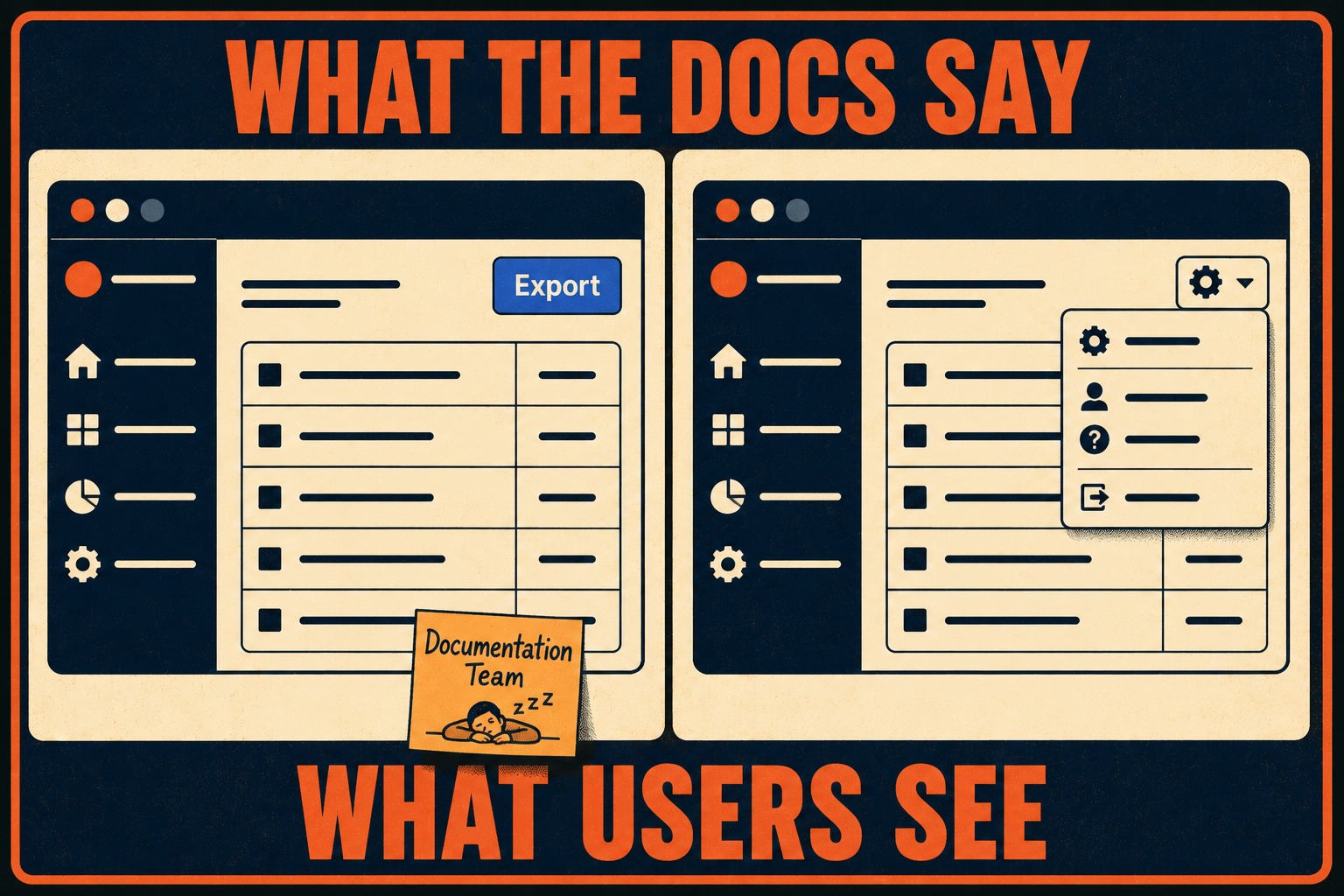
A product manager is on a Zoom call with a frustrated customer. The customer is trying to export a report but can't find the button. The product manager opens the Document360 knowledge base article for exporting reports. It shows a screenshot of a prominent blue button in the top right corner.
The product manager then looks at the live product. The blue button is gone. It was moved to a dropdown menu under a gear icon three sprints ago.
The Jira ticket for the change is closed. The pull request is merged. The feature is live. The documentation, however, is living in the past.
This is the operational reality for teams that ship software every week or two. Document360 is a solid platform for organizing and presenting a knowledge base, but it does not natively ingest pull request descriptions, commit messages, or deployment logs. It requires someone to manually update it. When a team's release velocity exceeds its documentation velocity, the knowledge base inevitably falls behind. The solution isn't to tell engineers to write better release notes. The solution is to treat documentation as a downstream artifact of the release process, not a separate parallel workstream that has to be manually kept in sync.
Why the Map Stops Matching the Territory
Software evolves continuously, but documentation is often updated in batches. This creates a phenomenon researchers call context rot: the code moves forward, but the descriptions of how that code works remain static.
The problem usually starts with the release checklist. Most teams have a line item that says "Update documentation." This assumes that someone will always have the time and context to write, review, and publish updates before the code ships. In fast-moving teams, this assumption is false.
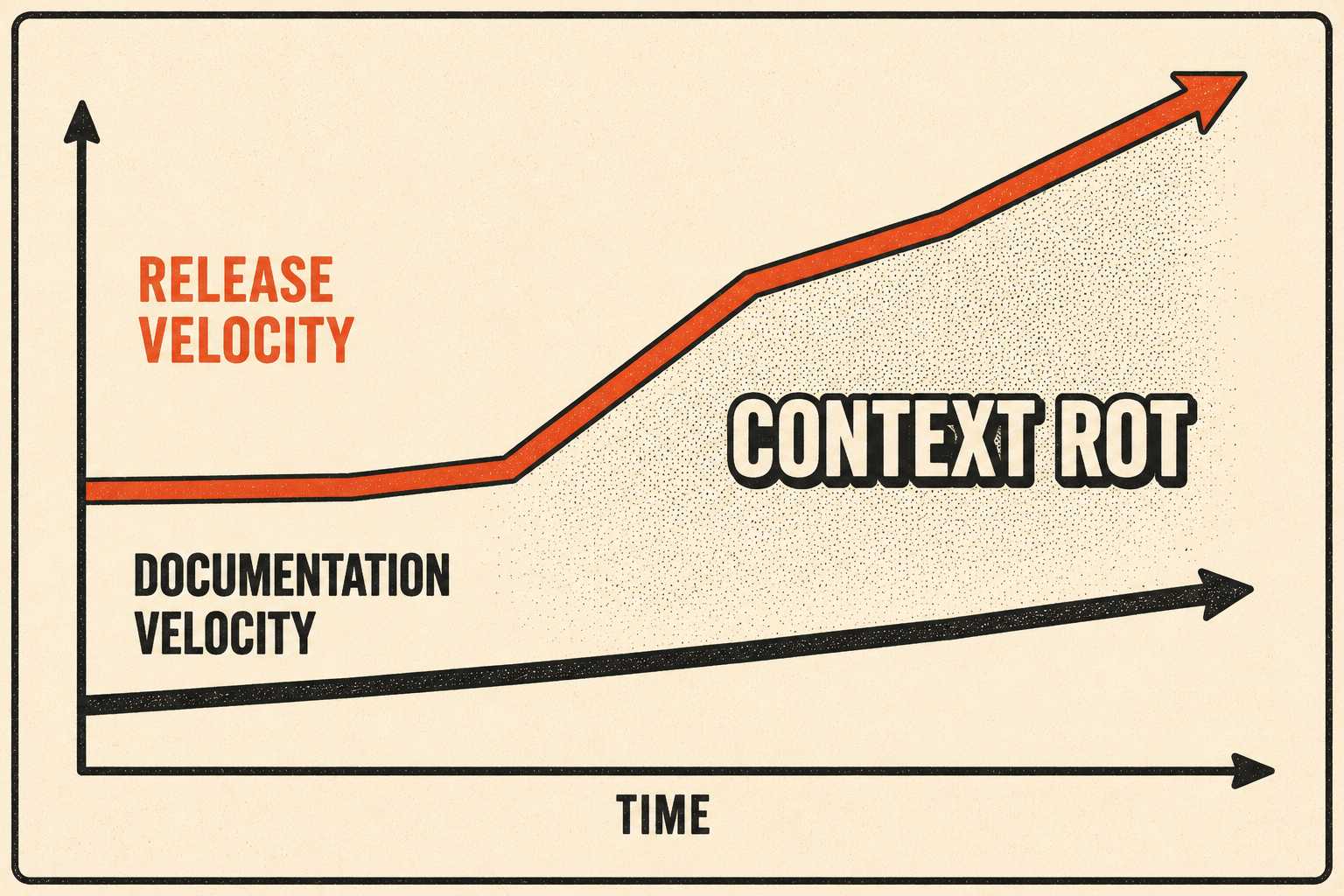
When a release contains thirty pull requests merged late on a Thursday, the documentation step gets skipped. The engineers who wrote the code are focused on the deployment. The support team, who will have to answer questions about the new interface, hasn't seen it yet. The result is a knowledge base that is perpetually two or three sprints behind reality.
This drift between implementation and documentation is a structural problem, not a discipline problem. It happens because the artifacts that track engineering work — Jira tickets, commit messages, pull request descriptions — are written for developers. They assume the reader knows what the authentication microservice does, what "refactored" implies, and why a performance improvement in the data ingestion pipeline might affect downstream behavior. They lack the customer-facing context needed for a knowledge base article. Research on documentation drift has confirmed this gap is structural, not a matter of team discipline.
A 2025 study on automated release note generation found that existing tools "fail to consider the diverse needs of various audiences and project domains," producing notes that leave specific user groups without critical details while overwhelming others with irrelevant technical information. That's not a coincidence. It's the default output of a process designed by and for engineers.
The timing problem compounds this. Support teams typically receive release notes at the same time as users, or shortly before. That's not enough time to update knowledge base articles, brief agents, or identify which customer segments will be affected.
What Actually Works at Different Resource Levels
The right approach depends on what you have to work with. The table below summarizes the two main configurations and what each requires.
If you have dedicated technical writers, the trick is to stop treating them as transcribers of engineering notes. Writers need to be integrated into the agile process. They should attend sprint planning and daily standups. They need to know what is being built before it ships, not after. This allows them to draft updates in a staging environment while the feature is still in development.
Document360 has an API for automated article creation and publishing. Teams can use this to integrate documentation into their CI/CD pipeline (the automated system that builds, tests, and deploys software). By hooking into this system, technical writers can prepare release notes in advance and have them automatically published when the code goes live.
Mews, a hospitality technology company, implemented exactly this. When a developer moves a ticket to "In Review" and opens a pull request, their issue tracker automatically generates a task for the technical writing team. The writers draft the note, marking it as "Soon to be deployed." When the deployment happens, the system automatically publishes it. The writer is still in the loop, but they are no longer the bottleneck.
Document360's reusable content blocks and version-specific articles are worth using here. Templates reduce the time it takes to produce a consistent article. Version tagging ensures customers can find documentation that matches the product version they're actually running.
If you don't have dedicated writers, the burden of updating the knowledge base falls on product managers or lead engineers. This is where the process usually breaks down completely. Product managers are busy planning the next sprint. Engineers are busy writing the next feature. Nobody wants to spend their Friday afternoon updating screenshots and writing step-by-step guides.
The solution is a lightweight system that changes the nature of the work from drafting to reviewing. An engineering lead can review a generated draft in five minutes. Asking them to write it from scratch takes an hour, and they won't. Research on release note practices confirms that developers find writing release notes time-consuming and tedious, with empirical evidence suggesting it takes up to eight hours for an experienced developer to draft a single release note document.
The model worth replicating is one where the engineering artifact is the input, not the output. The commit history and pull request descriptions feed a generation step. A product lead reviews the output for accuracy and approves it. The approved draft gets published into Document360 via API or manual review. The writer (or whoever is acting as one) is doing editorial work, not data entry.
The Trust Cost of Letting Things Drift
When you don't solve the input problem, the costs are real but slow to appear on any dashboard.
Outdated documentation destroys customer trust in a specific, cumulative way. When a user reads an article and finds that the instructions don't match the interface, they don't just lose trust in that article. They lose trust in the entire knowledge base. The thought process is: "If this isn't up to date, how do I know the others are?" The result is behavioral. Users who've been burned develop a habit: skip the knowledge base, go straight to support. Even when the article they need is perfectly accurate, they don't check, because last time it was wrong.
This leads directly to an increase in support tickets. A knowledge base is supposed to deflect tickets by allowing customers to serve themselves. When it fails, the support team absorbs the impact. If even five percent of weekly tickets stem from documentation confusion, the operational cost in lost time is significant.
There is also a cost to engineering velocity. When support agents can't answer questions because the docs are stale, they escalate the tickets to the engineers who built the feature. The engineers are interrupted, losing focus and productivity. DORA's 2024 research found that a 25% increase in AI adoption is associated with a 7.5% increase in documentation quality, but only when that AI is paired with the kind of human governance that catches what automated generation misses. The documentation isn't separate from the operational system; it's part of it.
The Harness 2025 State of AI in Software Engineering report found that 63% of organizations are now shipping code faster since adopting AI coding tools, but only 6% describe their continuous delivery process as fully automated. The code is moving faster; the downstream documentation hasn't caught up. That gap is where support gets blindsided and customers stop trusting the knowledge base.
You can't solve a continuous delivery problem with batch-processed documentation. If your code moves faster than your ability to manually type updates into Document360, the gap will only widen.
What you need is tooling that generates documentation as a byproduct of the release itself — changelogs, feature descriptions, API reference updates — then gives your editors and reviewers the structure to validate and approve what gets published. Doc Holiday generates these artifacts directly from engineering workflows. Human reviewers then make the call on what goes live and when, keeping your team in control of every publish decision while eliminating the blank-page problem that causes documentation to fall behind in the first place. It solves the input problem that Document360 doesn't address, without replacing Document360's reading experience and search.



