How to Write Release Notes That Drive Adoption


You spend six weeks building a feature that users have been demanding for a year. You test it, you polish it, and you finally push it to production. Then you open your changelog and write: "Added OAuth 2.0 support."
Two weeks later, your feature adoption rate is hovering around 4 percent. Meanwhile, support tickets asking when you are going to add Google Workspace login keep rolling in.
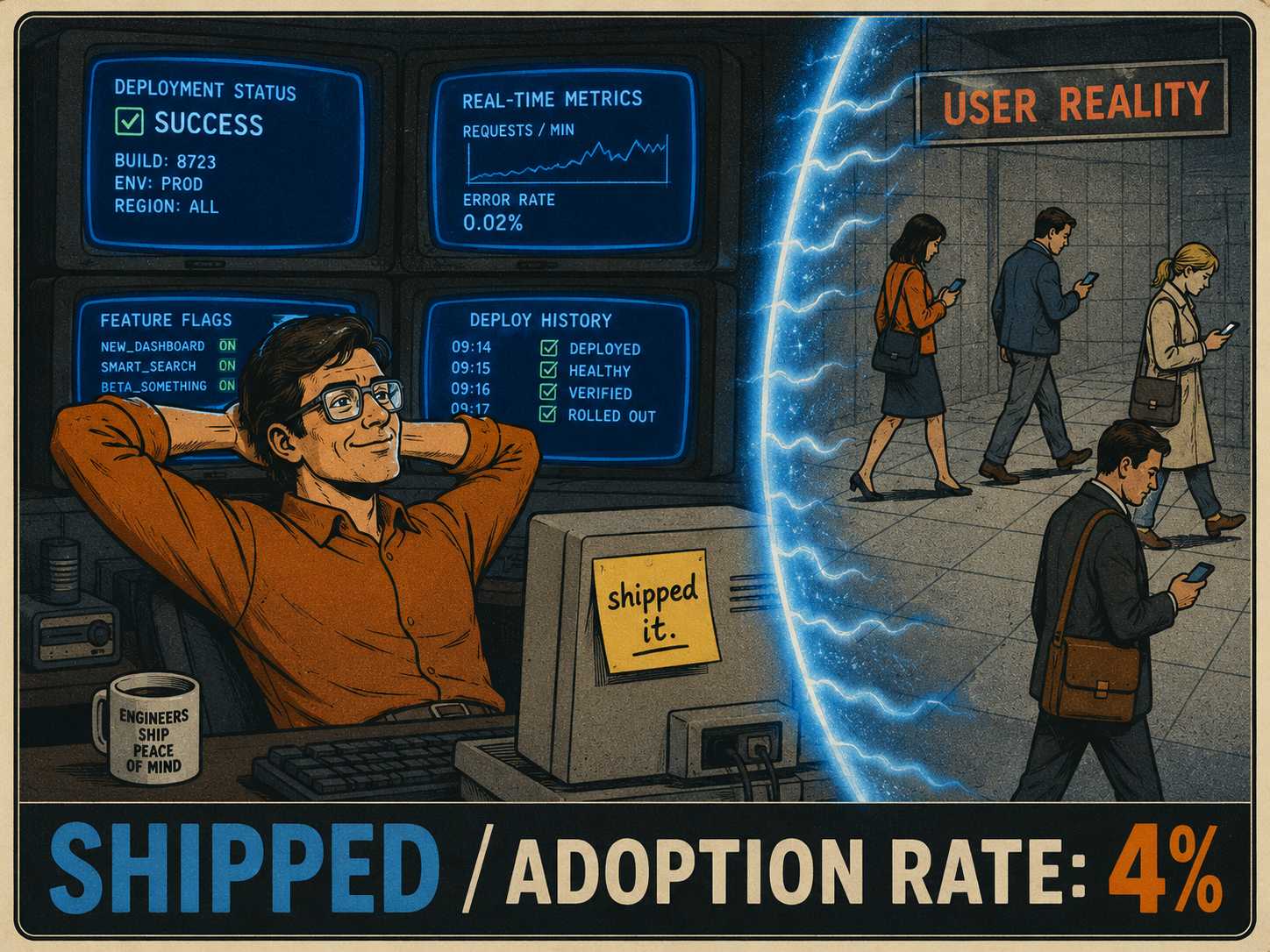
The problem is not that users do not want the feature. The problem is that they do not know you built it.
Most release notes are written like sterile changelogs. They are bullet points, they are full of jargon, and they lack any sense of urgency. Users scroll right past them. But release notes are a high-intent moment. The user is already looking at your product, and they already care enough to read an update. Great release notes close the loop between shipping a feature and getting people to actually use it by framing new capabilities as solutions to real problems.
We need to stop writing release notes for the database and start writing them for the people using the product.
What Marketing Copy Actually Means Here
When engineers hear the phrase marketing copy, they usually picture hype, spin, and exclamation points. That is not what this is.
In the context of release notes, marketing copy just means clarity about the user benefit. It means leading with the outcome rather than the technical mechanism.
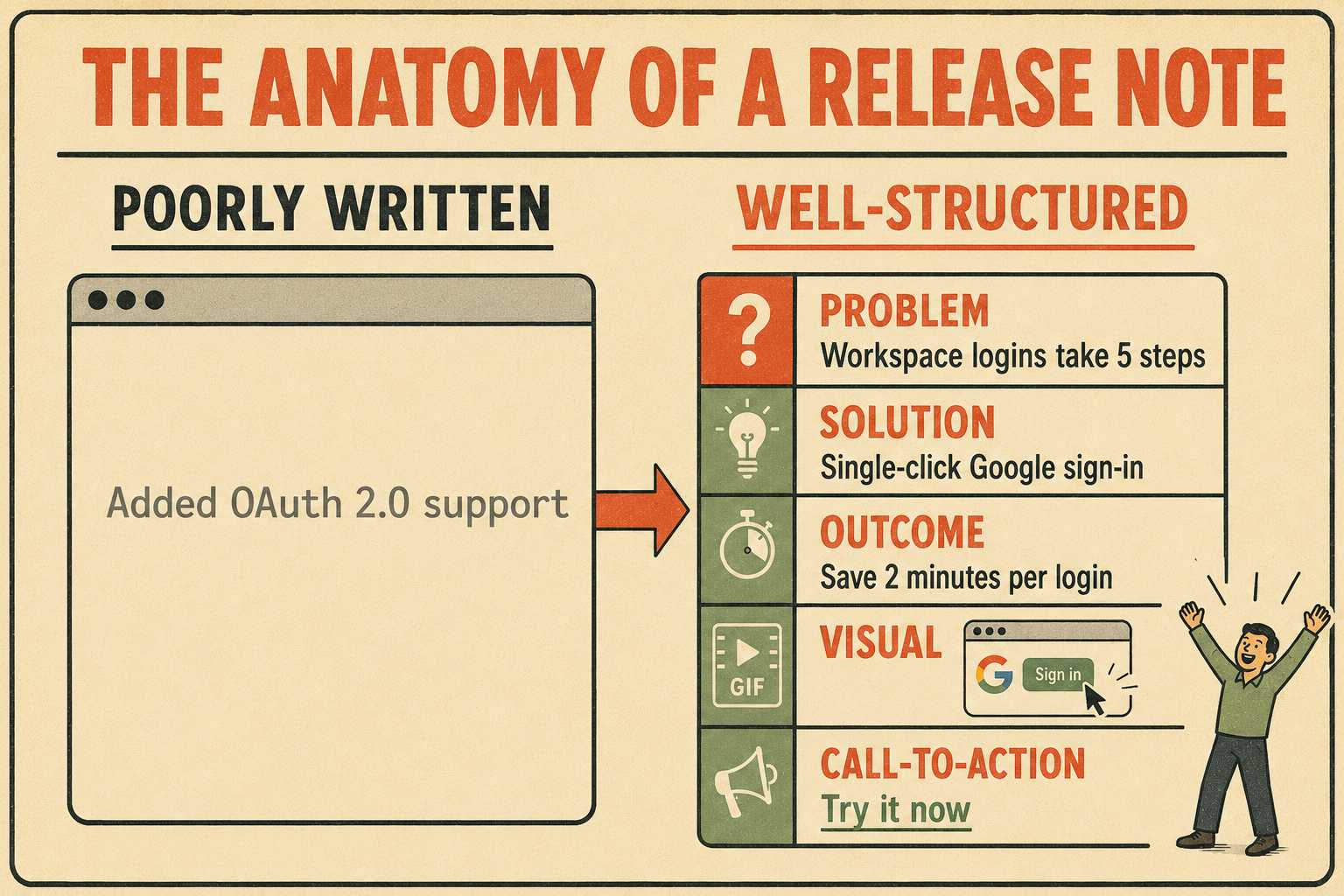
Bad: "Added OAuth 2.0 support."
Better: "You can now connect to Google Workspace with a single click. No more copying API keys."
The first version tells the user what the engineering team did. The second version tells the user what they can do now that they could not do yesterday. Research into technical communication consistently shows that professionals want clear, concise information, and that plain language actually makes the writer look more credible, not less — a finding NNGroup has documented across expert audiences in science, technology, and medicine.
A good structure for a release note leads with the user problem or workflow gap the feature solves. It describes the feature in plain language, avoiding internal product terminology. It shows the outcome or time saved, not just what changed in the codebase. It includes a visual or screenshot when possible, because users skim. It ends with a contextual call to action, like "Try it now," "Learn more," or "See the guide."
The visual element is worth emphasizing. Linear's changelog is widely cited as a benchmark for this reason. Every entry leads with a GIF or screenshot that shows the feature in motion. A 10-second screen recording communicates more than a paragraph of text, and it communicates it faster — a pattern well documented in annotated release note analyses across top SaaS products.
How to Translate Without Lying
There is an inherent friction between engineering-driven accuracy and user-focused clarity. Engineering wants precision. Marketing wants resonance.
The best release notes do both. They translate technical details into user-facing language without losing correctness.
Example: "Improved query performance."
Translation: "Search results now load 3x faster, even in large workspaces."
Example: "Refactored the notification service architecture."
Translation: "You will now receive email alerts instantly when a task is assigned to you, eliminating the previous five-minute delay."
You do not have to lie or exaggerate to make a feature sound appealing. You just have to explain the impact of the technical change on the user's daily workflow. If you cannot articulate the user impact, you probably should not be highlighting the change in a user-facing release note.
The translation step is also where most bottlenecks happen. Engineers write in the language of the system. Users read in the language of their own jobs. Bridging that gap requires someone who understands both sides, which is why the best release notes are usually the product of a collaboration between an engineer who knows what changed and a writer who knows how to explain why it matters.
A useful rule of thumb: if a user could read your release note and still not know what to do differently tomorrow, you have not finished writing it.
Where This Stuff Should Actually Live
Cadence and channel strategy matter just as much as the copy itself. Should release notes live in-app, in an email, on a changelog page, or all three? The answer depends on the size of the release.
Major announcements belong in all three channels. A new core feature warrants an email blast, an in-app modal, and a detailed post on your changelog. Minor improvements and bug fixes belong quietly in the changelog. You do not need to send an email every time you fix a typo in the settings menu. (Your users will thank you for the restraint.)
In-app announcements are particularly effective because they catch users when they are already engaged with your product. A well-placed tooltip or banner can drive immediate adoption of a new feature. Contextual in-app messaging significantly outperforms email for feature discovery, because the message arrives exactly when the user is in a position to act on it — a principle Intercom has documented extensively in its own feature announcement research.
The table below summarizes how to match release type to channel.
Who Writes It and Who Checks It
Cross-functional collaboration is where the release note process usually breaks down. Who writes the first draft? Who reviews it? How do you avoid bottlenecks when shipping fast?
Usually, the product manager or the lead engineer writes the initial technical draft. Then, a technical writer or product marketer translates it into user-facing copy. Finally, engineering reviews it to ensure the translation did not introduce any factual errors.
This process works, but it is slow. When you are shipping multiple times a week, manually passing drafts back and forth between three different teams is a recipe for delayed announcements and undocumented features. Empirical studies of release note production confirm that generating these documents is often treated as an afterthought, leading to inconsistent quality and delayed communication. A separate study analyzing 85 release notes across 15 software systems found that most release notes only document between 6 and 26 percent of all addressed issues in a given release. The rest go unannounced.
The fix is not to hire more writers. The fix is to make the drafting process faster so that the human effort can focus on the translation work rather than the compilation work.
How You Know It Worked
How do you know if your release notes are actually driving adoption?
You measure it.
Look at feature adoption rates in the days and weeks following a release. If adoption is low, your release notes might not be effectively communicating the value of the feature. The median feature adoption rate for software products is around 6.4 percent, meaning the vast majority of shipped features go unused. Good communication is one of the most reliable ways to beat that baseline.
Track click-through rates on in-app announcements and email blasts. Are users engaging with the content? Well-crafted in-app announcements targeting the right workflow moment typically achieve 5 to 15 percent click-through rates. If yours are consistently below that, the copy is probably the problem.
Monitor support ticket volume for newly shipped features. If you are getting a lot of tickets asking how to use a feature you just announced, your release notes probably were not clear enough. Proactive communication through clear release notes and in-app guidance is one of the most effective ways to reduce support burden.
Writing good release notes is hard, largely because you are starting from a blank page every time. You have to dig through ticket trackers, decipher commit messages, and chase down engineers to figure out what actually shipped. GitHub has made some progress here with automatically generated release notes from labeled pull requests, but the output is still engineer-facing by default — a list of PR titles that means nothing to the average user.
That blank-page problem is where human judgment matters most, and also where it gets squeezed out first when teams are moving fast. A tool like Doc Holiday assists with the initial draft by pulling structured information from engineering workflows, reducing the time spent on compilation. But the human review step is not optional. A writer still needs to validate the output, reframe technical changes as user benefits, and decide what actually belongs in a user-facing announcement. The tool handles the scaffolding. The writer handles the meaning. That division of labor is what makes the process sustainable at shipping speed.



