How to Write Release Notes for Migration-Heavy Features


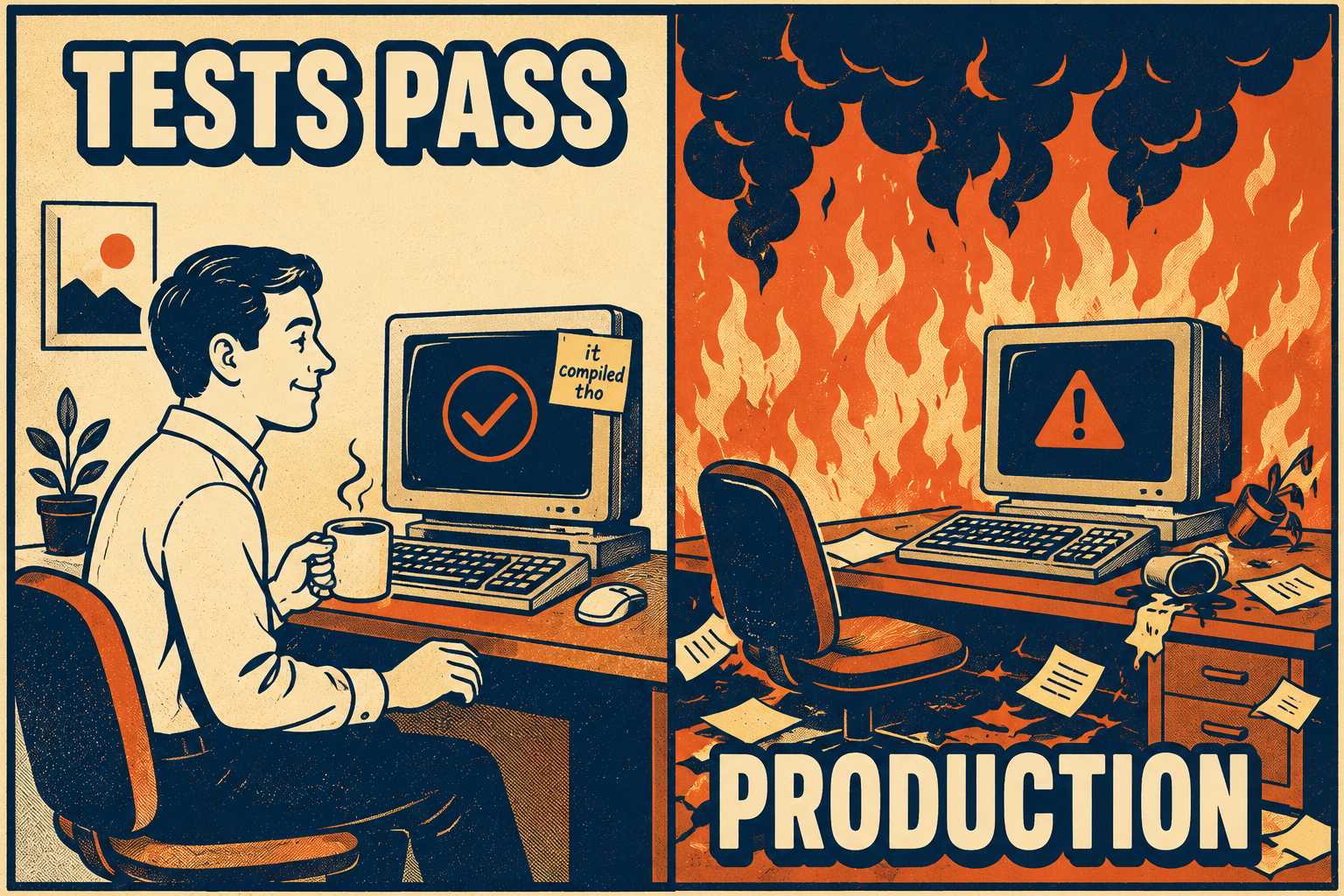
Every developer knows the feeling. You bump a library version, maybe update React from 17 to 18 or pull in the latest major API release. The compiler doesn't complain. The tests pass. You merge the pull request and go home.
Weeks later, components that used to render perfectly start throwing errors. The system didn't break when you upgraded; it broke when a user tried to do something specific that relied on a behavioral change nobody warned you about. You dig into the documentation and find a one-line mention buried at the bottom of a changelog.
When a feature requires complex migration steps—database schema changes, API version bumps, infrastructure reconfiguration, or coordinated multi-service deployments—standard release notes are not enough. If your release notes just list what changed, you are leaving your users stranded mid-upgrade. You need a tactical playbook that answers the only question that matters during a migration: what exactly must I do to survive this?
The Anatomy of a Silent Failure
Breaking changes come in two flavors: syntactic and behavioral. Syntactic changes are loud. If you change a method signature from an integer to a string, the compiler screams at you immediately — breaking changes that are impossible to miss. You know you have to fix it.
Behavioral changes are silent. They modify how the system functions without changing the interface. The code still compiles, but it does something different. These are the changes that cause production incidents, corrupted data, and angry support escalations. A real-world example: Python's round() function changed behavior between versions 2 and 3. In Python 2, round(0.5) returns 1. In Python 3, it returns 0. The signature is identical. The results are not — a documented behavioral breaking change with no syntactic warning.
Standard release note templates fail here because they treat all changes equally. They offer a bulleted list of "What's New" and "Bug Fixes." But when a release requires a user to run a database script before deploying the new code, burying that requirement under "Enhancements" is a recipe for an outage.
The research confirms this is a widespread problem. A study of 32,425 release notes across 1,000 GitHub projects found significant discrepancies between what producers include in release notes and what users actually need from them. Producers tend to document what they did. Users need to know what they have to do.
What Standard Release Notes Get Wrong
Most release notes are written as historical records. They document what the engineering team did.
But users don't care what you did. They care about what they have to do.
When a release introduces backward-incompatible changes, the documentation must shift from a historical record to an operational guide. The opening sentence should not be a celebratory announcement of a new feature. It should answer two questions immediately: Can I skip this? And do I need to block off time to do it safely?
Put the risk up front. If a migration requires downtime, say so in the first paragraph. If it requires exporting and re-importing data, make that the headline. A study of breaking changes in Java libraries found that about 30% of API changes introduce backward incompatibility, yet only 27.72% of libraries that introduce breaking changes provide dedicated migration guides. The rest rely on release notes alone. That gap is where production incidents are born.
Semantic Versioning (SemVer) was designed to communicate the severity of changes through version numbers. It doesn't fully close the gap. SemVer is subjective, and its effectiveness depends entirely on maintainer judgment. A study by Ochoa et al. found that 21.9% of breaking changes in Maven Central were not documented at all, meaning developers who trusted the version number were walking into undocumented behavioral changes. Version numbers signal that something changed. They don't tell you what you have to do about it.
The Migration Checklist That Actually Works
Effective migration-focused release notes require a specific structure. They separate the summary of changes from the instructions on how to handle them. Users need both, but they need them in the right order.
The structure that works looks like this:
Severity signaling first. Before anything else, state clearly whether the release contains breaking changes. Use explicit language: "This release contains breaking changes that require manual migration steps before deployment." Do not bury this in a footnote.
The prerequisite checklist. What must be true before the user even begins? Do they need to be on a specific prior version? Do they need to back up the database? Do they need to run a schema export? List these requirements as a checklist, not as prose. Users will skip prose. They will not skip a checklist that says "Step 0."
Expected downtime and resource requirements. If the migration requires a maintenance window, say how long. If it requires significant compute resources or elevated database permissions, say so. Users need to plan. Surprises at 2 a.m. are not surprises; they are failures of documentation.
Step-by-step instructions with rollback points. Provide the exact sequence of actions. After each significant step, define a rollback point: what the user can do to undo the work completed so far if something goes wrong. The database migration pattern known as "expand and contract" is a good model here—expand the schema, migrate the data, then contract the old structure—and each phase should have a documented revert path.
A troubleshooting decision tree. What are the three or four most common failure modes? What does each error message mean? What should the user do when they see it? This does not have to be exhaustive. It has to cover the failures that will actually happen.
Version compatibility matrix. If your system interacts with other services, databases, or tools, provide a table of compatible versions. Users integrating multiple dependencies need to know which combinations are safe before they start.
Documenting rollback procedures does not make your release look unstable. It makes your engineering team look professional. A rollback plan is a necessary component of any responsible software release. The difference between "here's how to undo this if needed" and "this might explode" is entirely in the framing. One is operational hygiene. The other is panic.
When the Fix Can't Be Automated
Ideally, every migration would be handled by an automated script. But reality is rarely ideal. Sometimes, users have to intervene manually.
When a migration cannot be automated, you have to decide between writing the steps directly in the release notes or linking out to a separate migration guide. The tradeoff is between completeness and readability. If the manual steps take three lines of code, put them in the release notes. If the manual steps require a 2,000-word explanation of how to restructure a database schema, link out to a dedicated guide.
When you do link out, be aggressive about it. Say explicitly: "Do not attempt this upgrade without reading the full migration guide." Do not assume users will follow a link buried in a sentence. Make the link the most prominent thing in the section.
There is a documented lag in how quickly developers update dependencies, often because they fear compatibility issues. Providing a clear, code-level mapping of what changed and how to adapt to it is the only way to overcome that hesitation. When the Log4j migration from version 1 to version 2 was studied, researchers found that developers referenced the migration guide not just during the initial upgrade, but throughout subsequent maintenance tasks—meaning the guide served as a resource throughout the entire migration lifecycle, not just at the moment of upgrade. A well-written migration guide pays dividends long after the release date.
The relationship between release notes, changelogs, and API documentation matters here. They serve different audiences at different moments. The release note is the operational alert. The changelog is the historical record. The API documentation is the reference. Link between them, but do not create circular references. A release note should link to the migration guide. The migration guide should link to the relevant API documentation. The API documentation should not link back to the release note. Each document has one job.
Coordinated Migrations Across Multiple Services
The hardest migration to document is one that requires changes in a specific sequence across multiple services or repositories.
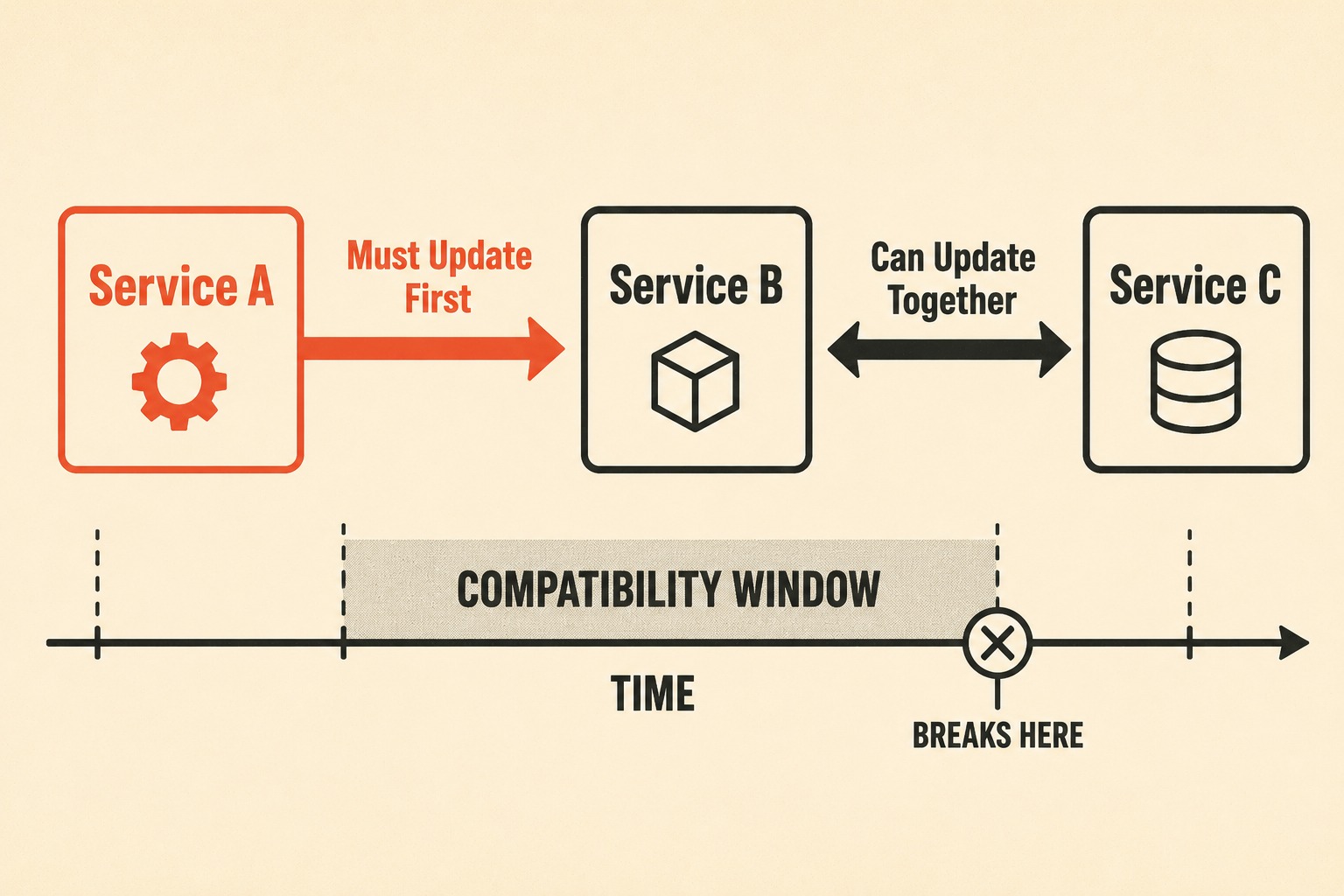
When Service A depends on Service B, and both need to be updated, the order of operations matters. If you update Service A before Service B is ready, you break production. If you update Service B first and leave Service A on the old version for too long, you may end up with a compatibility window that closes before all your users have upgraded.
The release notes for a coordinated migration need to make the dependency graph explicit. Which service must be updated first? Which services can be updated in parallel? What is the maximum time window between updates before compatibility breaks? These are not engineering questions. They are documentation questions, and they belong in the release notes.
Stripe's approach to API versioning illustrates one way to handle this at scale. Rather than forcing all users to upgrade simultaneously, they pin each user to the API version they first integrated with and allow incremental upgrades. The changelog is programmatically generated and updated automatically when new versions are deployed. The result is that users can upgrade on their own schedule, with documentation that is always synchronized with the actual state of the API. Most teams don't have Stripe's infrastructure, but the principle applies: the documentation should be generated from the same source of truth as the code, not written separately and hoped to stay in sync.
The Problem with Testing Assumptions
You wouldn't ship code without testing it. You shouldn't ship migration instructions without testing them, either.
The people who wrote the code are the worst people to test the instructions. They already know how the system works. They know the unwritten assumptions. They know that you have to restart the cache server after running the database script, even if they forgot to write that step down.
To test migration documentation, hand the release notes to someone outside the immediate engineering team. Have them attempt the upgrade using only the written instructions. Watch where they get stuck. When they fail, do not blame them for not understanding the system. Revise the documentation based on their actual confusion points.
This is task-based usability testing applied to documentation, and it is just as critical as usability testing for software. The confusion points that emerge are not signs of a slow reader. They are signs of documentation that assumed knowledge the reader didn't have. Every assumption you discover through testing is a support ticket you prevented.
Technical writers who test their own instructions by walking through every step themselves—not just reviewing the text—consistently produce more accurate documentation. For migration documentation specifically, this means setting up a test environment, running the migration from scratch using only the written instructions, and logging every point of friction. The goal is not to confirm that the instructions are correct. The goal is to find out where they fail.
The Late Discovery Problem
Sometimes, migration requirements are discovered late in the release cycle. The code is frozen. The deploy date is set. And suddenly, QA realizes that existing user data will be corrupted unless a specific script is run first.
There is no time to automate the fix. There is no time to simplify the process.
When this happens, communicate the bad news clearly. Do not try to soften the blow by burying the manual requirements deep in the text. Be direct. Explain why the manual step is necessary, what happens if they skip it, and exactly how to execute it. Transparency builds trust, even when the news is annoying. Users who are warned clearly about a painful upgrade are frustrated. Users who discover the pain mid-upgrade are furious.
The hardest part of a complex migration isn't writing the code that changes the system. It is ensuring that the documentation stays perfectly synchronized with those changes. When a database schema shifts or an API contract is rewritten, the release notes have to reflect that reality exactly, without relying on a tired developer remembering to update a wiki page at 11 p.m. before a deploy.
This is where Doc Holiday fits. It is a documentation engine that generates release notes, changelogs, and API references directly from engineering workflows—pull requests, commit history, and schema diffs. For teams shipping features with complex migration requirements, it means the release notes are drafted from the same source of truth as the migration itself. AI generates the first draft from those signals, which architects and technical writers review to validate that the captured changes are accurate and complete before any context is added. A technical writer or product manager then governs the output in a dashboard, adds the necessary operational context, and structures the upgrade path. It gives lean teams the framework to validate and scale high-stakes release communications without having to rebuild everything manually.



