How to Build a Documentation Style Guide for Release Notes


If you asked an engineering team to ship production code without a linter, a CI/CD pipeline, or a shared understanding of what constitutes a breaking change, they would look at you like you were crazy. They would point out, correctly, that relying on individual developers to remember every syntax rule and formatting convention is a recipe for chaos. They would explain that manual review doesn't scale, that inconsistency breeds bugs, and that cognitive load should be spent on solving hard problems, not debating where the brackets go.
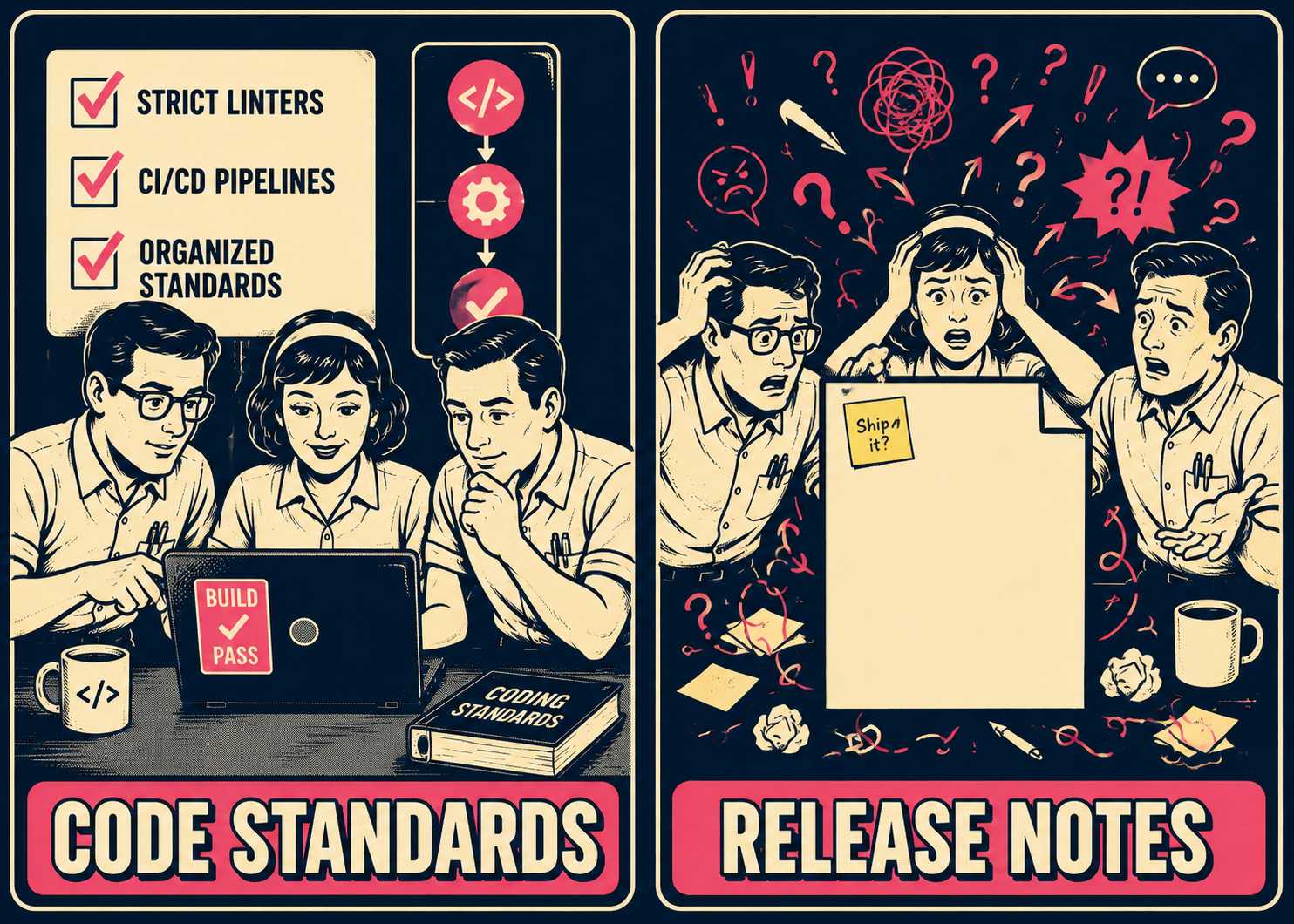
And yet, when it comes time to explain those changes to users, that same team will often open a blank text box and start typing.
The result is what we generously call "release notes." What it actually is, more often than not, is a raw dump of commit messages, written in five different tenses, targeting three different audiences simultaneously. The backend engineers write about database migrations. The frontend team writes about UI tweaks. The product manager tries to weave it all into a narrative about "delighting users." And the customer, trying to figure out if the API they depend on just broke, is left sifting through a wall of text that reads like it was written by a committee that never met.
The instinct, when faced with this mess, is to write a style guide. Someone (usually a technical writer or a very organized product manager) spends a week drafting a comprehensive document detailing exactly how release notes should be written. It covers active voice, serial commas, and the precise difference between a "fix" and an "enhancement." It is circulated, celebrated, and promptly ignored.
Style guides fail because they are treated as reference material rather than infrastructure. They add process debt to a workflow that is already constrained by the pressure to ship. If you want consistency, you cannot rely on humans remembering the rules. You have to build a system where following the rules is easier than breaking them.
Define Scope Before You Define Style
Most teams start with formatting questions. Should we use bullet points or paragraphs? Do we title entries with verbs or nouns? These are the wrong questions to ask first.
The first question is: who is reading this, and what decisions are they trying to make?
Different reader types need different information density. An end user evaluating an upgrade needs to know if their workflow is going to change. An internal support team needs to know what new bugs they are going to get tickets about. A developer integrating your API needs to know exactly what endpoints changed and whether those changes are backwards compatible.
If you try to write one set of release notes for all three audiences, you will fail. You will end up with a document that is too technical for the end user, too vague for the developer, and too long for the support team.
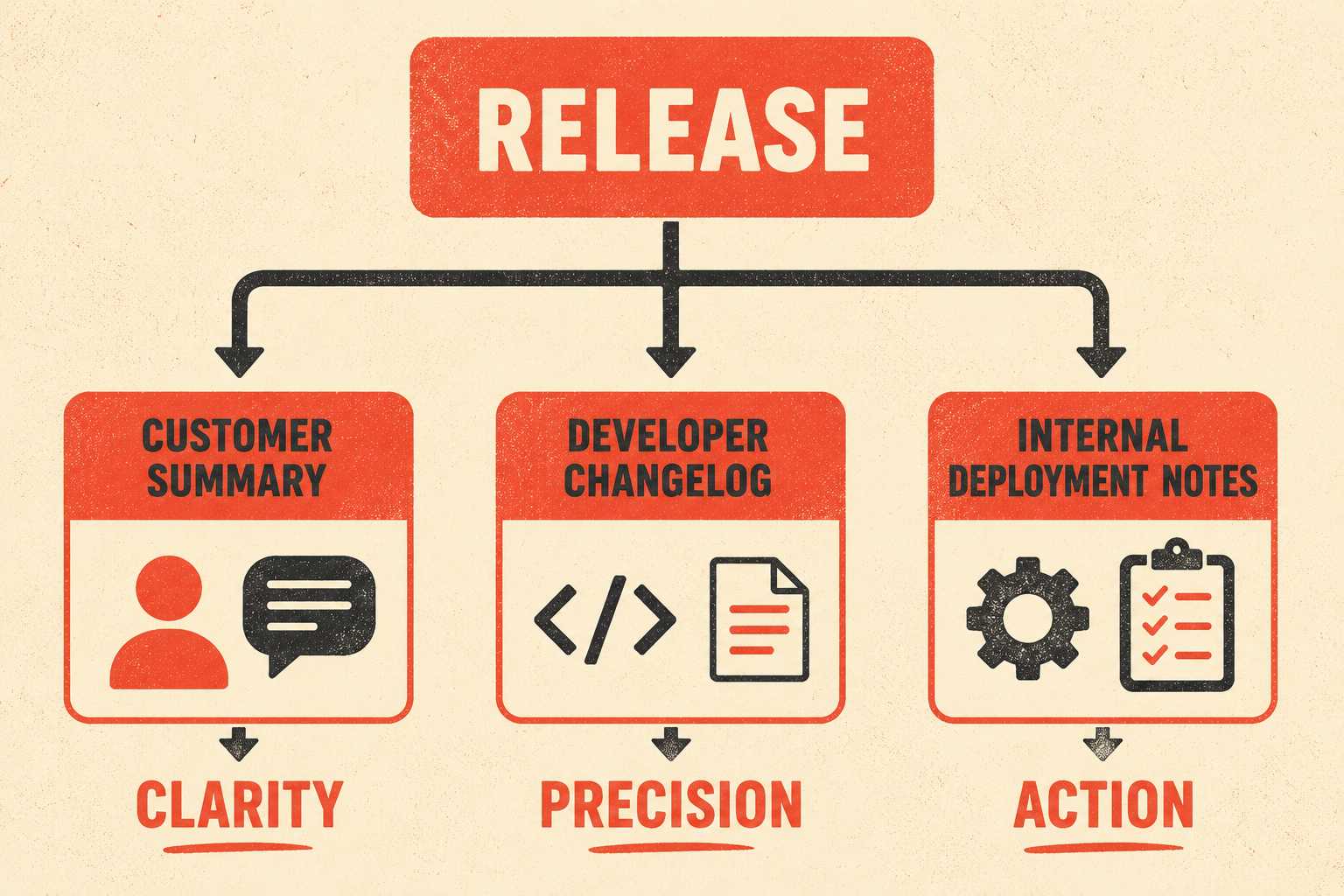
The solution is not to write three completely different documents from scratch. The solution is to segment the information. Decide upfront whether you need multiple formats for the same release: a customer-facing summary, a developer changelog, and internal deployment notes. Then, scope your style guide to address the specific needs of each format.
For the developer changelog, the style guide should dictate precision. For the customer summary, it should dictate clarity. Everything else (your company's brand voice, the Oxford comma, whether you capitalize the product name) should be inherited from your broader corporate standards. Do not reinvent the wheel in the release notes guide. Focus only on what varies.
The Core Decisions That Drive Everything Else
Once you know who you are writing for, you can make the structural choices that eliminate 80% of future inconsistency. These are the decisions that prevent writers from staring at a blank page, wondering how to start.
Lock down tense and voice first. The standard convention is present tense for features ("Adds support for SSO") and past tense for fixes ("Fixed a bug that caused the app to crash"). It doesn't actually matter what convention you choose, as long as you choose one and stick to it. The cognitive load of switching tenses halfway through a document is jarring for the reader, and research on readability consistently shows that inconsistency in prose structure forces readers to work harder to extract meaning.
Then decide how to title entries. Are you leading with the verb ("Improved dashboard performance") or the noun ("Dashboard performance improvements")? Are you leading with the user benefit or the technical change? Pick one.
Establish a categorization scheme. "New, Improved, Fixed" is common. "Feature, Enhancement, Bug Fix" is also common. Whatever you choose, define the boundaries clearly. If an engineer rewrites the entire backend to make it 10% faster, is that a feature or an enhancement? Decide now, so you don't have to argue about it later.
Draw a hard line on technical detail. API changes need precision. If a change breaks backwards compatibility, the release note must state exactly what changed, why it changed, and what the user needs to do to fix it — a standard Microsoft's FluidFramework team enforces explicitly in their contributor guidelines. UI tweaks, on the other hand, need clarity. "Moved the save button to the top right" is better than "Refactored the navigation component to include the save action."
Finally, tie your documentation to your versioning strategy. If you use semantic versioning, your style guide should explicitly state what level of documentation is required for major, minor, and patch releases. A major release requires a comprehensive explanation of breaking changes. A patch release might only need a one-line summary of the bug fixed.
The following table summarizes how documentation requirements shift across release types:
Templates and Examples That Encode the Rules
Rules are abstract. Examples are concrete. A good style guide does more showing than telling.
Instead of writing a paragraph about how to document a breaking change, provide a template:
[Feature/API Name] Deprecation
The [Feature/API] has been deprecated and will be removed in version [X.X].
Why: [Brief explanation of why the change was made].
What you need to do: [Actionable steps for the user to migrate, including code snippets if applicable].
Provide before-and-after pairs showing common mistakes and their fixes. Show the raw commit message ("fixed the weird caching issue on the user profile page") and the corrected release note ("Fixed an issue where user profile pictures would not update immediately after being changed"). The transformation makes the rule tangible in a way that a written description never quite does.
Address the edge cases. How do you describe a change that spans multiple categories? How do you handle a change that reverses a previous decision? What do you call your users (users, customers, clients)? What product-specific terms are banned from release notes because they mean different things to different teams?
The goal is to provide a framework rigid enough that the writer only has to fill in the blanks, but flexible enough that the resulting text doesn't sound like it was generated by a form. The Google Developer Documentation Style Guide takes this approach at scale, providing specific examples and word-list entries rather than abstract principles — which is why it has become a practical reference for teams that don't have the resources to build their own from scratch.
Enforcement Without Gatekeeping
A style guide only works if people follow it. But if the enforcement mechanism is a manual review by a single technical writer, you have just created a bottleneck that will kill your release velocity.
The solution is automation. Just as you lint your code, you should lint your prose. Tools like Vale allow you to codify your style guide into rules that run in your CI/CD pipeline (that is, the automated system that checks and deploys code changes). If an engineer tries to merge a PR with a release note that uses banned terminology or violates the tense rules, the build fails. Datadog runs Vale across all documentation contributions, including those from engineers and external contributors, precisely because manual review at that scale is not feasible. Netlify takes a similar approach, using TextLint to enforce terminology casing in their CI/CD pipeline.
Automated checks catch the obvious violations. They ensure that required fields are present, that formatting is correct, and that terminology is consistent. This frees up human reviewers to focus on the things computers are bad at: tone, clarity, and accuracy.
Integrate style validation into the PR process. Do not make documentation a separate step that happens after the code is merged. The release note should be part of the PR template, reviewed alongside the code. If the templates are in the repo and the linter is running locally, the engineer is more likely to get it right the first time. The goal is not to turn every engineer into a technical writer. The goal is to get the raw material into a shape that is easy to edit.
Human editorial review is still necessary, but it should be reserved for high-impact changes. A major version bump requires a human eye. A typo fix in a tooltip does not.
Maintaining the Guide as the Product Evolves
A style guide is a living document. If you treat it as a static artifact, it will ossify. It will become filled with rules for features that no longer exist and silent on the new technologies your team is adopting. Research on editorial style guide maintenance suggests that a single owner, frequent small updates, and online hosting are the three most reliable predictors of a guide that stays useful over time.
Version the guide itself. When you make a change, communicate it to the team. Explain why the change was made. Deprecate rules that create more friction than value. If everyone is constantly violating a specific rule, and the resulting text is still clear, maybe the rule is wrong.
Build feedback loops. Talk to your support team. Are they getting tickets about things that were explained in the release notes? If so, the release notes aren't working. Talk to your customers. Do they find the changelog useful? Adjust the guide based on the feedback.
When you acquire a new product or merge teams, you will experience style drift. Don't try to force the new team to adopt your style guide overnight. Identify the core principles (the things that actually impact user comprehension) and enforce those first. Let the rest evolve over time.
Most organizations end up with inconsistent release notes because the humans writing them are juggling too many other priorities to internalize a style guide, not because they don't care about quality. The real solution is producing first drafts that already comply with your standards — drafts generated directly from the engineering work, with your style rules encoded from the start. That is the premise behind Doc Holiday: it pulls from your existing workflows (PRs, commits, tickets, deployment logs) and applies your formatting and voice standards automatically, so your best writer spends their time validating accuracy and handling edge cases rather than rewriting every entry from scratch. The style guide stops being a document everyone skims once and forgets; it becomes the system's configuration.



