What is the Difference Between a Hotfix and a Release? How to Document Both


If you run an engineering team long enough, you will eventually have a conversation that goes something like this: a critical bug is found in production. Someone pushes a fix directly to the main branch and deploys it. Two days later, a customer asks why a feature they rely on suddenly changed behavior, or why the API is returning a different error code.
The team thought they were shipping a hotfix. The customer experienced a release.
The difference between a hotfix and a release is not just semantic. It is operational. A release is a planned, tested, and communicated deployment of new code, whether that code contains features, bug fixes, or architectural changes. A hotfix is an emergency intervention designed to stop bleeding in production, bypassing the standard release cycle to prioritize speed over comprehensive testing.
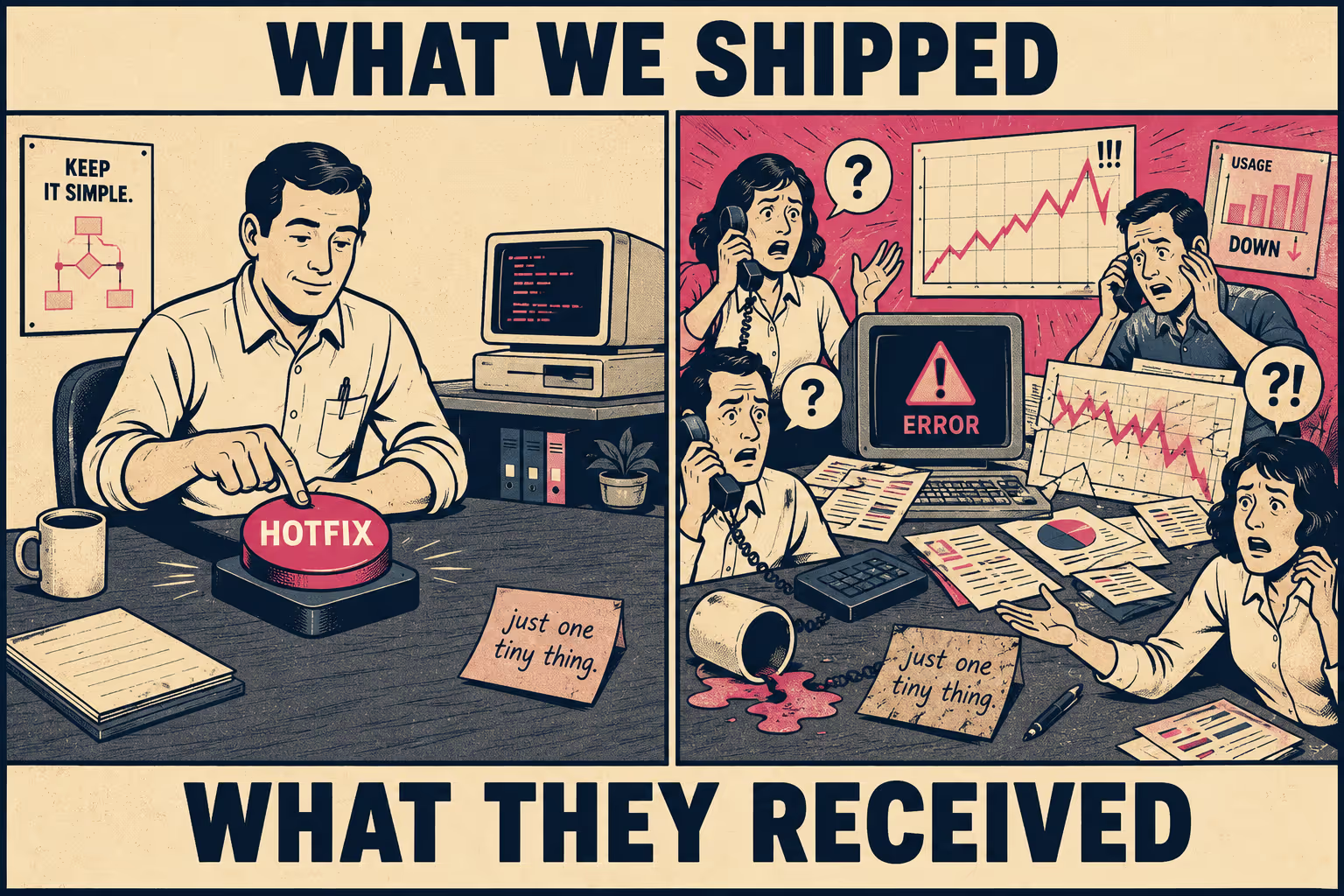
The distinction matters because treating a hotfix like a release delays critical fixes, while treating a release like a hotfix introduces unmanaged risk and customer confusion. When teams lack a clear framework for categorizing and documenting these deployments, the result is usually a spike in support tickets and a degradation of trust. Both are avoidable.
The Four Constraints That Separate Them
The line between a hotfix and a release is defined by urgency, scope, testing depth, and rollback risk. These four constraints are not independent; they interact in ways that make the classification consequential.
Urgency is the most obvious. A hotfix is deployed immediately to resolve a critical issue: a security vulnerability, a data loss bug, or a complete service outage. A release is scheduled. Even in continuous deployment environments where releases happen multiple times a day, they follow a predictable cadence and go through a defined pipeline. The GitFlow workflow, for example, treats hotfix branches as a separate track that merges directly into both the main and development branches, precisely because they need to bypass the normal release branch entirely.
Scope is where teams most often go wrong. A hotfix should contain only the minimum code necessary to resolve the specific issue. No refactoring, no dependency updates, no unrelated bug fixes. When a hotfix starts accumulating "while we're in here" changes, it stops being a hotfix. A release, by contrast, can contain any combination of changes, provided they have passed through the standard pipeline.
Testing depth follows from scope. Releases go through the full suite of automated and manual testing. Hotfixes often bypass non-essential tests to minimize time-to-resolution. They are validated to confirm the fix works and doesn't break the immediate surrounding system, but they rarely undergo full regression testing before deployment. The RAPIDS project's hotfix process, for instance, explicitly limits hotfix branches to critical bug fixes and requires a separate validation pass after the hotfix is merged, rather than before.
Rollback risk is the constraint that most teams underestimate. If a release introduces a critical bug, the standard response is to roll back to the previous version. If a hotfix introduces a new bug, rolling back means re-introducing the critical issue the hotfix was designed to solve. This makes hotfixes inherently riskier, even though their scope is smaller. The asymmetry is real.
These distinctions show up directly in how software delivery performance is measured. The DORA metrics framework tracks deployment frequency and change lead time to measure throughput, but relies on change failure rate and time to restore service to measure stability. A high volume of hotfixes will inflate deployment frequency while simultaneously driving up the change failure rate: a clear signal that the release process is unstable, not that the team is shipping fast.
When to Call It a Hotfix
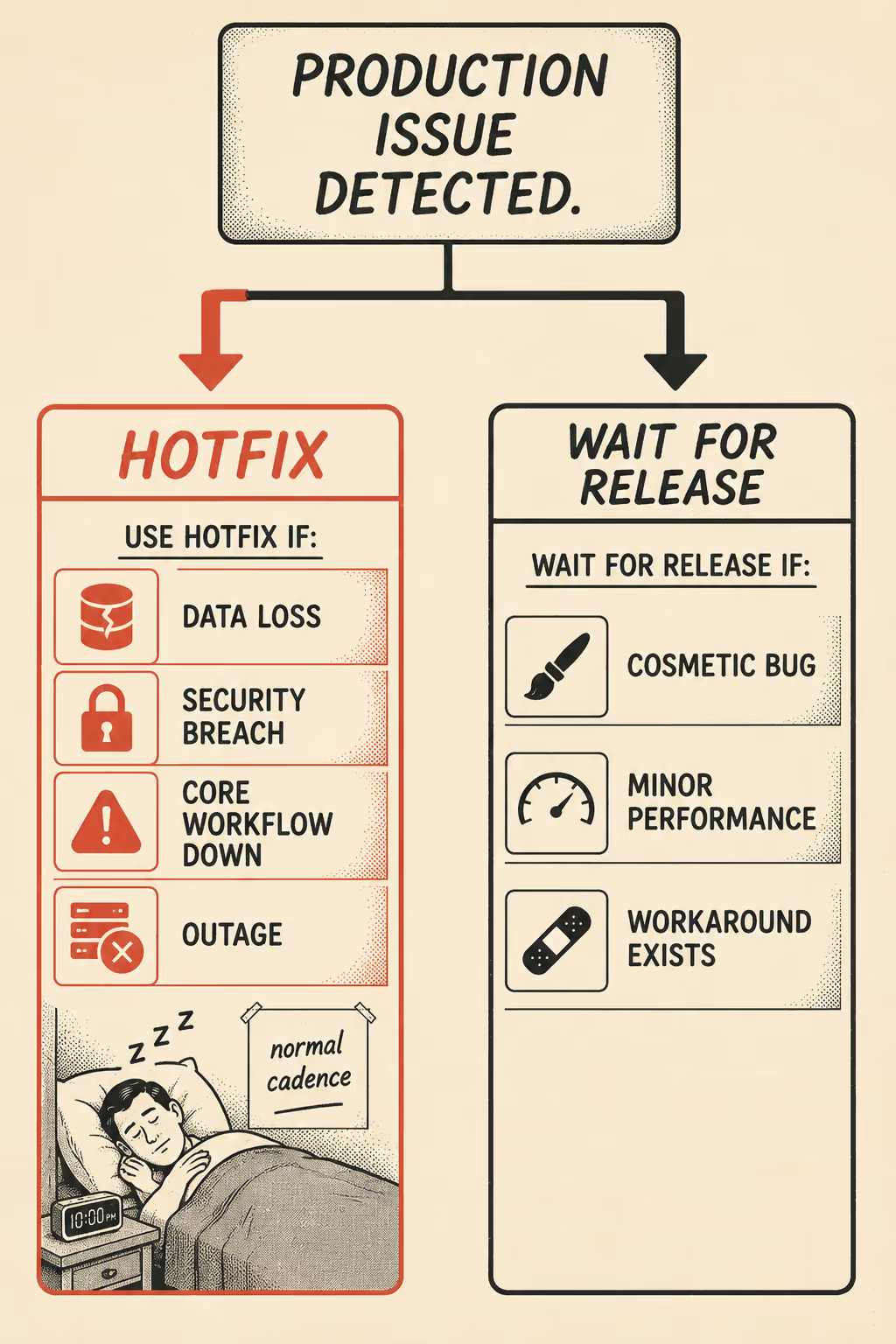
When an issue is identified in production, the team needs a deterministic way to decide whether it warrants a hotfix or should wait for the next release.
The default answer should always be: wait for the release. Hotfixes are expensive. They disrupt flow state, require context switching, and introduce risk. They should be reserved for issues that meet specific, pre-defined criteria.
A hotfix is warranted when the issue causes data loss or corruption, exposes a security vulnerability, prevents users from completing core workflows (like logging in or processing payments), or causes a widespread service outage. If the issue is a cosmetic bug, a minor performance degradation, or a broken feature that has a reasonable workaround, it belongs in the next release.
There are edge cases worth naming explicitly. A security patch that requires adding a new feature or changing an API endpoint is a release disguised as a hotfix. It requires the urgency of a hotfix but the communication and testing rigor of a release. A scheduled release that contains only a single bug fix is still a release, because it followed the standard pipeline. A phased rollout, where a fix is deployed to 1% of users to monitor its impact, is a release strategy, not a hotfix. The pipeline determines the category, not the size of the change.
Documenting the Emergency
The documentation requirements for a hotfix are fundamentally different from those of a release. A release note is a communication document. A hotfix note is an incident record.
When a hotfix is deployed, the documentation must serve two distinct audiences: the internal team and the affected customers. For the internal team, the record must capture the incident timeline, the root cause of the issue, the specific code changes made, and the validation steps taken. This is not just for posterity; it is the foundation of the post-incident review. If the hotfix bypassed standard testing, the documentation must explicitly state which tests were skipped and when they will be run. Skipping that step is how the same bug resurfaces six months later.
For customers, the communication depends on the nature of the issue. If the hotfix resolved a silent backend error that users never noticed, external documentation may be unnecessary. But if the hotfix addressed a visible outage or a security vulnerability, the communication must be immediate and transparent: what happened, what was fixed, and whether the customer needs to take any action.
A minimal hotfix record covers: the UTC timestamp, severity level (P0/P1), a one-sentence description of the production impact, root cause, the specific code changes made, which tests were bypassed and why, validation steps taken, follow-up actions (regression tests, monitoring additions, post-mortem date), and whether customer communication was sent.
The challenge is that hotfixes happen under pressure. The team is focused on writing the code and deploying the fix, not filling out a form. This is exactly why the template needs to exist before the incident, not after. A team that decides what to document during an outage will document nothing.
Documenting the Routine
Release documentation is predictable, which makes it easier to get right and easier to let slip.
Effective release notes are structured logically, written in plain language, and tailored to the audience. They do not read like a list of Jira tickets. They group changes by impact and explain the "why" behind the change, not just the "what." Research on release note production consistently shows that the most common failure mode is writing for the engineer who built the feature rather than the person who has to use it.
The audience dictates the tone and depth. End users need to know how a new feature makes their job easier. Administrators need to know about changes to permissions or security settings. Developers need to know about API changes, dependency updates, and deprecation schedules. A single release note that tries to serve all three audiences usually serves none of them well.
Breaking changes and deprecations require special handling. A deprecation notice buried in the middle of a release note is not a deprecation notice; it is a future support ticket. Breaking changes should appear at the top of the release note, with a migration path and a timeline. If the change affects an API, the documentation must include the old schema, the new schema, and the date when the old one stops working.
A minimal release note template includes: version and date, a breaking changes section at the top (omit if none), new features with what they enable, improvements with the reason for the change, bug fixes with what was broken and what the fix resolves, deprecations with a timeline and replacement, and a developer notes section for API changes and schema migrations.
The GitLab Changelog API demonstrates how this structure can be generated directly from commit history when teams use structured commit messages. The output is not perfect, but it is a starting point that does not require a writer to chase down every engineer before every release.
The Volume Problem
The reality of software documentation is that most teams do not have dedicated technical writers for every hotfix and release. The volume of changes is too high, the timelines are too compressed, and the engineers writing the code are rarely the best people to explain its impact to a non-technical audience.
When documentation is treated as an afterthought, it inevitably lags behind the product. Release notes become vague ("Various performance improvements"). Hotfix documentation disappears entirely. This pattern shows up across organizations of every size: the problem is not that teams don't know what good documentation looks like. It is that they don't have a system that makes producing it the path of least resistance.
This is an operational problem, not a writing problem. You cannot solve it by asking engineers to write better commit messages or by hiring more technical writers to chase down product managers after every merge. You solve it by integrating documentation directly into the engineering workflow, so that the artifacts the team is already producing become the raw material for documentation rather than a separate task that competes with shipping.
Doc Holiday connects directly to your codebase and ticketing systems to automatically generate release notes and documentation updates as functionality is released, updated, or deprecated. Teams review and validate that output before it publishes, which means the quality gates stay intact while the drafting work disappears. It applies your brand standards and unique voice to every word, ensuring that every hotfix and release is documented consistently, whether you have two writers or twenty. The structure exists. The output scales.



