How to Document Model Version Changes in an AI Product


If you deploy a new version of a traditional software application, you can read the commit history and know exactly what changed. A function that used to sort alphabetically now sorts by date. A button that was blue is now green. The behavior is deterministic. Documenting it is a straightforward exercise in translation.
Model version changes do not work this way.
A new model version might have identical architecture and training procedures to the previous one, but produce meaningfully different results because the training data shifted. The output is probabilistic. Two models trained on the same architecture with the same hyperparameters can behave differently in production simply because the data they learned from was different. You cannot diff the weights and trace the behavioral change back to a specific line of code.
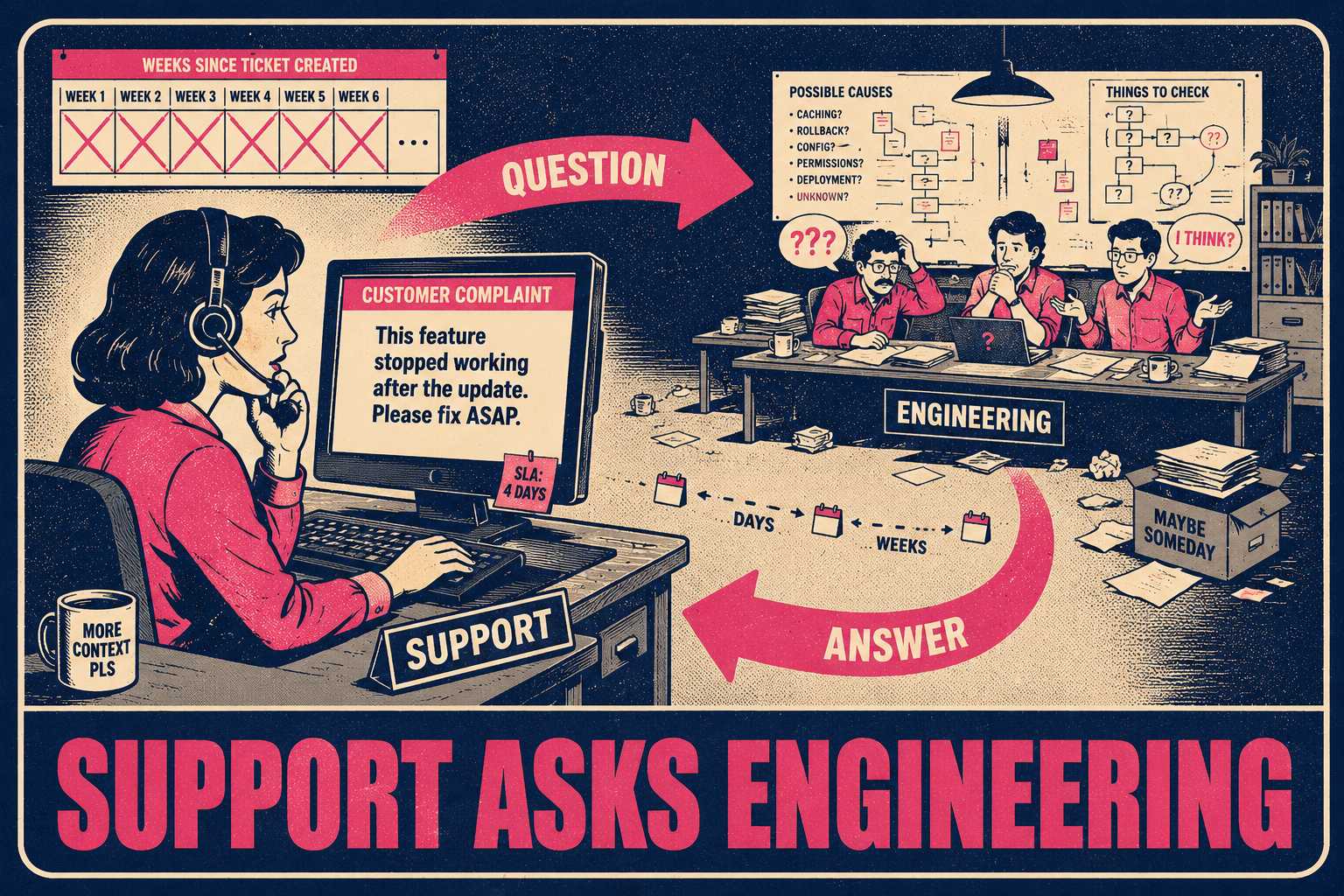
This makes documentation harder, but also more critical, because the people fielding customer questions often have no visibility into what changed under the hood. When a user reports that the product "feels less accurate," support needs to know if that is a bug, a known tradeoff of a recent update, or an expected regression in a specific edge case. Without structured model documentation, the answer is almost always "let me check with engineering," which is a slow and expensive loop.
The fix is not complicated. It is just a different set of habits than what most software teams already have.
The Data You Need Before Shipping
The foundation of a useful model changelog is built before the model ever reaches production. You cannot document what you do not measure.
The tracking needs to cover the training data sources and date ranges. It needs to specify the base model or architecture used. Key hyperparameters must be recorded. More importantly, the evaluation metrics on your test set must be explicit: accuracy, F1 scores, latency, and any other relevant performance indicators. If known failure modes or edge cases surfaced during testing, those must be documented too. Finally, the operational reason for the version change needs to be clear. Was the goal to improve accuracy, reduce inference cost, or fix a specific failure mode?
This information forms the internal system card. It is the raw material that will eventually be translated for downstream teams.
The model card concept, first proposed by researchers at Google, was designed to encourage transparent model reporting by documenting performance characteristics across different conditions. For internal AI products, the same logic applies at a smaller scale. You do not need a 50-page compliance document. You need a structured record that answers the questions your support team will eventually ask.
One thing worth being explicit about: the operational reason for the change matters as much as the technical details. "We retrained on six months of fresh data to correct for distribution shift in enterprise customer inputs" is more useful to a support agent than "F1 improved from 0.87 to 0.91." Both are true. Only one tells the support team why the product behaves differently.
Translating Metrics into Behavior
Internal metrics do not translate directly to user-facing release notes. A support agent cannot help a frustrated customer by quoting an improved F1 score.
The communication must focus on user-facing behavior changes written in plain language. It should detail what got better, what might have regressed, and what stayed the same. Concrete examples are necessary. Instead of saying "improved NER performance," write "Entity extraction now correctly identifies organization names in legal documents." Instead of "reduced latency by 40%," write "Responses in the document analysis workflow now typically arrive in under two seconds, down from three to four seconds."
The rollout plan also needs to be communicated. Is this a gradual deployment, a canary release, or a full swap? What are the rollback criteria? Most importantly, where can users or internal teams report issues or unexpected behavior?
There is a structural problem that makes this harder than it sounds. The people who know the technical details are not the same people who know how to write user-facing documentation. Engineers know that the F1 score improved. Product managers know which customer segments care most about that capability. Technical writers know how to translate both into language a support agent can use in a customer conversation. When these three groups are not coordinated around a model release, the user-facing documentation ends up either too technical, too vague, or missing entirely.
The behavioral changelog entry format that works best is one that captures before-and-after behavior, not just metrics. Something like: "Before this update, the model occasionally misclassified legal entity names when they appeared in parenthetical references. After this update, parenthetical references are handled correctly in 97% of tested cases." That sentence is useful to support. A raw F1 delta is not.
Keeping Models and Code Separate
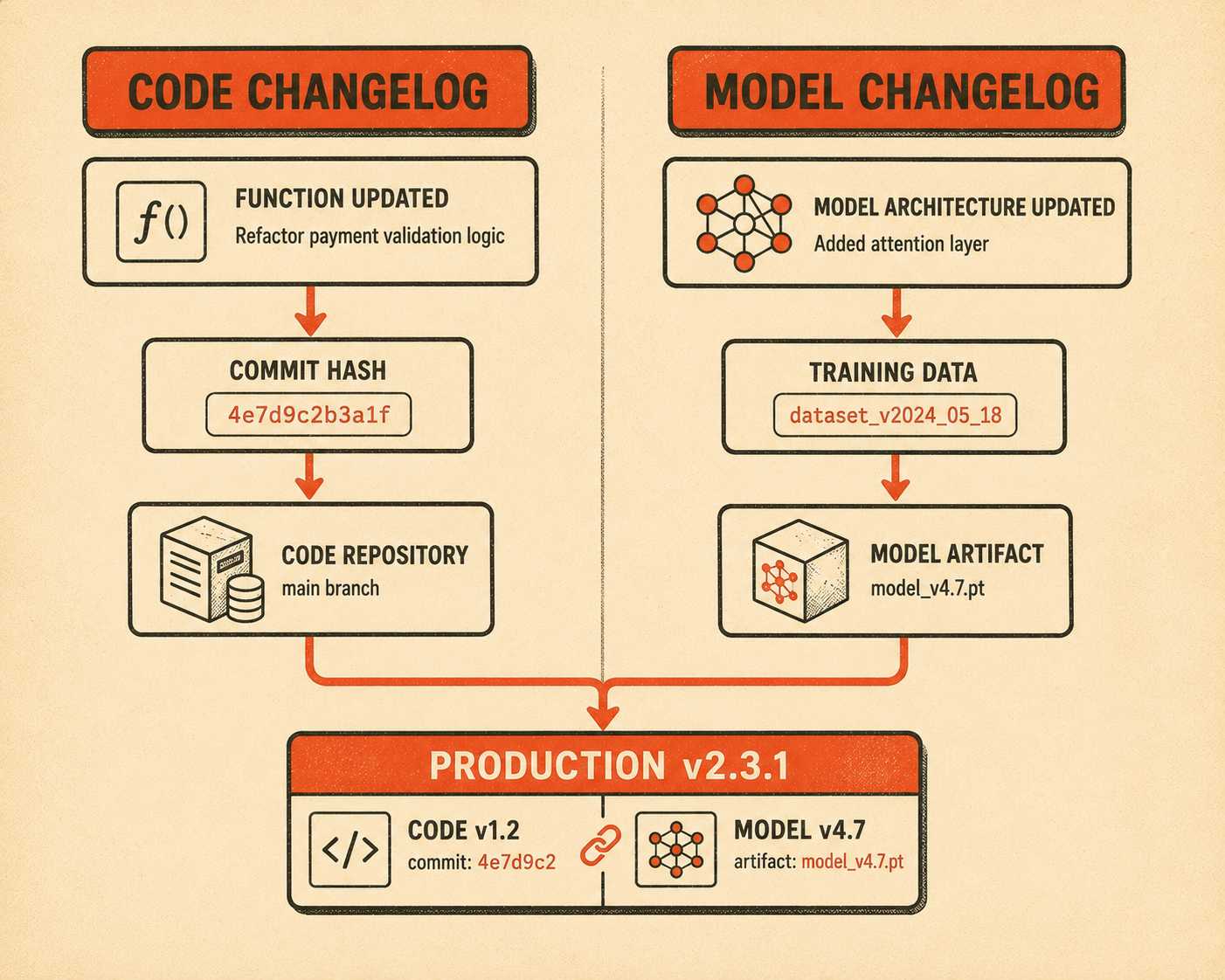
Keep your model changelog separate from your code changelog. Models and code have different update cadences and affect the product differently.
A prompt update or a model swap might require zero code changes, but it fundamentally alters the user experience. A code deploy might change three functions and have no effect on model behavior at all. Mixing these two types of changes in a single changelog creates noise and makes it harder for downstream teams to find what they need.
Include a version identifier that corresponds to what is running in production. Link to internal documentation where engineers can find full training details, but keep the public or support-facing changelog focused on user impact.
Track the relationship between model versions and product versions explicitly. If your product is on v2.3.1 and uses model v4.7, that mapping should be documented and easy to find. When a customer reports an issue, the first question engineering will ask is which model version was running at the time. If that mapping is not documented, the investigation starts with a scavenger hunt.
The Difference Between Retraining and Rebuilding
Not all model updates are equal. They should not be documented the same way.
A retrain on fresh data typically means drift correction or incremental improvement. The fundamental behavior of the product remains stable, but its accuracy on recent data improves. Retraining is the model equivalent of a routine software patch. The product does the same things it did before, just slightly better on the inputs that have drifted since the last training run.
An architecture change is a different category of event. Swapping from one model family to another, or moving from a fine-tuned version of an older base model to a newer foundation model, means the product might behave fundamentally differently on the same input. The failure modes will likely change. The latency might shift. The types of inputs the model handles well or poorly may be completely different.
Be explicit about which kind of change you are shipping. Support teams need to know if they should expect a slight shift in accuracy or a completely new set of edge cases. Sales teams need to know if the product's capabilities have changed in ways that affect customer commitments. Customer success teams need to know if the behavior changes are significant enough to warrant proactive outreach to affected accounts.
The documentation framing is different too. A retrain changelog entry might read: "We updated the model on six months of fresh data to improve accuracy on recent document formats." An architecture change entry might read: "We have migrated to a new foundation model. The product now handles longer documents more accurately, but may behave differently on very short inputs under 50 words. We recommend testing your most common short-input use cases against the new version."
Owning the Tradeoffs
Many model updates improve one dimension while regressing another. You might achieve faster inference at the cost of slightly lower accuracy, or better precision at the cost of recall. These tradeoffs are often intentional and well-reasoned. The problem is that they are almost never communicated.
Do not bury tradeoffs.
If you made a conscious decision to accept a 2% accuracy drop in exchange for a 50% cost reduction, state that clearly. Your support team needs to know this when a customer complains that the product feels less accurate. If they do not know the tradeoff was intentional, they will escalate to engineering, who will investigate, confirm that the behavior is expected, and then explain the tradeoff to support, who will then explain it to the customer. That entire loop could have been a single sentence in the model changelog.
The same logic applies to precision-recall tradeoffs, latency-accuracy tradeoffs, and cost-quality tradeoffs. These are business decisions, not just technical ones. They belong in the documentation that business-facing teams can access.
One useful framing: if a customer complained about this specific behavior change, would your support team know how to respond? If the answer is no, the documentation is not done.
The Single Source of Truth
Model updates affect multiple documentation surfaces. Release notes need the high-level behavior change. API docs need updated example responses if the output format shifted. Internal runbooks need new troubleshooting guidance. Support teams need talking points for customer conversations.
All of these should be generated from a single source of truth about what changed. They should not be written independently by different people in different departments.
When documentation is fragmented, inconsistencies arise. Support gives one explanation, sales gives another, and the API docs still describe the old behavior. Customers notice. The inconsistency erodes trust more than the underlying behavior change would have on its own.
The practical version of a single source of truth is a model release document that captures the technical details, the user-facing behavior changes, the tradeoffs, and the rollout plan. From that document, different teams can extract what they need. Support gets their talking points. Engineering gets the technical details. Product gets the user-facing summary for release notes. The information flows from one place, not from six separate conversations.
This is harder to maintain than it sounds, especially in fast-moving organizations where model updates happen frequently. The temptation is to skip the structured document and just Slack the relevant teams. That works once. It does not work as a system.
What AI Can and Cannot Write for You
You can automate the extraction of training metrics, model metadata, and deployment timelines. You can pull the evaluation results directly from your ML pipeline. You can generate a first draft of the changelog from the structured metadata you have already captured.
You cannot automate the translation of "F1 score improved from 0.87 to 0.91" into "the product now correctly handles nested JSON in API responses."
The human judgment required is determining what a technical change means for the person using the product. That translation step is where technical writers or product managers add value. It requires knowing the product, knowing the customers, and knowing which technical improvements actually matter to which user segments. An ML engineer knows the model improved. A product manager knows which customers will care. A technical writer knows how to write the sentence that makes both true at the same time.
A recent study on arXiv evaluated large language models across nearly 95,000 release notes from over 3,000 repositories. The finding worth paying attention to: LLMs perform well when summarizing structured commit information, but struggle significantly when working from raw code diffs. The model can read a structured input and produce a coherent sentence. It cannot reliably infer the customer impact of a complex change without additional context.
For model changelogs specifically, the gap is even wider. The structured input (evaluation metrics, training data description, hyperparameter changes) is available. The customer impact (which workflows are affected, which user segments will notice, what the support team should say) requires human judgment that the AI cannot supply.
The teams that handle this well treat the automation as the generation layer and the human as the validation layer. AI drafts the changelog from the structured model metadata. A technical writer or product manager reviews the draft, adds the customer impact context, and approves the final version. The writer is not rewriting every sentence. They are doing the part that actually requires knowing the product.
Companies that ship AI products without structured model documentation end up in a reactive loop. Support gets blindsided by behavior changes. Customers report "bugs" that are actually expected model behavior. Engineers spend time diagnosing issues that were already known during testing. The cost is not just customer frustration. It is engineering time, support capacity, and the compounding trust deficit that comes from customers feeling like they cannot predict how the product will behave.
The fix is to treat model version changes as a first-class documentation requirement, not an afterthought. That means tracking what changed before the model ships, translating technical improvements into user-facing language at deploy time, and publishing it in a place your support and success teams can actually reference.
When you need to turn engineering workflows into structured, accurate documentation without the manual overhead, Doc Holiday provides the infrastructure to generate release notes and changelogs directly from your commits and tickets, giving your writers the leverage to focus on the translation work that actually requires them.