How to Trigger a Confluence Page Update Automatically When a Github Webhook Fires


Your engineers merged a release branch at 2 p.m. on a Tuesday. By 2:01 p.m., the code was deployed. By Thursday, someone opened the Confluence page for that service and found documentation that still described the old behavior. Nobody updated it. Nobody was going to update it. The release was already two sprints ago.
This is the gap you're trying to close. Here's how to close it.
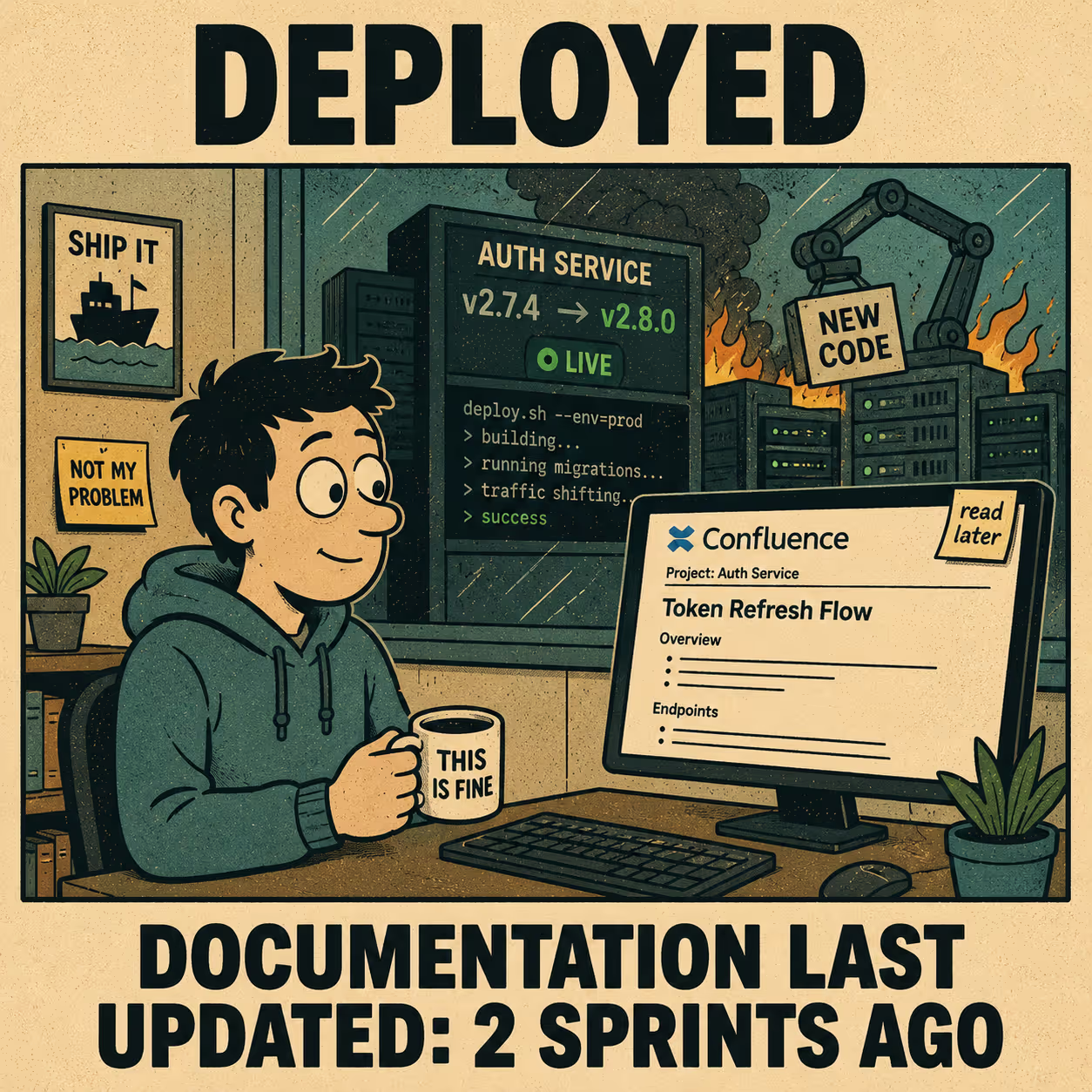
The short answer: configure a GitHub webhook to fire on the events you care about (pushes, releases, merged pull requests), point it at a receiver you control, and have that receiver call the Confluence REST API to update the target page with a PUT request. The whole chain can run in under a second. The hard part is not the API calls. The hard part is deciding what to write and keeping the infrastructure running.
The Three Pieces You Need
Every working implementation of this has the same structure. There's a trigger, a processor, and an action.
The trigger is the GitHub webhook. You configure it in your repository settings under Webhooks. You give it a payload URL (the endpoint of your receiver), set the content type to application/json, choose the events you want to fire on, and set a secret. The secret matters: GitHub uses it to sign every delivery with an HMAC-SHA256 hash in the X-Hub-Signature-256 header, and you should verify that signature before doing anything with the payload. If you skip this step, anyone who discovers your endpoint can trigger Confluence updates at will.
The processor is whatever receives the webhook and decides what to do with it. You have three realistic options here. A serverless function (AWS Lambda, Cloudflare Workers) is the most common choice: it scales to zero when idle, costs almost nothing for low-volume automation, and keeps the logic close to your infrastructure. A middleware platform like Zapier or n8n lets you build the same pipeline visually without writing code, which is useful if your team doesn't want to maintain a deployment. A custom service running on your own infrastructure gives you the most control but also the most surface area to maintain. For most teams doing this for the first time, a serverless function is the right call.
One important note on the receiver: GitHub expects a 2XX response within 10 seconds. If your processing takes longer than that (say, you're generating content with an LLM), you should acknowledge the webhook immediately and queue the actual work asynchronously.
The action is the Confluence API call. This is where the page actually gets updated.
How the Confluence API call works
Confluence Cloud uses Basic Authentication with an API token. You generate the token from your Atlassian account settings, then encode your email and token as a Base64 string for the Authorization header. In practice, this looks like:
Plain Text
Authorization: Basic base64(your-email@company.com:your-api-token)
To update a page, you send a PUT request to:
Plain Text
PUT https://your-domain.atlassian.net/wiki/api/v2/pages/{page-id}
The Confluence REST API v2 (released in 2023) uses specialized endpoints with lower latency than the older v1 API. The request body looks like this:
JSON
{
  "id": "123456789",
  "status": "current",
  "title": "Service Name: Release Notes",
  "body": {
    "representation": "storage",
    "value": "<p>v2.4.1 released 2024-05-07. Changes: ...</p>"
  },
  "version": {
    "number": 14,
    "message": "Automated update from GitHub release webhook"
  }
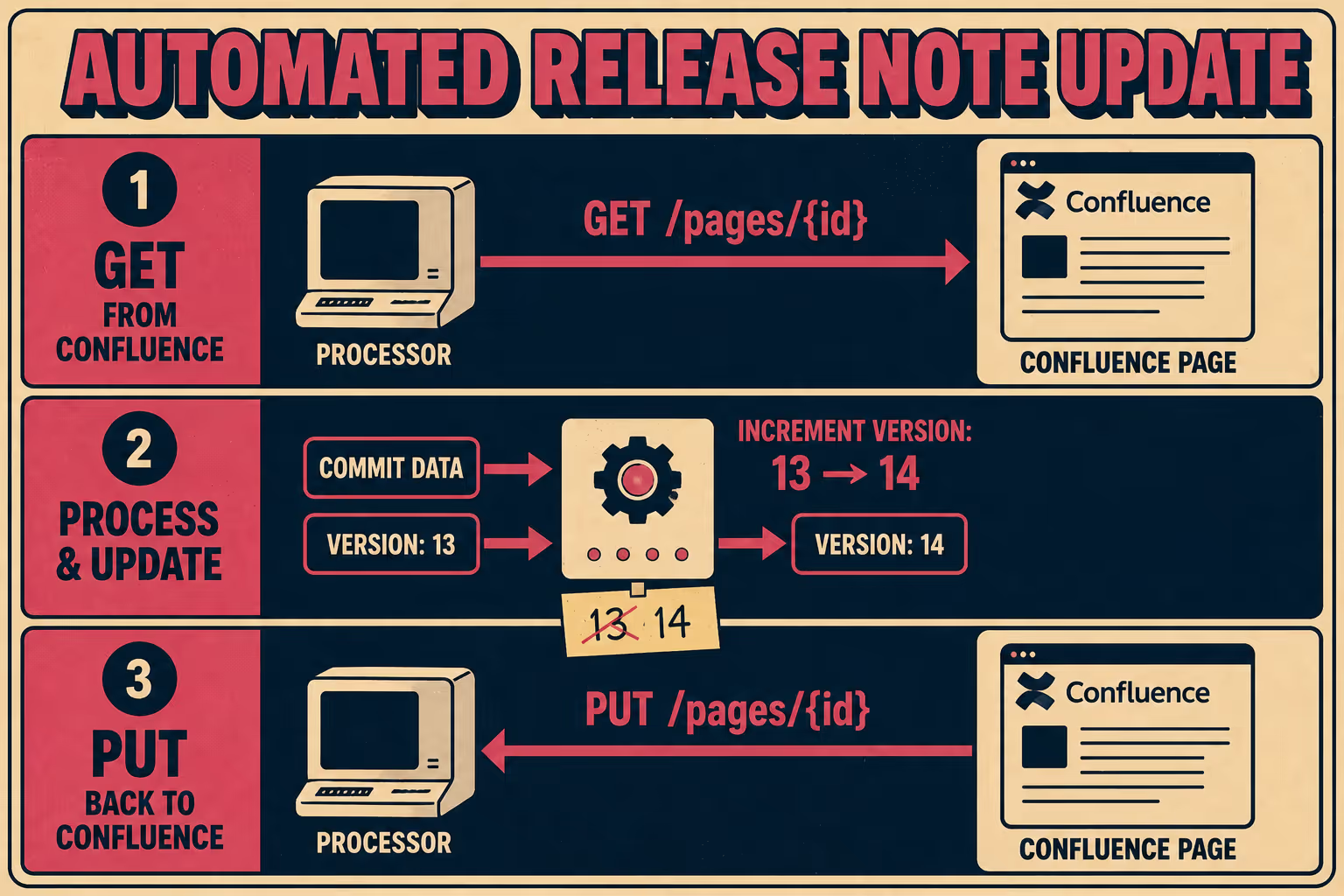
}Two things will trip you up here if you're not expecting them. First, the version.number field must be exactly one higher than the page's current version. If you send the wrong number, the API returns a 409. This means you need to make a GET request to the page first to fetch the current version, then increment it in your PUT request. Second, the body.value must be in Confluence Storage Format, which is an XHTML-based format. Plain Markdown won't work directly. You'll need to either convert your content to storage format or use the atlas_doc_format representation if you're working with Atlassian Document Format JSON.
The GET-then-PUT pattern is worth making explicit:
- GET /wiki/api/v2/pages/{page-id}?body-format=storage to retrieve current version number and existing content
- Construct your new content from the GitHub payload
- PUT /wiki/api/v2/pages/{page-id} with version.number incremented by one
Extracting useful content from the GitHub payload
The webhook payload contains everything you need to write a meaningful update. For a push event, payload.commits gives you an array of commit objects with messages, authors, and timestamps. For a release event, payload.release.body contains the release notes the author wrote. For a merged pull request, payload.pull_request.body and payload.pull_request.title give you the PR description.
The table below shows which events map to which documentation use cases:
One practical tip: filter aggressively in your receiver before making any API calls. GitHub recommends subscribing to the minimum number of events, and the same logic applies inside your processor. A push to a feature branch probably shouldn't update your production documentation. Check the ref field and filter to refs/heads/main (or whatever your release branch is) before proceeding.
What This Actually Costs You to Maintain
The implementation above works. Teams run versions of it in production. But it's worth being clear-eyed about what you're signing up for.
The Confluence API has rate limits. GitHub's webhook delivery has retry behavior, but if your endpoint is down when a delivery fires, you need a process for redelivering missed events. The version-increment logic means a race condition is possible if two webhooks fire simultaneously for the same page. The storage format conversion is finicky enough that you'll spend time debugging malformed XHTML. And none of this accounts for the fact that the content you're writing is only as good as what you extract from the payload: commit messages are often terse, PR descriptions are often empty, and release notes are only as good as whoever wrote them.
Research from Stripe found that developers spend roughly 42% of their working week on maintenance tasks rather than new work. Custom webhook infrastructure, once built, joins that pile. When GitHub updates their payload schema, your extractor breaks. When Atlassian deprecates an API endpoint, your PUT request starts returning 404s. When someone on your team leaves, the person who inherits the code has to figure out why the Confluence page for the payments service stopped updating three weeks ago.
Hookdeck's analysis of webhook infrastructure costs puts the implementation timeline for a production-grade webhook system at two to six months, with ongoing monitoring and maintenance required indefinitely. That estimate is for the infrastructure layer alone, before you've written a single line of business logic.
This is not a reason to avoid building it. For a specific use case with a well-defined trigger and a stable target page, the implementation above is genuinely the right tool. But if you're trying to keep documentation in sync across multiple services, multiple event types, and multiple Confluence spaces, you're building a documentation pipeline, not a webhook handler.
When the Integration is the Wrong Abstraction
The problem with the GitHub-to-Confluence webhook approach is that it treats documentation as a side effect of engineering activity rather than as a first-class output. The webhook fires, something gets written to a page, and then nobody is quite sure whether the page is accurate, whether it's the right level of detail, or whether anyone actually reads it.
JetBrains' research on documentation maintenance found that keeping docs up to date requires not just automation but a feedback loop: a way to know when documentation has drifted, a way to flag it, and a way to route it to someone who can fix it. Automation handles the easy part (writing something). The hard part is knowing whether what was written is correct.
If you need the GitHub-to-Confluence webhook approach for a specific edge case or legacy system, this article has given you the roadmap. But if you're solving the broader problem of keeping documentation in sync with engineering work, consider whether you want to be in the business of maintaining custom integrations, or whether a purpose-built documentation engine gives you the same result with less operational overhead.
Doc Holiday generates documentation output directly from engineering workflows and provides the structure to validate and publish it without writing integration code. One system that generates the update, rather than a chain of webhook listeners and API calls you have to keep running.



