How to Automatically Sync Linear Issues to Documentation


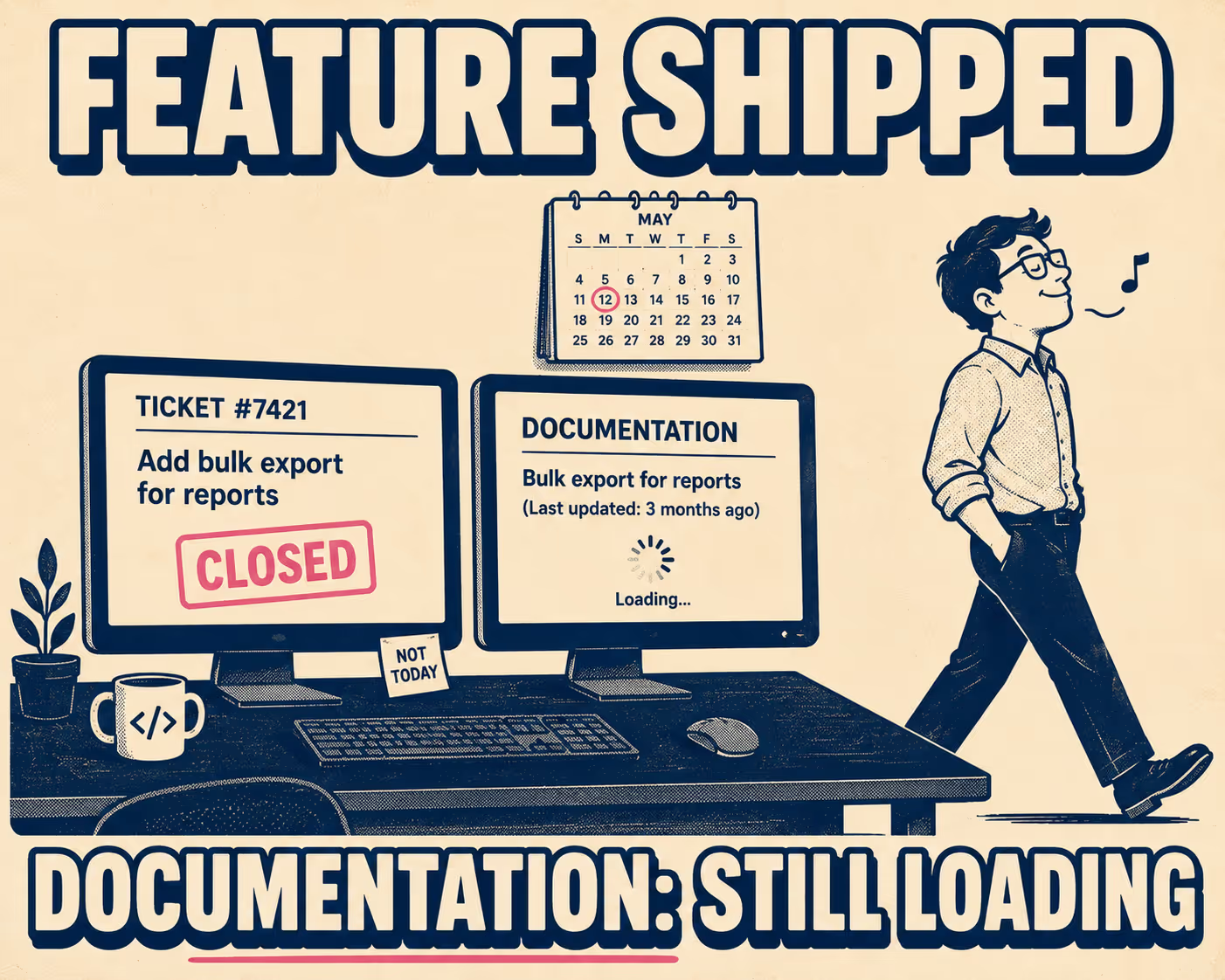
The ticket closes. The engineer moves on. Somewhere in Notion, or Confluence, or a static site that nobody loves but everyone depends on, the documentation still says the old thing.
Nobody lied. Nobody was lazy. The sprint moved fast, the next ticket was already open, and updating the changelog felt like someone else's job. A week later, a customer files a support ticket asking why a feature works differently than the docs say it does. The answer is that the feature shipped three weeks ago and the docs never caught up.
This is the documentation drift problem, and it is not really a discipline problem. It is a systems problem. The engineering team's source of truth (Linear) and the documentation layer (Notion, ReadMe, a static site, whatever) are two separate things with no reliable connection between them. Keeping them in sync requires a human to remember, at the end of a sprint, to do a task that is not tracked anywhere and has no deadline. Predictably, it does not happen consistently.
Research on documentation quality suggests this is one of the strongest predictors of engineering velocity, and that documentation problems cost mid-sized teams between $500K and $2M annually in lost productivity. That number sounds made up until you start counting the interruptions: the support tickets, the onboarding questions, the "wait, is this still how it works?" Slack threads.
What Syncing Actually Means
The phrase "sync Linear to documentation" sounds simple. In practice, it is not.
A naive sync just mirrors ticket titles into a changelog. You end up with entries like "Fix padding on modal" and "Update API response schema" sitting next to each other, formatted identically, with no indication that one is invisible to customers and the other breaks every integration they have. That is not documentation. That is a log file.
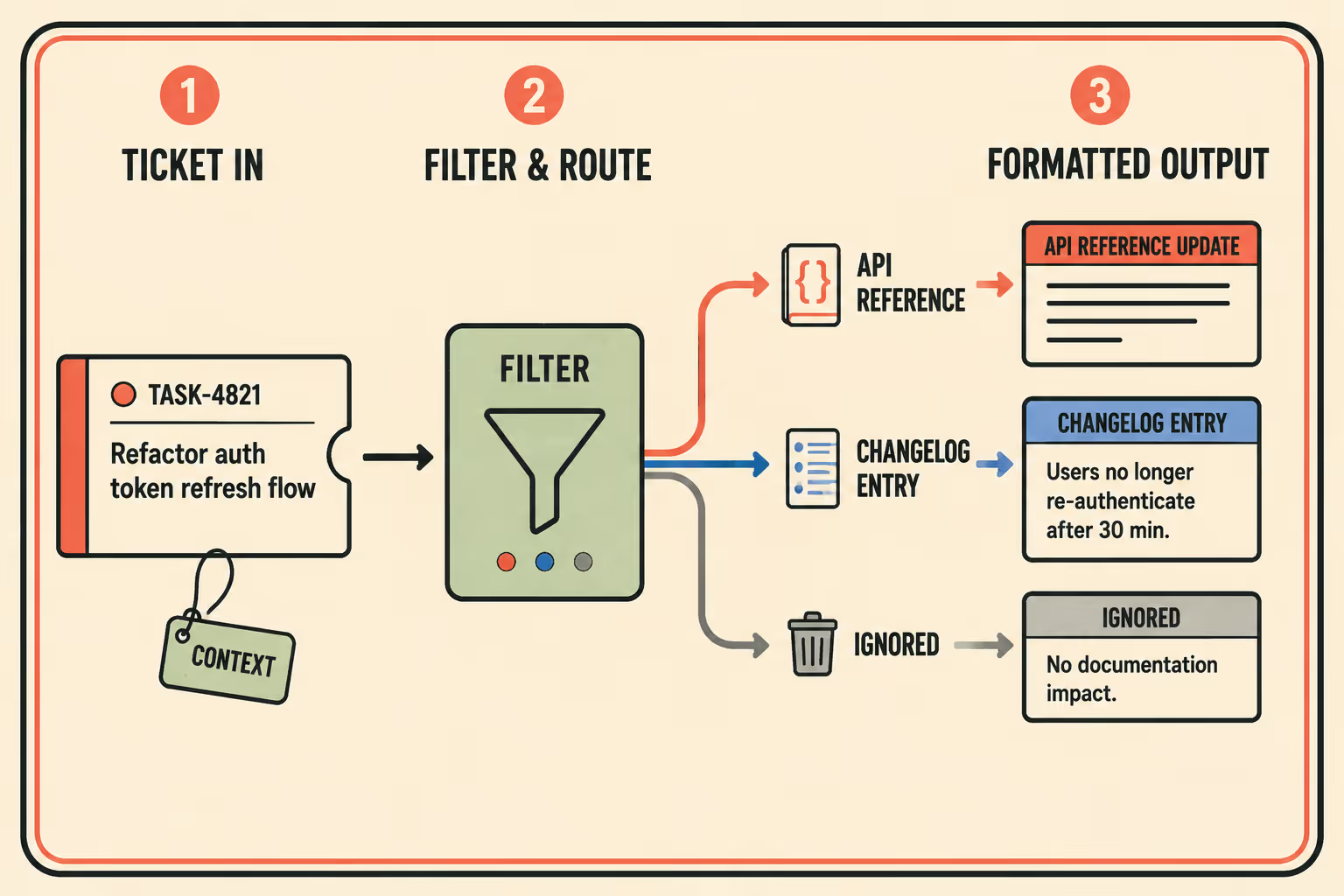
A real sync is selective and context-aware. It extracts the right signal from completed work, routes it to the right destination, and formats it appropriately for the audience. A backend API change needs to land in the API reference and probably the changelog. A UI tweak might need a changelog entry. A bug fix might need neither, or it might need a note in the troubleshooting section. The routing logic matters as much as the automation.
The signal extraction problem is also harder than it looks. Linear tickets are written for engineers, not for customers. The title says "Refactor auth token refresh flow." The customer-facing implication is "you no longer need to re-authenticate after 30 minutes." Those are not the same sentence, and no simple text-copy tool produces the second one from the first.
Why the Common Approaches Break
Manual copy-paste from Linear into docs works until the team grows or ships faster, then it becomes a bottleneck and gets skipped. JetBrains' analysis of documentation maintenance puts it plainly: the methodical effort needed to keep docs current does not match how software teams actually move. The process depends on someone remembering, and memory is not a workflow.
Zapier or Make connecting Linear to Notion is a step up, but it moves text without context. The automation fires when a ticket closes and drops the raw title into a database. You still have "Fix padding on modal" in your changelog. The problem is not that the copy happened slowly; the problem is that the copy was the wrong thing to copy.
Custom scripts hitting the Linear API are better, but they become a maintenance burden. When the API changes or the team's labeling conventions shift, the script breaks. Someone has to own it. Usually nobody does, and it quietly stops running until someone notices the changelog is six weeks stale.
The deeper issue is that all three approaches treat documentation as a destination for raw data, not as a product that requires transformation. A review of documentation drift in software development frames this well: outdated or inaccurate documentation does not just inconvenience users; it actively undermines trust in the system it describes. The problem compounds. Once developers know the docs are unreliable, they stop reading them, which means errors go uncorrected longer.
What Good Automation Actually Looks Like
The architecture that works has four components: a trigger, a filter, a generation step, and a review step.
The trigger is a Linear webhook that fires when an issue moves to "Done." This is the easy part. Linear's API supports webhooks natively, and the payload includes everything you need: title, description, labels, assignee, linked pull requests.
The filter is where most teams underinvest. Not every closed ticket should produce documentation output. The question of what gets routed where is usually answered by a combination of Linear labels and issue types. Mark tickets as "customer-facing," "breaking-change," or "API-change" in Linear, and let the system route those automatically. Everything else gets flagged for review or ignored. This is the step that prevents "Fix padding on modal" from cluttering the changelog.
The generation step is where LLMs earn their place. Research on LLMs in software documentation confirms that large language models are well-suited for processing documentation artifacts, particularly when given structured inputs. A model that receives a ticket title, description, and linked PR diff can produce a customer-facing changelog entry, an API reference update, or a release note in the appropriate format. Teams that have built this workflow report cutting release note preparation time from roughly two hours to fifteen minutes. The output is not perfect, but it is a draft, and a draft is much faster to edit than a blank page.
The review step is the part that makes the whole system trustworthy. Auto-generated documentation should not publish unsupervised. Research on generative AI in technical writing shows that human quality evaluation remains the most reliable signal for whether AI-generated technical content is accurate. The workflow that works is: system generates a draft, a technical writer or product manager reviews it, makes edits if needed, then approves. The speed comes from the generation step. The accuracy comes from the review step. Skipping the review step to save time is how you end up with confidently wrong documentation, which is worse than no documentation.
Squarespace's engineering team describes a related dynamic in their docs-as-code work: when documentation lives in the same workflow as code, with the same review process, it gets treated with the same rigor. The integration is the discipline. You do not need to rely on people remembering to update the docs if the update is part of the same pull request that ships the feature.
The same principle applies to Linear-to-docs automation. The automation does not replace the judgment call about what the documentation should say. It removes the friction that causes the judgment call to never happen.
Anyway. If your team is syncing Linear issues to documentation manually today, or if you have tried automation and ended up with a changelog full of engineer-facing ticket titles, Doc Holiday generates release notes, changelogs, and API documentation directly from engineering workflows like Linear. It gives teams the structure to review and approve AI-generated drafts without rebuilding the manual process every sprint.



