How to Write Release Notes From Commit Messages


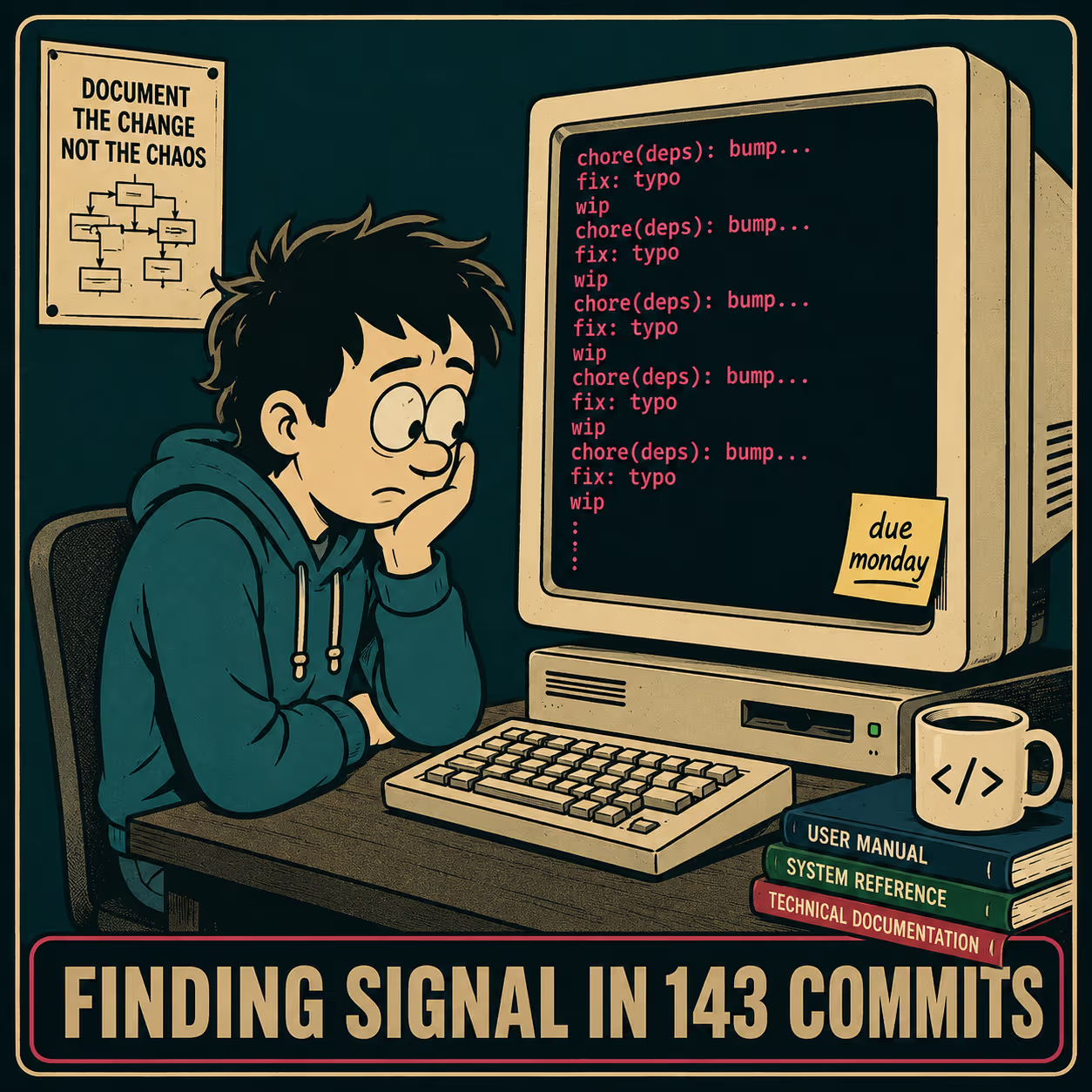
It is 4:00 PM on a Friday. You have been tasked with writing the release notes for Monday's launch. You open your terminal, run git log v1.4.0..HEAD, and stare at the output.
There are 143 commits.
Half of them say chore(deps): bump something-or-other. A dozen say fix: typo. One just says wip. Somewhere in this pile of text is the story of what your engineering team actually built over the last month, and you have to translate it into something a customer might actually want to read.
Commit messages are written by engineers, for engineers, in the heat of the moment. They are dense, context-light, and full of internal references. Research on release note production across 1,000 GitHub projects found that the most frequently documented information in release notes is related to issues fixed and new features — not internal refactoring, not dependency updates, not CI pipeline tweaks. Your customers want the same thing. They want to know what changed for them.
You cannot just dump the git log into a Markdown file and call it a day. Keep a Changelog puts it plainly: "commit log diffs as changelogs is a bad idea: they're full of noise." You have to translate.
The Raw Material Problem
To get good release notes out of a commit stream, the commits themselves have to be workable.
If your team's commit history is a wasteland of fixed stuff and updated files, you cannot automate this process. You cannot even do it manually without interviewing the engineers who wrote the code. A 2023 study of 32 Apache projects found that commit message quality decreases over time, even as developers believe they are writing better messages — a gap that compounds across every release cycle.
The teams that do this well enforce structure at the source. They use Conventional Commits, a lightweight specification that requires developers to prefix their commits with a type and an optional scope. The format looks like this:
<type>(<scope>): <description>Where type is one of feat, fix, chore, build, ci, docs, refactor, perf, or test. A commit that says fix(auth): resolve token expiration bug on mobile is workable. A commit that says fixed it is not.
When you enforce this structure — typically through a tool like commitlint during pull request review — you create a commit history that can actually be parsed. The Carnegie Mellon Software Engineering Institute has documented this approach as a way to automate semantic versioning and signal to users whether a change is breaking, backward-compatible, or a patch. The conventional commit format ties directly to Semantic Versioning: feat bumps the minor version, fix bumps the patch, and a BREAKING CHANGE footer bumps the major version.
If your team is not using Conventional Commits yet, you can still work with what you have. The minimum bar is: does each commit message tell you what changed and why? A good commit message should contain both a summary of the change and the motivation behind it. If you can answer those two questions from the commit, it is workable. If you cannot, you will need to dig into the PR or ask the engineer.
Anyway. Assuming you have a commit history that is not entirely hostile to human comprehension, you still have to filter it.
What Actually Survives the Cut
Not every commit belongs in a release note. In fact, most of them don't.
Customers do not care that you bumped a dependency. They do not care that you refactored the billing module if the billing module still works exactly the same way it did yesterday. They care about what affects them.
To extract the raw list of commits for a release window, you run:
git log <previous-tag>..HEAD --pretty=format:"%h %s"This gives you the commit hash and subject line for every commit since your last release tag. From there, you filter. If you are using Conventional Commits, you drop anything labeled chore, build, ci, docs, or test. You keep feat and fix. You pay special attention to anything marked as a BREAKING CHANGE in the commit footer — these belong at the top of your release notes, clearly labeled, regardless of how minor they seem to the engineer who wrote them.
Then you group what is left. You do not present a chronological list of 40 bug fixes. You group them by feature area. If you fixed five bugs in the reporting dashboard, that is one entry in the release notes: "Improved stability and accuracy in the reporting dashboard." An empirical study of 85 release notes across 15 software systems found that most release notes list only 6–26% of all addressed issues in a release — the rest are filtered as not worth surfacing to users. That is not laziness. That is editorial judgment.
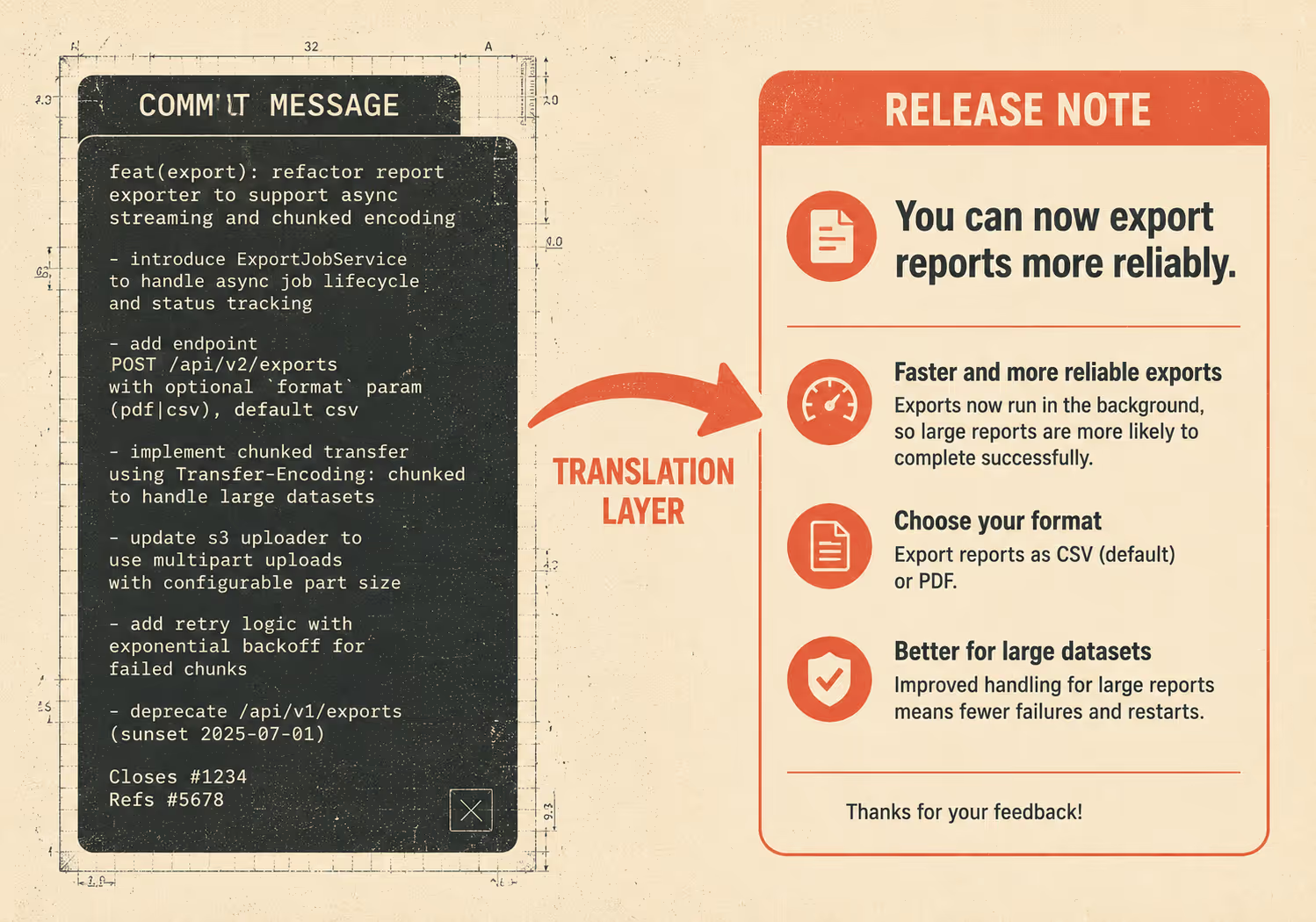
The translation layer is where the actual writing happens. A commit message describes what changed in the code. A release note describes what changed for the user.
A new integration is a headline. A minor UI tweak is a bullet point. A backend refactor that users will never notice is cut entirely.
The Tooling and Validation Layer
The process described above can live in a Markdown file in your repo, a shared doc that gets refined in review, or a script that pulls from git and outputs a draft. Several tools make this easier.
conventional-changelog is an npm package that generates changelogs directly from a Conventional Commits history. git-cliff is a highly customizable changelog generator written in Rust that supports custom parsers if your team uses non-standard commit formats. semantic-release goes further, automating the entire release workflow: it analyzes commits, determines the next version number, generates release notes, and publishes — all from a single CI step. GitHub also has built-in automatically generated release notes that can be configured via a .github/release.yml file to categorize pull requests by label.
None of these tools eliminate the need for a human review pass.
The validation step is where you check whether the output is accurate and complete. Who checks it? Ideally, someone who knows what shipped, what customers care about, and what the commit log might be hiding. That is usually a technical writer, a product manager, or a senior engineer who was close to the work. The questions to ask: Did we miss a breaking change? Did we bury something important in a bullet point that should be a headline? Does anything in here require a migration guide or a support article?
Research on release notes in the Google Play Store found that descriptive release notes help users understand how to use newly introduced features — and that developers who write them consistently see better user engagement with updates Abou Khalil et al., Empirical Software Engineering, 2022. The validation step is what makes the difference between a release note that informs and one that gets ignored.
The Ceiling on Manual Parsing
This manual method — pulling the log, filtering the noise, grouping the changes, translating the text, and validating the output — works. It is a repeatable process that a technical writer, product manager, or engineer can own and execute every release cycle.
It also hits a ceiling.
When you go from 20 commits per release to 200, the translation layer becomes a bottleneck. When you have multiple products shipping in parallel, the person tasked with writing the release notes spends their entire week just trying to keep up with the git log. The manual method was designed for a team of 10 shipping once a month. It was not designed for a team of 100 shipping every week across three products.
This is where teams start looking for automation. They write scripts. They use git-cliff or semantic-release. They try to wire up an LLM to summarize the diffs.
But any automated system requires human oversight, precisely because unmanaged AI can hallucinate features or miss breaking changes buried in commit footers. The goal isn't to remove the human from the process; the goal is to remove the bottleneck.
Doc Holiday is built for this transition. It generates release notes directly from the engineering workflow — the same commit stream you just learned to parse by hand — but routes the output to a reviewer dashboard. A technical writer or product manager must still validate, edit, and publish the notes. The structure it provides — templates, validation gates, multi-product support — is designed for teams that have outgrown the manual process but understand that a human in the loop is a feature, not a bug, before anything goes live.



