How to Write Release Notes for B2B Enterprise Products


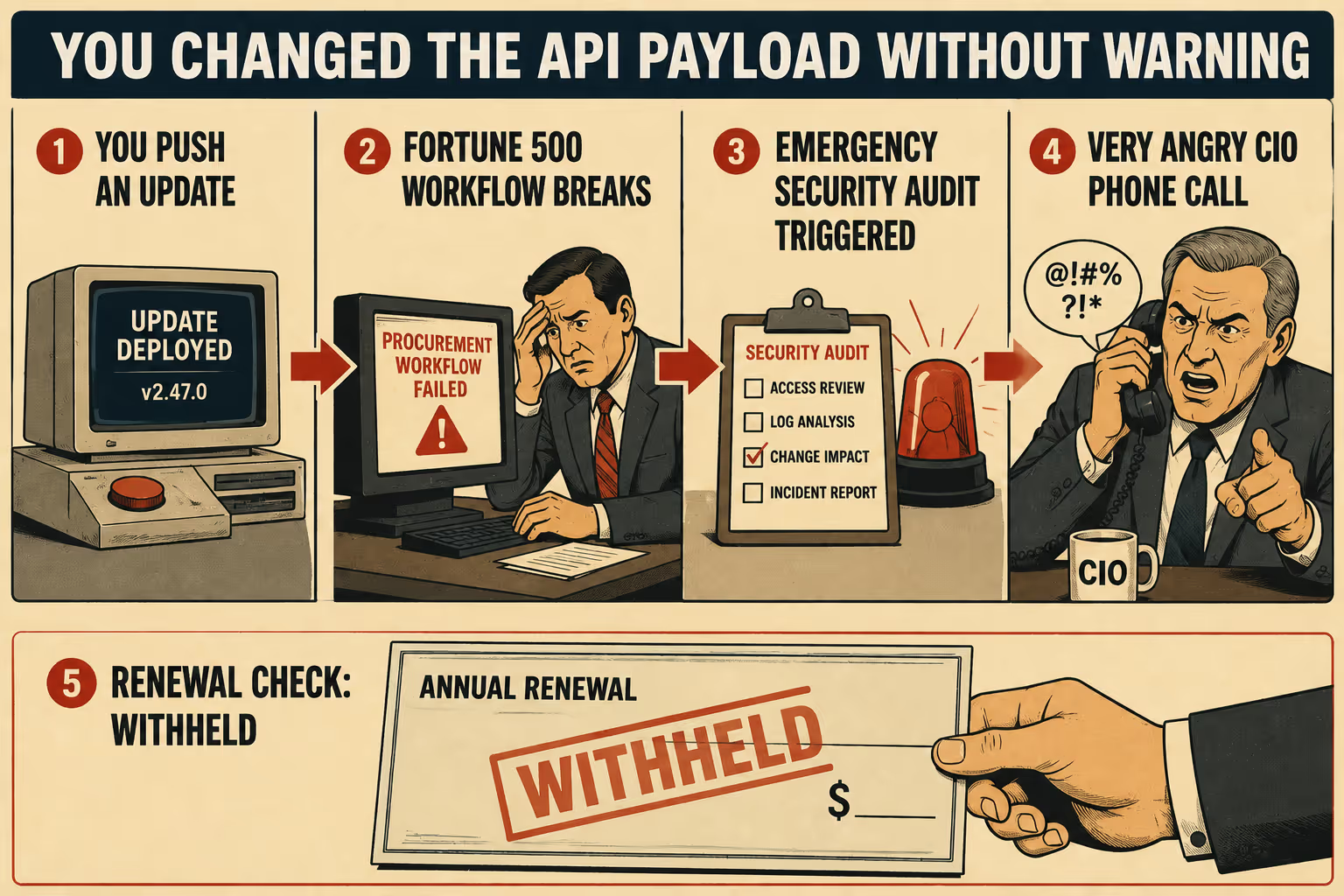
If you push a consumer app update that moves a button, your users might complain on social media for an afternoon. If you push an enterprise software update that changes an API payload without warning, you might break a Fortune 500 company's procurement workflow, trigger an emergency security audit, and receive a very angry phone call from a Chief Information Officer who is currently withholding your renewal check.
Enterprise release notes are not marketing collateral. They are operational contracts. When you sell B2B software, your release notes inform procurement decisions, trigger security reviews, feed compliance audits, and determine whether an IT department will block your rollout entirely. Poor release notes create internal friction for your customer's organization. Good ones reduce their operational overhead.
The problem is that most enterprise release notes are written as an afterthought by engineers who would rather be shipping code, or by product managers juggling five other deliverables. Research on release note production across more than 32,000 releases found that teams operating under agile development methods often produce release notes that are inconsistent or low quality, and that significant discrepancies exist between what producers document and what users actually need. The result is a document that lists what changed technically, but fails to explain what those changes mean for the people who actually have to manage the software.
The Audience Problem
Enterprise release notes serve fundamentally different readers, and none of them care about the same things.
End users need to know what changed in their daily workflow. They do not care about your new database indexing strategy. They care that the "Export to CSV" button moved to a different menu.
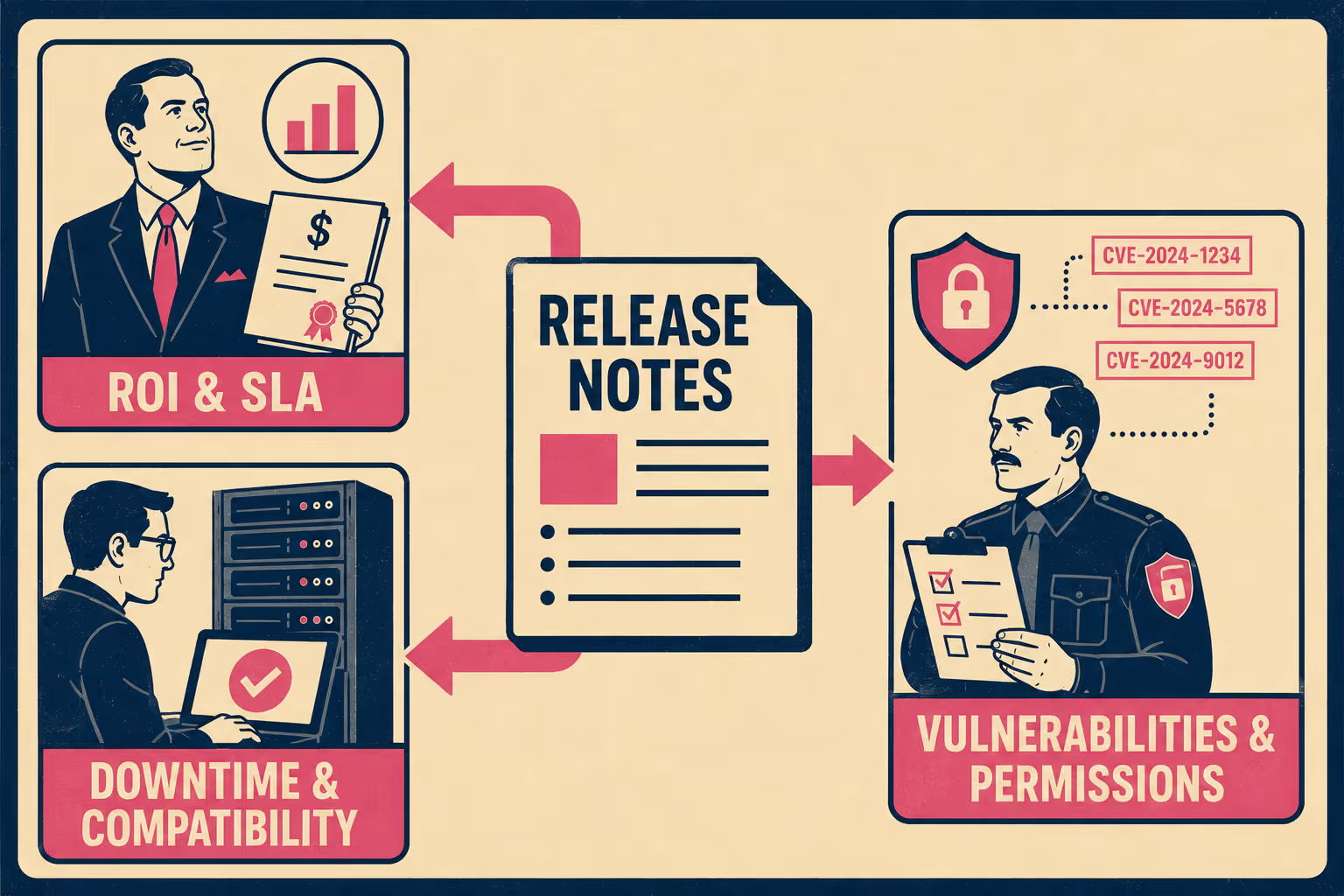
IT administrators need deployment and compatibility details. They need to know if the update requires a database migration, if it changes system requirements, or if it will break their existing single sign-on configuration. In many enterprise organizations, IT administrators sit on a Change Advisory Board (CAB) that formally reviews vendor updates before approving deployment. If your release notes do not answer their questions, the update gets blocked.
Security teams are scanning for vulnerability patches and new permissions. They need Common Vulnerabilities and Exposures (CVE) references, which are standardized identifiers maintained by MITRE and sponsored by the U.S. Department of Homeland Security that allow organizations to track and cross-reference specific vulnerabilities. They need to know if a new feature requires access to a different subset of user data, and if so, whether that changes the attack surface.
Compliance officers are checking for regulatory impacts. If your update changes how data is stored or processed, they need to know if it affects their General Data Protection Regulation (GDPR) or System and Organization Controls 2 (SOC 2) compliance posture. SOC 2 compliance is commonly required by enterprise customers and demonstrates that a company's systems meet rigorous security standards. A software update that silently changes data handling can invalidate a compliance certification.
Executives are evaluating return on investment and contractual Service Level Agreement (SLA) adherence. They want to know if the update delivers the value they paid for, and if the downtime required for the update violates their contract.
You cannot write a single narrative that satisfies all these readers. Instead, you have to structure the notes so each audience can extract what they need without reading the entire document. This requires layered disclosure: an executive summary for the buyers, a detailed changelog for the users and administrators, and a technical appendix for the security and compliance teams.
What Actually Belongs in the Changelog
When you write the detailed changelog, you have to translate engineering achievements into operational impacts.
New features and improvements are straightforward, but you have to specify what improved, by how much, and under what conditions. Vague language like "improved performance" is useless to an IT administrator trying to justify an upgrade. "Reduced API response time by 40% for queries returning more than 10,000 rows" is actionable. Research on documentation quality consistently identifies clarity and specificity as the attributes practitioners value most when making adoption decisions.
Bug fixes deserve more than a one-line entry. They are evidence of your support responsiveness. If a bug fix resolves an issue that a specific customer reported, mention it (anonymously, if necessary). It shows that you listen. It also helps IT administrators who have been tracking the same issue in their own ticketing systems confirm that the fix is actually in the release.
Deprecations and breaking changes are the most critical parts of the document. Enterprise customers cannot pivot on short notice. If you are deprecating an API endpoint, you need to provide a migration timeline. Industry guidance suggests a minimum of six months for endpoint removal and twelve to twenty-four months for major version sunsets. You have to explain exactly what is breaking, why it is breaking, and what the customer needs to do to fix it. As the Keep a Changelog convention notes, it should be possible to upgrade to a version that lists deprecations, remove what is deprecated, and then upgrade to the version where the deprecations become removals. If you do nothing else, list deprecations and breaking changes clearly.
Security patches require precision. You must include CVE references, affected version ranges, and clear remediation steps. GitHub's guidance on security advisories recommends specifying the exact vulnerable version range using standard operators, because automated tools like Dependabot rely on this information to alert downstream customers. If a patch addresses a vulnerability that is actively being exploited, you have to say so clearly, without inducing panic.
If the update affects Role-Based Access Control (RBAC), SAML authentication, or audit logging, flag it explicitly in the security section. These are the three areas that security teams care about most in enterprise software, and they are the three areas most likely to be buried in a generic "improvements" section.
The Mechanics of Delivery
The format and delivery of your release notes matter as much as the content.
You need a consistent versioning strategy. Semantic versioning (Major.Minor.Patch) is the standard for a reason. It communicates the risk of an update instantly. A patch release (1.0.1) should be safe to deploy automatically. A minor release (1.1.0) adds functionality without breaking changes. A major release (2.0.0) requires planning, migration work, and probably a conversation with your customer's IT team.
You also need to be transparent about your release cadence. Stripe's approach of combining twice-yearly major releases with monthly feature enhancements is a useful model: it gives enterprise customers the predictability they need to plan engineering cycles, while still allowing frequent improvements. If you ship hotfixes randomly, IT administrators will learn to fear your updates. If you ship on a predictable schedule, they can plan their maintenance windows around you.
Formatting conventions matter. Use consistent section headers. The Keep a Changelog convention uses six categories: Added, Changed, Deprecated, Removed, Fixed, and Security. These categories are not arbitrary. They map directly to the questions your different audiences are asking. Maintain a searchable archive. Enterprise customers often build internal tooling to parse your release notes into their own change management systems; if you change your formatting every month, you break their tools.
Legal and compliance language is not optional. If an update affects your SLA, requires downtime, changes data handling procedures, or updates third-party dependencies, you have to state it explicitly. These are contractual obligations, not just technical details.
Finally, you have to put the notes where people will actually see them. A changelog page buried in your documentation is not enough. You need in-app notifications for end users, email digests for administrators, RSS feeds for automated tracking, and API endpoints for programmatic access. Enterprise SaaS teams that distribute release notes through multiple channels see higher feature adoption and fewer support tickets after major releases, because customers actually know what changed.
The Part That Gets Skipped
Most teams write the what. Fewer write the why. Almost nobody writes the "what do you need to do about it."
For enterprise customers, the third part is the most important. Every entry in your changelog should answer three questions: what changed, why it matters operationally, and what action (if any) the customer needs to take. If the answer to the third question is "nothing," say so. It saves your customer's IT team from having to investigate.
This is also where the structure of your notes starts to matter for procurement. When a new buyer is evaluating your product, they will often read your release history to assess your engineering maturity. A changelog that consistently documents breaking changes with migration guides, security patches with CVE references, and deprecations with timelines signals that you are a vendor who can be trusted with critical infrastructure. A changelog full of vague bullet points signals the opposite.
The Operational Reality
Writing release notes this comprehensive takes time. It requires translating technical commits into business value, tracking down CVE numbers, and verifying compliance impacts. It is a heavy operational burden for teams that are already stretched thin.
The result is often inconsistent quality, missed details, and notes that do not go out until days after the release.
Doc Holiday generates structured release notes directly from pull requests, commit messages, and issue trackers. It captures what shipped, why it shipped, and what changed at the API level. A skilled technical writer or product manager can then validate the output, adjust the framing for the enterprise context, and add the compliance or security annotations that require human judgment. The structure is there. The content is generated. The human focuses on the parts that matter most to enterprise buyers.



