How to Generate Release Notes in Markdown From Github Commits


To generate release notes in markdown from GitHub commits, you need a system that does three things: extracts the right commits, groups and filters them by type, and rewrites the technical descriptions into user-facing language. The extraction and grouping can be automated. The rewriting requires a human. The teams that ship release notes in two hours instead of two days have figured out which parts to automate and which parts to protect.
Here's how to build that system.
The Problem Isn't Tooling
Most engineering teams have access to everything they need to generate release notes. They have a git history full of changes, a GitHub API that makes those changes queryable, and markdown editors that can format the output. What they don't have is a process that connects those pieces reliably.
The gap shows up in a familiar way. A release is approaching. Someone needs to write the release notes. They pull up the git log, start reading through commit messages, and immediately hit the first problem: the commits are written for engineers, not users. Commit messages are terse technical descriptions of what changed in a unit of work. Release notes are a high-level, user-facing summary of what changed in the product. These are not the same document.
The second problem is inconsistency. Different engineers write commits differently. Some are detailed. Some are cryptic. Some are just fix stuff. Filtering and grouping that kind of input manually takes time — as much as eight hours per release, according to research on automated release note generation.
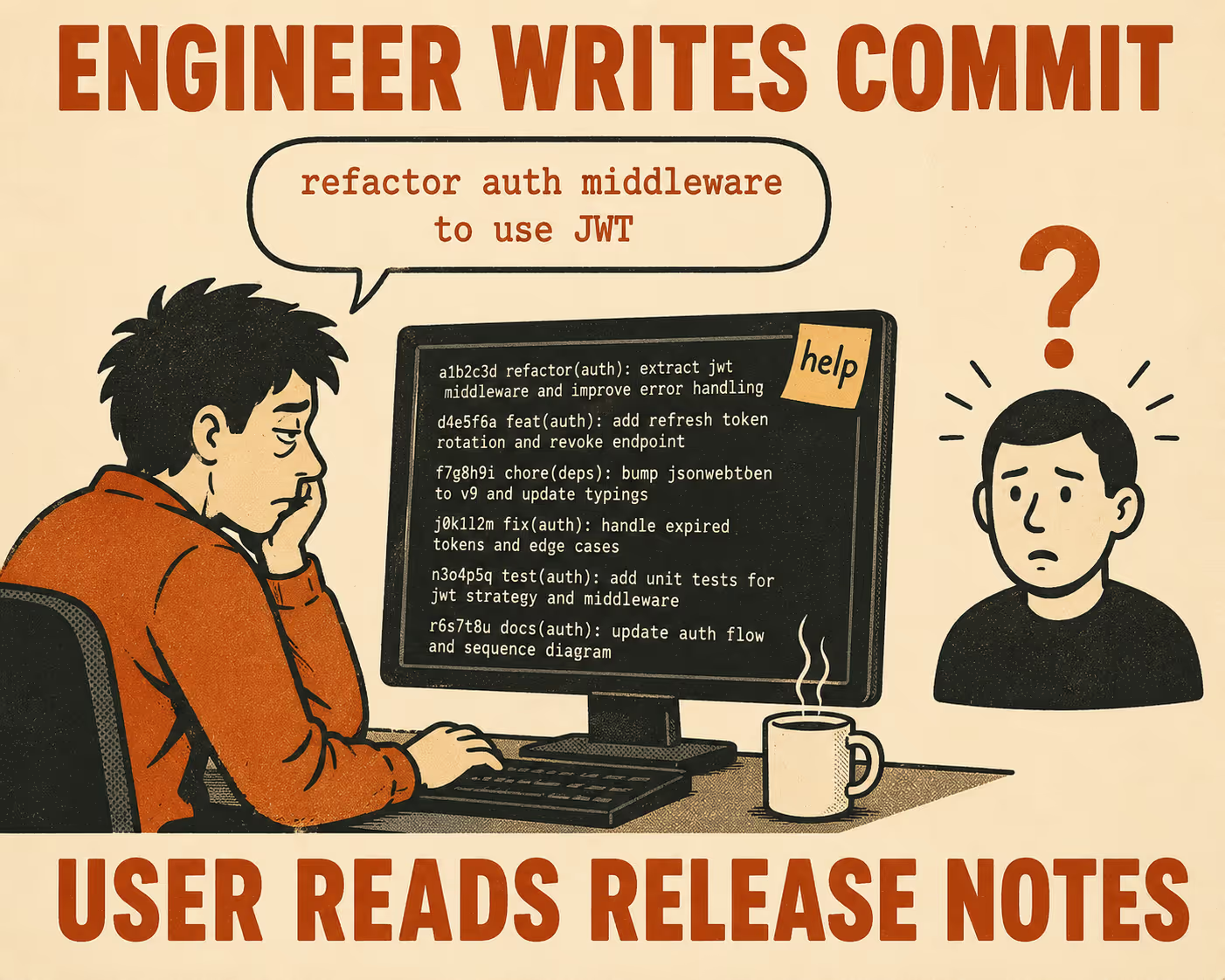
The third problem is that this work falls to whoever is least busy at release time, which means it gets done inconsistently, under pressure, and often without the context needed to write it well.
The fix is a workflow, not a tool.
The Manual Baseline
Before automating anything, it helps to understand what a human would do well. The manual process is the pattern you're trying to encode.
A technical writer or senior engineer starts by pulling the commits since the last release. On the command line, that's:
LAST_TAG=$(git describe --tags --abbrev=0)
git log ${LAST_TAG}..HEAD --pretty=format:"%H %s" --no-merges
Or via the GitHub REST API, using the since parameter to scope the request to a date range or comparing against a specific SHA.
From that list, they filter out the noise: internal refactors, documentation updates, dependency bumps, and anything else that doesn't affect user behavior. They group what remains into categories — new features, bug fixes, breaking changes — and then they rewrite each item from the user's perspective. Not "refactor authentication middleware to use JWT" but "Login sessions now persist across browser restarts."
That rewrite is the hard part. Everything else can be automated.
The Scripting Layer
Automation starts with structure. If your commit messages are freeform, your automation will produce freeform output. Conventional Commits solve this by enforcing a standard prefix format: type(scope): description. The types that matter most for release notes are feat (new feature), fix (bug fix), and anything with a ! suffix (breaking change).
With that structure in place, a Python script can do the extraction and grouping:
import re, requests

COMMIT_PATTERN = re.compile(
    r'^(?P<type>feat|fix|docs|chore|refactor|perf|test|style)'
    r'(?:\((?P<scope>[^)]+)\))?'
    r'(?P<breaking>!)?'
    r': (?P<description>.+)$'
)

def parse_commit(message):
    first_line = message.split('\n')[0]
    match = COMMIT_PATTERN.match(first_line)
    if match:
        return match.groupdict()
    return {"type": "other", "scope": None, "breaking": None, "description": first_line}

def get_commits(owner, repo, token, since_sha=None):
    url = f"https://api.github.com/repos/{owner}/{repo}/commits"
    headers = {"Authorization": f"Bearer {token}"}
    params = {"sha": "main", "per_page": 100}
    return requests.get(url, headers=headers, params=params ).json()
Once you have the parsed commits, rendering them into markdown is a matter of grouping by type and applying a template. Keep a Changelog provides a sensible default structure: breaking changes first, then new features, then bug fixes, with the version number and release date as the heading.
def render_release_notes(commits, version, date):
    groups = {"breaking": [], "feat": [], "fix": []}

    for commit in commits:
        parsed = parse_commit(commit["commit"]["message"])
        if parsed.get("breaking"):
            groups["breaking"].append(parsed["description"])
        elif parsed["type"] in groups:
            groups[parsed["type"]].append(parsed["description"])

    lines = [f"## {version} ({date})\n"]
    section_labels = {
        "breaking": "### Breaking Changes",
        "feat": "### New Features",
        "fix": "### Bug Fixes"
    }
    for key, label in section_labels.items():
        if groups[key]:
            lines.append(label + "\n")
            lines.extend(f"- {item}" for item in groups[key])
            lines.append("")

    return "\n".join(lines)
If you'd rather not maintain this script yourself, release-please from Google does this automatically as a GitHub Action. It watches the default branch for conventional commits, maintains a release pull request, and generates a CHANGELOG.md when the PR is merged. For teams already using conventional commits, it's the lowest-friction path to automated markdown release notes.
The Rewriting Problem
Here is the part that automation doesn't solve.
A feat: add v4 UUID to crypto commit is accurate. It is not a release note. The user doesn't care about the crypto module. They care about what they can now do that they couldn't do before. A release note for that change might read: "You can now generate v4 UUIDs directly from the SDK without an external library."
That translation requires knowing what the user cares about. It requires understanding the product well enough to frame a technical change as a behavioral one. It requires judgment.
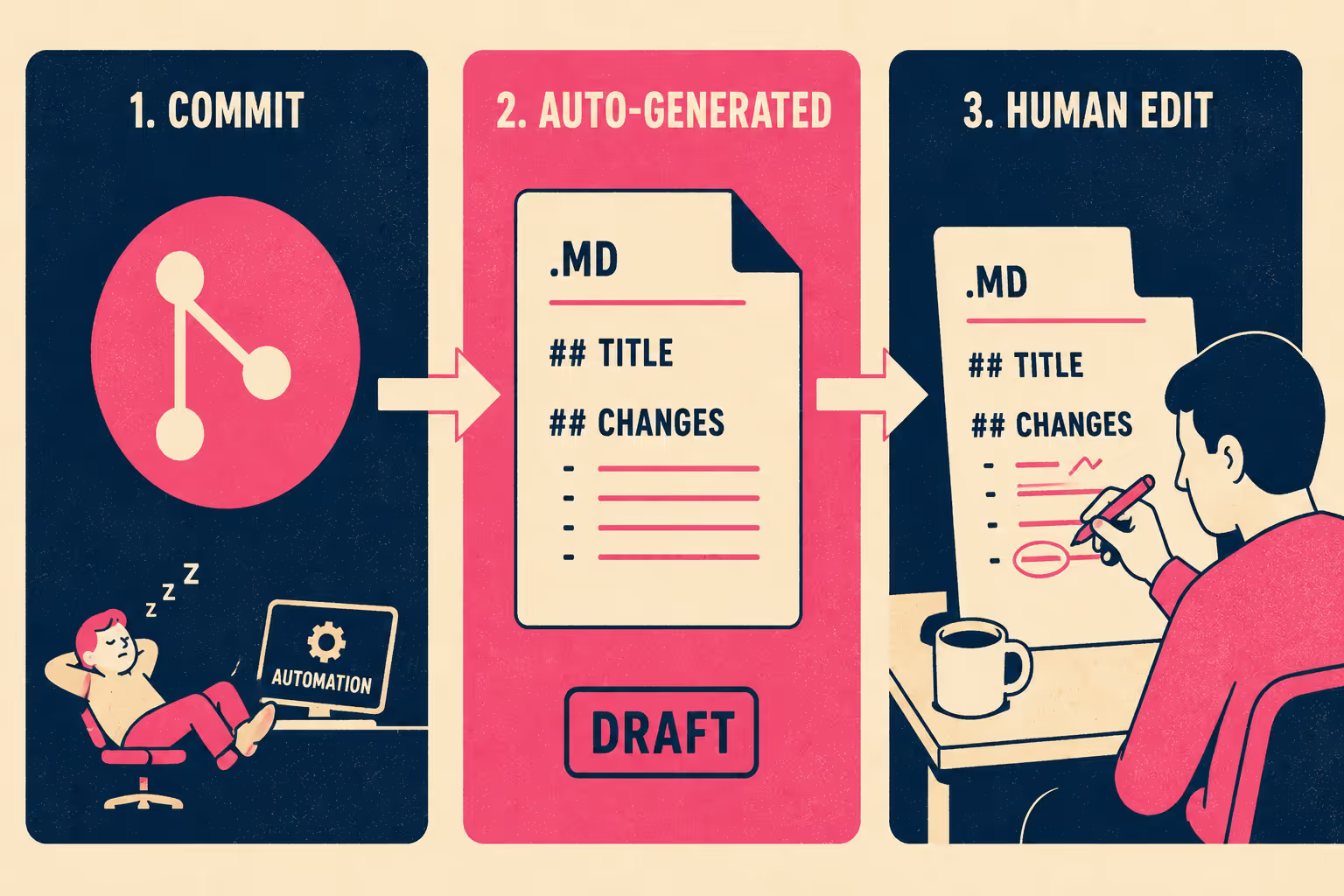
This is why the best automated workflows don't publish directly from the script output. They generate a draft and route it to a human for review. The automation handles the extraction, grouping, and initial formatting. The technical writer or engineering lead handles the rewrite. The division of labor is clean: the system does the work that scales; the human does the work that requires context.
Markdown is the right format for this handoff. It lives in the same repository as the code, it's reviewable in a pull request, and it's editable without any special tooling. Storing documentation in the same repository as code means the review process for release notes can use the same workflow the team already uses for code reviews. That's not a small thing. It means the technical writer can leave comments inline, the engineering lead can approve the draft, and the history of changes is preserved automatically.
Validation and quality gates
Bad release notes usually start with bad commits. The most effective place to prevent them is at authoring time, before they enter the git history.
commitlint enforces the conventional commit format via a git hook that runs when a developer writes a commit message. If the message doesn't match the expected pattern, the commit is rejected. This is the cheapest possible quality gate: it catches problems before they become someone else's problem downstream.
The table below shows where different quality interventions fit in the workflow:
The review step is not optional. Engineers aren't always telling technical writers about half the changes they're making, which means the automated draft will sometimes be incomplete. A reviewer who knows the product catches the gaps. They also catch the commits that are technically correct but behaviorally misleading — the fix that resolves a bug users never knew existed, or the feature that shipped behind a flag and isn't ready for public announcement.
The goal of the validation layer isn't to slow down the process. It's to make the process safe to run fast. Once the workflow is established, the automation does the eight hours of manual work in seconds. The human review takes thirty minutes. That's the structural advantage.
What separates two hours from two days
Teams that ship release notes in two hours aren't necessarily using better tools. They've built a system where the right information flows to the right place automatically, and a skilled human validates and improves it before publication.
The commits are structured at authoring time. The extraction and grouping are automated. The draft lands in a review queue with the right person assigned. The reviewer translates, edits, and approves. The markdown publishes.
Teams that spend two days are doing all of that manually, under pressure, without a clear owner, and often without the context they need to write it well. The fix isn't to hire more people. It's to stop treating release notes as something that happens after the release is done.
Doc Holiday generates structured markdown release notes directly from commits and pull requests, with built-in validation workflows that let technical writers or engineering leads review, refine, and approve before publishing. The system does the extraction and formatting; the human does the judgment calls.



