How to Automate Zendesk Article Updates From Github Releases


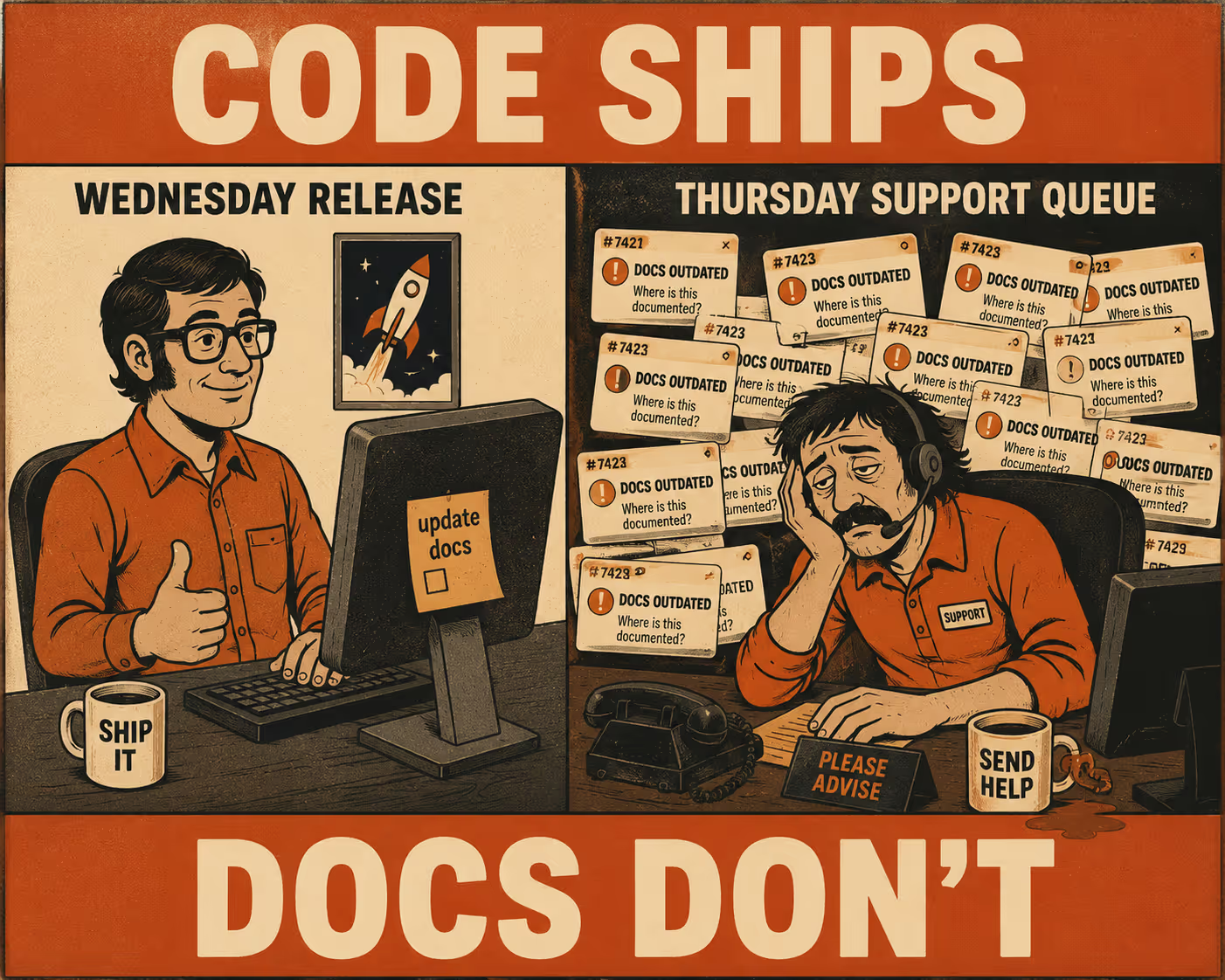
A customer submits a support ticket on Thursday morning. They followed the instructions in your help center exactly. The interface doesn't match the screenshots. The API endpoint they're trying to hit returns a 404. The support agent sighs, knowing what happened. The documentation was accurate on Tuesday. On Wednesday, engineering shipped a new release.
The code changed. The Zendesk article didn't.
This is documentation drift, and it's a synchronization failure, not a writing failure. When help center articles go stale within days of a release, customers read outdated instructions, support tickets pile up with questions the docs should have answered, and someone has to manually hunt down what changed and update articles by hand. Research finds that documentation already consumes roughly 11% of developers' work hours under normal conditions. When teams are shipping weekly, chasing stale articles on top of that isn't a rounding error.
The solution is to automate the synchronization between GitHub releases and Zendesk articles. Here is how to build a pipeline that actually works.
Phase 1: Map the connection points
The gap between GitHub and Zendesk is a data translation problem. GitHub knows what changed. Zendesk knows what the customer sees. The job is to connect those two things.
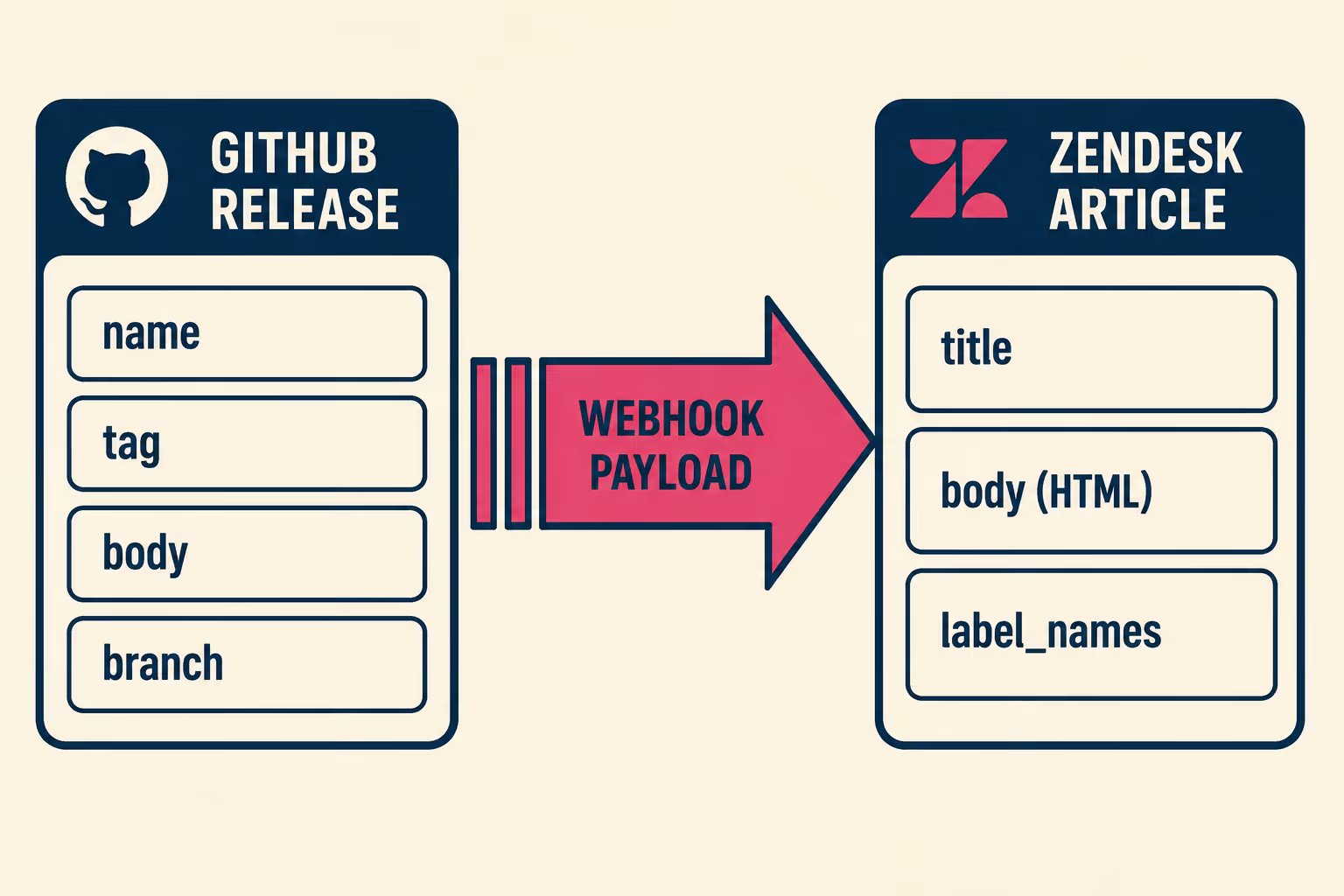
GitHub releases contain a lot of structured, useful data. When a release is published, the release webhook event fires and delivers a payload containing the release name, tag, body (the release notes markdown), and the target branch. Beyond the release object itself, each merged pull request carries a title, description, labels, and linked issue references. GitHub's automatically generated release notes can group these PRs by label into categories like "Breaking Changes" or "New Features" using a .github/release.yml configuration file. That categorized structure is the raw material for documentation updates.
On the Zendesk side, the Help Center Articles API lets you update article content programmatically. The writable fields include title, body (HTML), and label_names. Authentication uses either OAuth or API token. Rate limits are plan-dependent: 200 requests per minute on Team, 400 on Professional, 700 on Enterprise, and 2,500 on Enterprise Plus. Exceeding those limits returns a 429 Too Many Requests with a Retry-After header telling you how long to wait. Your automation needs to handle that gracefully.
Not every article needs to be synchronized. Evergreen content, like your refund policy or general account setup guides, rarely changes with a software release. Version-dependent articles, such as API references, feature configuration guides, or authentication walkthroughs, are the ones that drift. The way to distinguish them is with a labeling scheme.
Zendesk's label_names field accepts up to 10 case-sensitive labels per article. A simple tagging convention might look like this:
When a release fires, your automation queries the Zendesk API for articles tagged auto-sync and any relevant version labels, then targets only those. The incremental article endpoint (GET /api/v2/help_center/incremental/articles) can also list articles updated since a given Unix timestamp, which is useful for auditing drift over time.
Phase 2: Build the automation pipeline
There are a few realistic ways to connect these systems, and the right choice depends on how much engineering bandwidth you want to dedicate to maintaining it.
The lightest approach is a GitHub Actions workflow triggered on the release: published event. The Action calls the Zendesk API directly: it parses the release body, finds the relevant articles by label, and pushes the updates. This takes a day or two to set up and works well for teams with a small, predictable article set. The weakness is brittleness. If the release body format changes, or if the parsing logic needs to handle edge cases like hotfixes or rollbacks, the workflow file accumulates complexity fast. A large-scale empirical study of GitHub Actions workflows across 200 mature projects found that workflow files generate significant extra maintenance burden, with bug fixing and CI/CD improvements being the major drivers. The researchers called it "the hidden costs of automation."
A more resilient approach uses webhook-triggered serverless functions. GitHub sends the release payload to an AWS Lambda or Google Cloud Function. The function handles the rate limiting logic, manages retries when Zendesk returns a 429, and transforms the release markdown into the HTML format Zendesk expects. This decouples the documentation logic from your CI/CD pipeline and makes it easier to test independently.
Regardless of architecture, a few implementation details matter everywhere. First, validate the webhook signature. GitHub sends an X-Hub-Signature-256 header containing an HMAC-SHA256 digest of the payload, signed with your webhook secret. Verifying this before processing prevents spoofed payloads from triggering article updates. Second, log the X-GitHub-Delivery GUID from each webhook request. This globally unique identifier lets you trace exactly which delivery triggered which Zendesk update, which is essential when debugging why an article didn't update. Third, preserve the existing article structure. Don't overwrite the entire article body. Target specific sections using HTML comments or header tags as anchors, and only update the content within those boundaries. Overwriting the whole body destroys screenshots, callout boxes, and formatting that took time to build.
The part everyone gets wrong: human review
Pushing updates directly from a GitHub release to a published Zendesk article is dangerous.
The problem isn't that the automation is unreliable. The problem is that releases sometimes include breaking changes, nuanced edge cases, or context that a commit message simply doesn't contain. A developer's note that "refactored auth flow" might mean the customer needs to generate a new API key. That translation requires human judgment.
A 2024 study on linking code and documentation churn across three open-source GitHub projects found that documentation updates were not continuously linked to code changes, even when new features were introduced. In one project, 14,768 code changes were never linked to documentation at all. The researchers concluded that every code change should prompt a documentation update, but that the nature of those updates requires contextual knowledge that automation alone can't supply.
The practical answer is to push updates to Zendesk as drafts rather than publishing directly. Zendesk's Team Publishing workflow allows articles to be placed in "Awaiting review" or "Ready to publish" states. When the automation runs, it updates the draft and fires a notification, perhaps a Slack message to the documentation channel, alerting the reviewer that an article needs attention.
The review process has to be fast. The reviewer shouldn't need to read the entire article. The notification should include a summary of what changed, extracted from the GitHub release body, so the reviewer can verify the update and approve it without hunting through the diff. Routine updates, like minor version bumps or corrected parameter names, might auto-publish safely after a short delay. Major feature releases or breaking changes always require human eyes before going live.
Keeping the system running
Once the pipeline is built, it requires maintenance. Zendesk's API evolves. Rate limits change. Endpoints get deprecated. If your automation doesn't log failures, you won't know when an article silently stopped updating.
Version skew is a persistent challenge. If you support multiple software versions simultaneously, a single GitHub release might need to update v4 documentation while leaving v3 untouched. Your labeling scheme and parsing logic have to account for this from the start, because retrofitting it later is painful.
The deeper issue is the resourcing problem. Most teams don't have the engineering bandwidth to build and maintain this kind of custom integration. The person responsible for documentation, whether a technical writer or a support manager, usually doesn't have the technical depth to implement webhook listeners and serverless functions. The person who does have that depth is usually focused on the product. It becomes a project that gets started, works for a few months, and then quietly breaks when the engineer who built it moves on.
Doc Holiday addresses this directly. It indexes code, commits, and pull requests, and automatically generates documentation and release notes as code is released. It connects to your repositories and knowledge bases, drafts updates based on actual code changes, and gives your technical leads a structured review workflow to validate and publish. For teams who understand the synchronization problem but don't have the bandwidth to build and maintain a custom integration, it's the practical next step.



