How to Automate Jira-to-confluence Release Notes


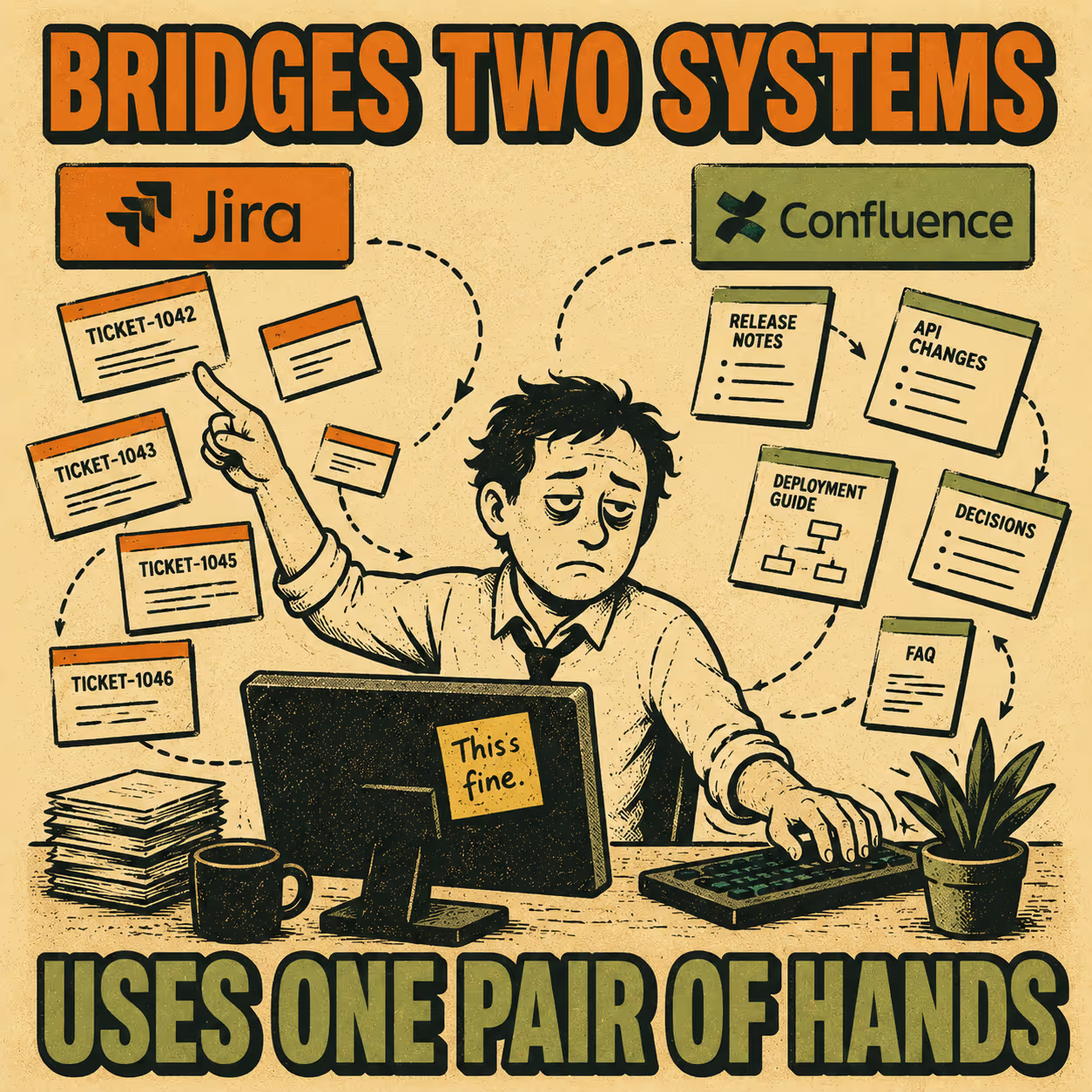
Every engineering team eventually ends up in the same place. Jira has everything: the tickets, the commits, the version history, the fix descriptions. Confluence has the audience: the product managers, the customer success team, the executives who want to know what shipped before the next all-hands. And between those two systems sits a person, usually an engineer or a technical writer, manually copying, reformatting, and polishing content that already existed somewhere else.
The short answer to whether you can automate this: yes, and the right approach depends on how much control you need over the output. The native Jira-Confluence integration handles the basics. Workflow tools like Zapier or Make give you more flexibility at the cost of more configuration. Custom scripts give you complete control at the cost of maintenance. And structured documentation platforms handle the whole workflow, including the part where raw ticket language gets turned into something a stakeholder will actually read.
The rest of this article walks through what each of those looks like in practice, where each one breaks down, and how to choose.
Why the Handoff Breaks Down
Jira is a project management tool. The language in it is written by engineers, for engineers. Ticket titles like "Fix null pointer in auth flow" or "Bump dependency version" are perfectly useful inside a sprint. They are not useful in a release note.
Confluence is a communication tool. Stakeholders reading release notes want to understand what changed, why it matters, and whether they need to do anything. That requires a different kind of writing than what ends up in a ticket.
The gap between those two modes is where documentation drift happens. Code evolves faster than documentation habits (Hackernoon, 2025), and without a system that bridges the two, the release notes either don't get written, get written badly, or get written late. The 2024 State of Developer Experience report from DX and Atlassian found that insufficient documentation was the second-leading cause of wasted developer time, with 69% of developers losing eight or more hours per week to inefficiencies (DX, 2024). Release note prep is a meaningful slice of that.
The 2023 DORA State of DevOps Report put it differently: high-quality documentation "drastically increases the effectiveness of technical capabilities on organizational performance" (DORA, 2023). Which is a polite way of saying that teams with bad documentation underperform even when their engineering is good.
The Native Integration
Atlassian offers a release notes builder that connects Jira and Confluence directly. You select a release in Jira, click a button, and a templated Confluence page is generated with the issues from that release pre-populated. Atlassian's own data suggests that 76% of Jira customers report faster project delivery after adding Confluence.
This works well for teams with clean ticket hygiene and simple stakeholder needs. If your engineers write good ticket titles and your release notes are mostly internal, the native integration might be enough.
Where it falls short is the quality problem. The integration moves data; it does not transform it. A list of ticket titles is not a release note. It has no narrative structure, no grouping by theme, no distinction between a minor bug fix and a major feature. If your stakeholders are external customers or executives who need context, a raw ticket dump will create more confusion than clarity.
There is also a formatting limitation worth knowing about. Jira Automation's "Create Confluence page" action has a documented gap: the {{issue.description}} smart value returns content as plain text or wiki markup, not in Atlassian Document Format (ADF), which is what Confluence actually expects. This means the page content often renders incorrectly, and the automation does not automatically link the new page back to the originating issue. Teams that discover this mid-setup tend to end up in the Confluence REST API documentation, which is a different afternoon than they planned.
Workflow Automation Tools
Zapier and Make let you build more sophisticated pipelines. A common pattern: trigger when a Jira version is marked as released, query all issues in that version, format the output, and create or update a Confluence page.
This gives you conditional logic that the native integration lacks. You can filter out certain issue types, group bugs separately from features, or add a custom header. You can also trigger on different events, like a sprint completion or a specific status transition.
The limitations are real, though. Confluence's API expects content in XHTML-based storage format, not plain text or Markdown. Building that XML by hand inside a Zapier action is tedious and fragile. Version management is also a manual concern: if a ticket gets added to a release after the automation runs, you have to re-trigger or update the page manually.
The honest summary: workflow automation tools can reliably handle the data transfer and basic formatting. They cannot handle the communication problem. You still end up with a structured list of ticket titles, not a narrative release note.
Custom Scripts
Teams with engineering bandwidth sometimes build their own integrations using the Jira and Confluence REST APIs. This is the highest-control option. You can query exactly the issues you want, apply whatever transformation logic you need, and push the result to Confluence in any format.
The tradeoff is maintenance. You are now the owner of an internal tool that exists solely to write release notes. When Atlassian updates an API, your script breaks. When a new team joins and wants a different format, you update the script. When the person who wrote the script leaves, you inherit it.
For large organizations with dedicated platform engineering teams and complex release processes, this can make sense. For most teams, it is a high-effort solution to a problem that has better options.
The Quality Problem
All three approaches above share a structural limitation: they treat release notes as a data transfer problem rather than a communication problem.
Research on automated release note generation has been consistent on this point. The ARENA system, one of the earliest academic approaches to automated release note generation, extracted changes from source code and issue trackers but still required human review to produce readable output. A 2024 study of practitioners' expectations found that professionals expect automated tools to handle the mechanical work but still want human oversight on content quality and audience appropriateness.
What does "release note quality" actually mean in practice? Three things: clarity (a non-engineer can understand what changed), audience-appropriate detail (internal notes can include more technical context than external ones), and consistent structure (stakeholders should be able to scan the same format every release). None of the automation methods above produce this reliably without manual editing.
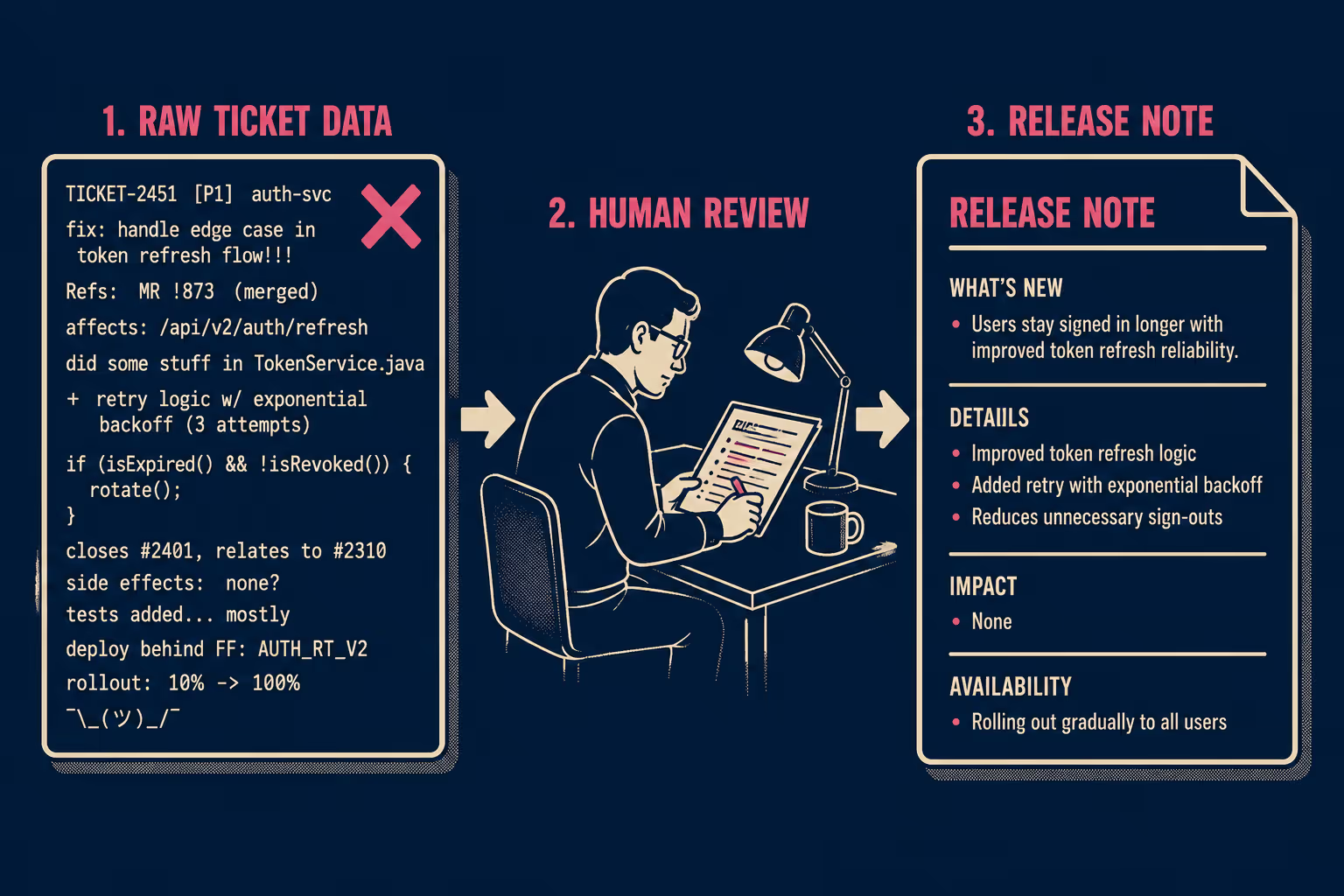
YugabyteDB's engineering team ran into this directly. With up to 1,000 distinct changes per release, they could not expect engineers to produce uniform documentation. Their solution was to use GPT-4 to summarize issue text into user-facing release notes, with a prompt engineered to start sentences with action verbs in the present tense ("Allows," "Fixes," "Introduces") rather than the past-tense engineering default. The result was consistent, readable output that required almost no human review after a few iterations. The key insight was that the AI needed explicit instructions about audience and format, not just a request to summarize.
Choosing the Right Approach
The right level of automation depends on four variables: team size, release cadence, stakeholder expectations, and available technical resources.
One thing worth being honest about: none of these options are truly hands-off. The native integration requires good ticket hygiene. Workflow automation requires someone to maintain the configuration. Custom scripts require engineering time. Structured documentation platforms generate publication-ready output; a human review step is available as a quality gate, but it is not a prerequisite for publishing. The goal is not to eliminate human judgment; it is to make that judgment optional rather than mandatory.
Where This Is Going
The most promising direction is structured documentation platforms that generate release notes directly from engineering activity and publish them to Confluence without manual reformatting.
GitHub's automatically generated release notes are a simple version of this: pull request titles, grouped by label, with a configurable YAML schema. It is not sophisticated, but it demonstrates the model. The generation is automatic; the human reviews before publishing.
The more capable version of this model indexes commits, tickets, pull requests, and prior documentation, uses that context to generate a structured draft, and then gives a technical writer or product manager a clean interface to review and publish. The Stack Overflow developer survey found that developers spend more than 30 minutes a day searching for solutions to technical problems, much of which is caused by documentation that is outdated or missing. The fix is not more documentation writers; it is a tighter feedback loop between engineering activity and documentation output.
Doc Holiday is built for exactly this workflow. It connects to your Jira instance, indexes tickets and commits, and generates structured release notes that publish directly to Confluence. A review step is there if you want it; it is not there because the output needs saving.



