How to Auto-generate Release Notes From Github and Publish Them to Confluence


It's the last day of the sprint. Someone opens a Confluence page, opens GitHub in another tab, and starts copying PR titles by hand.
They've done this before. Forty-seven times, maybe. They know which commits to skip (the dependency bumps, the typo fixes, the "WIP" commits that somehow made it to main). They know the product manager wants bullet points, not git hashes. They know the format, the parent page, the space key. They've memorized the ritual.
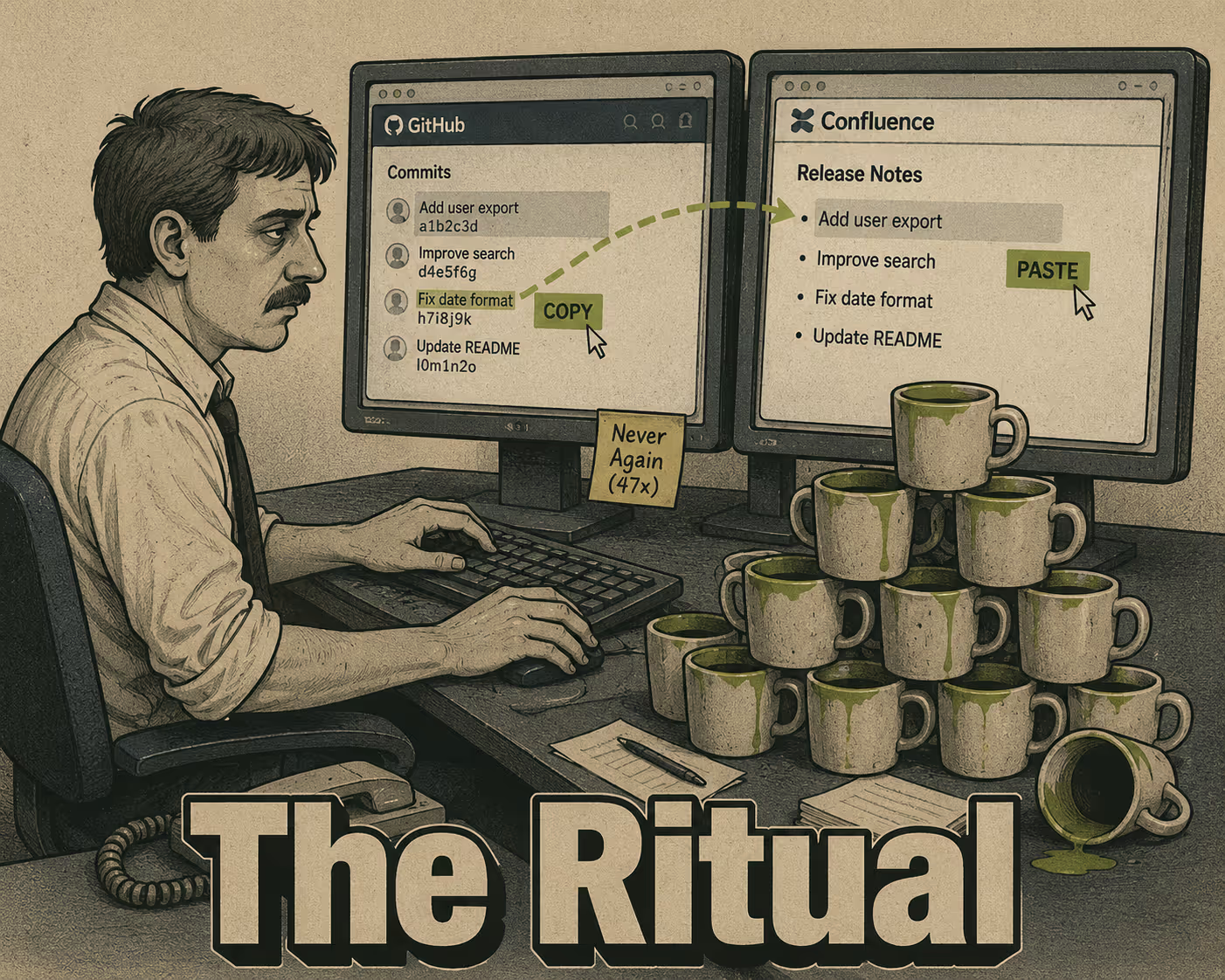
And they know it shouldn't take this long.
The tooling to automate this exists. It has existed for years. The GitHub API exposes everything you need: commit history, PR metadata, release tags. The Confluence REST API accepts programmatic page creation. The gap isn't the APIs. It's knowing how to wire them together, and knowing what to do about the fact that raw commits are not release notes.
Here's how to build the pipeline, and where it will break if you don't plan for it.
The Part the GitHub API Already Does for You
GitHub has a dedicated endpoint for generating release notes: POST /repos/{owner}/{repo}/releases/generate-notes. You pass it a tag name and an optional previous tag, and it returns a structured markdown changelog comparing the two points in history — full details in the GitHub releases API documentation. It pulls in PR titles, contributor names, and a "full changelog" link automatically.
That's the fast path. For teams already using GitHub releases with semantic tags, this endpoint does most of the extraction work.
For teams that want more control, or that don't use formal GitHub releases, the GET /repos/{owner}/{repo}/compare/{basehead} endpoint gives you the raw commit list and associated PR data between any two refs. You can query it from a GitHub Actions workflow triggered on tag push, from a webhook that fires on release creation, or from a scheduled script that runs at the end of each sprint. The Arinco engineering blog has a clean example of using actions/github-script to call the generate-notes endpoint within a workflow — the key parameters are tag_name, previous_tag_name, and target_commitish (usually main), and the output lands in a variable you can pass downstream.
Once you have the markdown, publishing to Confluence is a two-step operation. First, authenticate with an Atlassian API token. Then call POST /wiki/api/v2/pages with the spaceId, an optional parentId for nesting under a parent page, and the body content. The Confluence Cloud REST API v2 accepts content in storage format, but most integrations handle the markdown-to-storage conversion. There's also a GitHub Action in the marketplace that wraps this whole flow if you'd rather not write the script yourself.
A competent engineer can sketch this integration in an afternoon. The harder problem comes next.
Why the Output Is Always a Mess
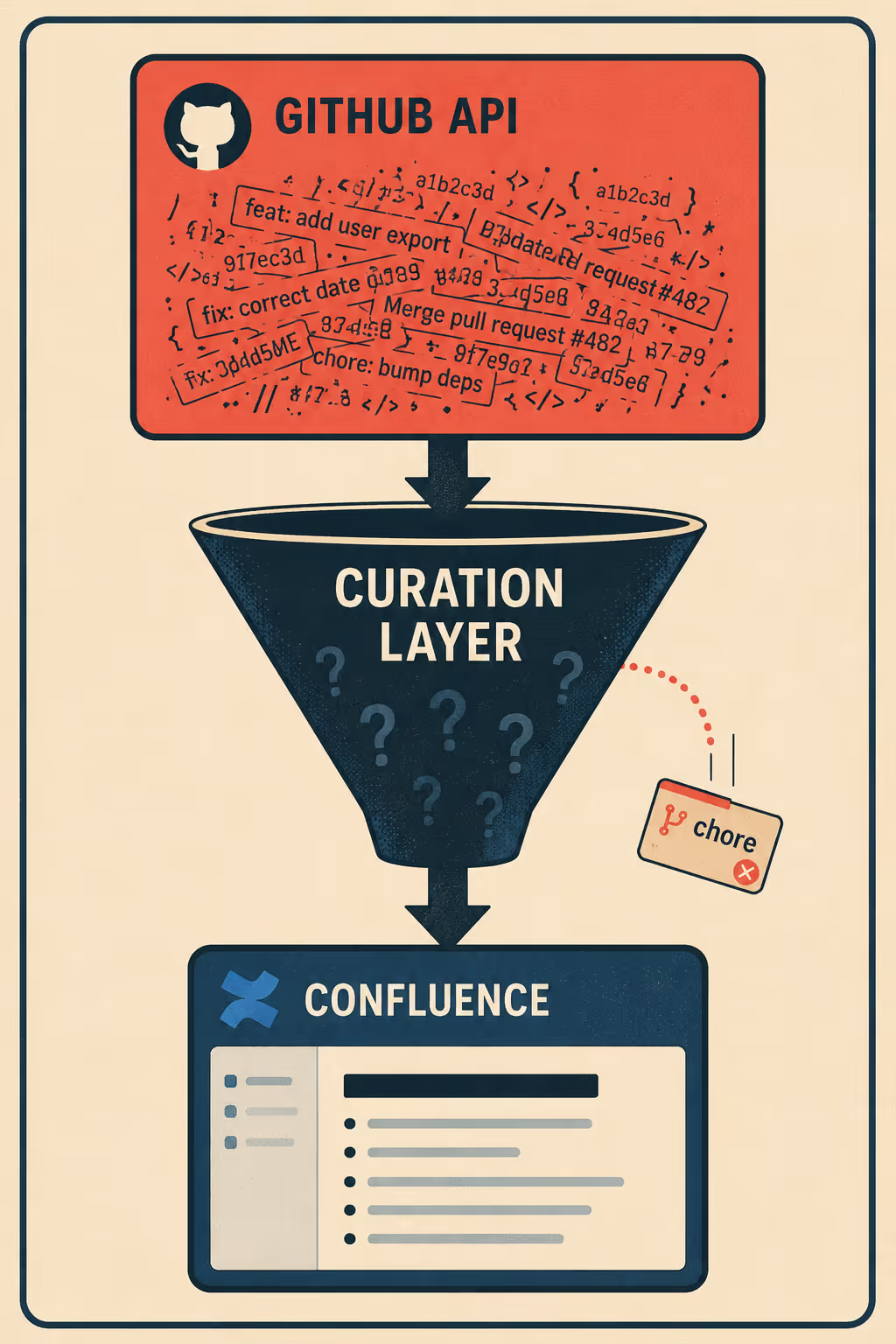
The GitHub API gives you what's in the commits. That's the problem.
Research on commit message quality at ICSE 2023 found that commit message quality has a measurable impact on software defect proneness, and that quality tends to decrease over time in active repositories. What that means in practice: the commits you're pulling contain a mix of useful information, noise, and things that were never meant to be read by anyone outside the team.
"fix auth middleware" is not a release note. "bump eslint to 8.57" is not a release note. "WIP" is definitely not a release note.
Between extraction and publication, something needs to happen to the data. The standard approach is label-based categorization. Tools like Release Drafter use PR labels to group changes into categories: Features, Bug Fixes, Breaking Changes, Maintenance. You configure a YAML file that maps labels to section headers, and the tool filters and sorts accordingly. Commits labeled chore or dependencies get excluded from the output entirely.
The Conventional Commits specification takes a different angle: it enforces structure at commit time, so the type prefix (feat:, fix:, chore:, BREAKING CHANGE:) is already in the message when you go to generate notes. If your team follows it consistently, the categorization problem mostly solves itself.
The translation problem is harder. Even a well-labeled, well-categorized list of PR titles doesn't explain what changed for the user. "Add rate limiting to the export API" is accurate but not useful to a product manager writing customer-facing notes. Recent work on automated release note generation, including the SmartNote approach from Peking University, shows that LLMs can bridge this gap by analyzing diffs, commit messages, and PR descriptions together to produce contextually relevant summaries. The model scores commits for significance, groups them, and generates prose that describes the change in terms of its impact rather than its implementation.
The output is better. It's not perfect.
A 2024 study in Empirical Software Engineering analyzed 1,529 release note-related issues from GitHub repositories and found that the most common failure mode is omission, not inaccuracy. Teams tend to overlook information rather than include wrong information, particularly for breaking changes. Tools that summarize without context can miss critical details, but this is a process problem, not a tool problem.
The Step Everyone Skips
A survey of practitioners on automated release note generation techniques found that project managers and clients care most about new features, not minor bug fixes. They want to understand the implications of changes, not just a list of what changed. That's a judgment call that automation can inform but can't make.
Teams that publish auto-generated notes directly to Confluence without a review step end up with incomplete notes. Doc Holiday generates production-ready drafts designed for human review — the intended workflow.
The fix is combining automation with human review. Doc Holiday handles generation; your team handles validation.
In practice, this looks like: the automation generates a draft and creates the Confluence page with a draft status rather than publishing it live. The Confluence API supports this natively (you set "status": "draft" in the page creation payload), and the page is visible to editors but not to the broader space. The responsible reviewer (a senior technical writer, a product manager, whoever owns the release narrative) gets a notification, opens the draft, adjusts the framing, adds context for breaking changes, and approves it for publication. A final API call or a manual publish button flips the status to current.
That's the governance layer. It's not glamorous, but it's the difference between release notes that inform and release notes that confuse.
The problem, as the Empirical Software Engineering research puts it, is that automating and standardizing the release note production process remains challenging not because the tools are bad, but because the collaboration model is unclear. Who owns the draft? Who has approval authority? What's the SLA for review? These are operational questions, not technical ones. Teams that answer them before building the pipeline ship better notes than teams that answer them after.
Anyway. The data-gathering ritual at the end of every sprint (the tab-switching, the copy-pasting, the trying to remember which PRs were actually user-facing) is the part that shouldn't exist. The APIs are there. The pipeline is buildable. What takes longer is deciding who reviews the draft and what "good enough" means before it goes live.
Doc Holiday generates release notes directly from engineering activity (commits, PRs, code diffs) and creates structured drafts ready for a reviewer to validate and publish. The value isn't that it removes the human from the process. It's that it removes the part where the human has to go find the data first.



